
Search the Community
Showing results for tags 'whmcs'.
-
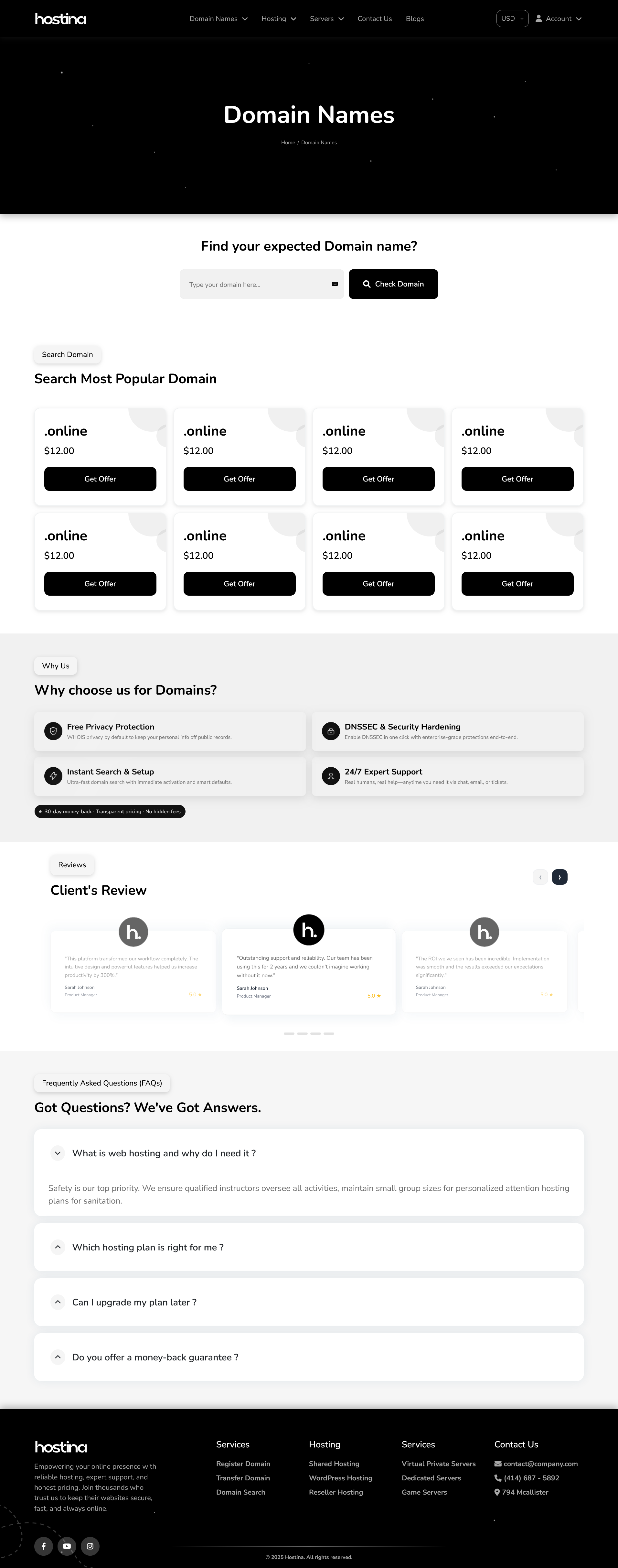
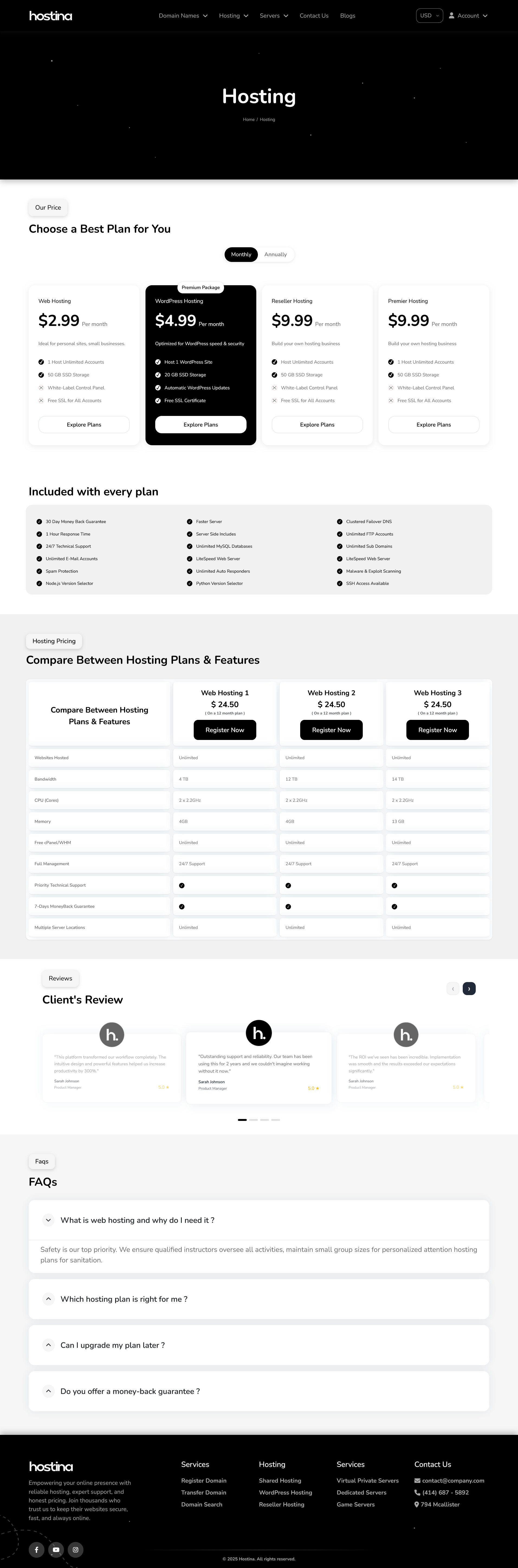
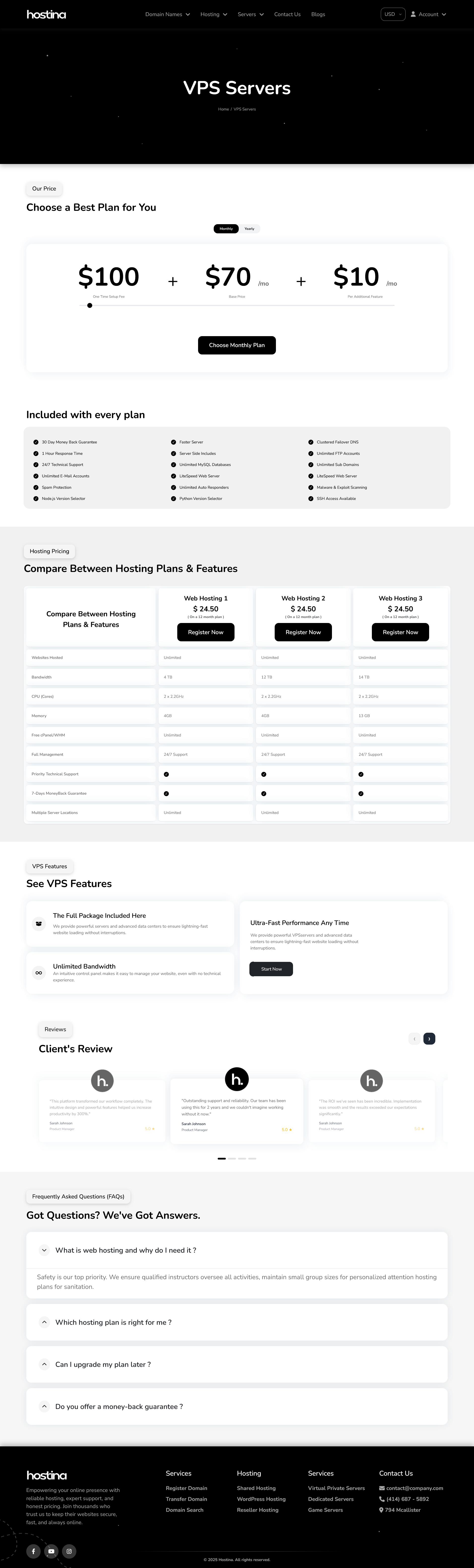
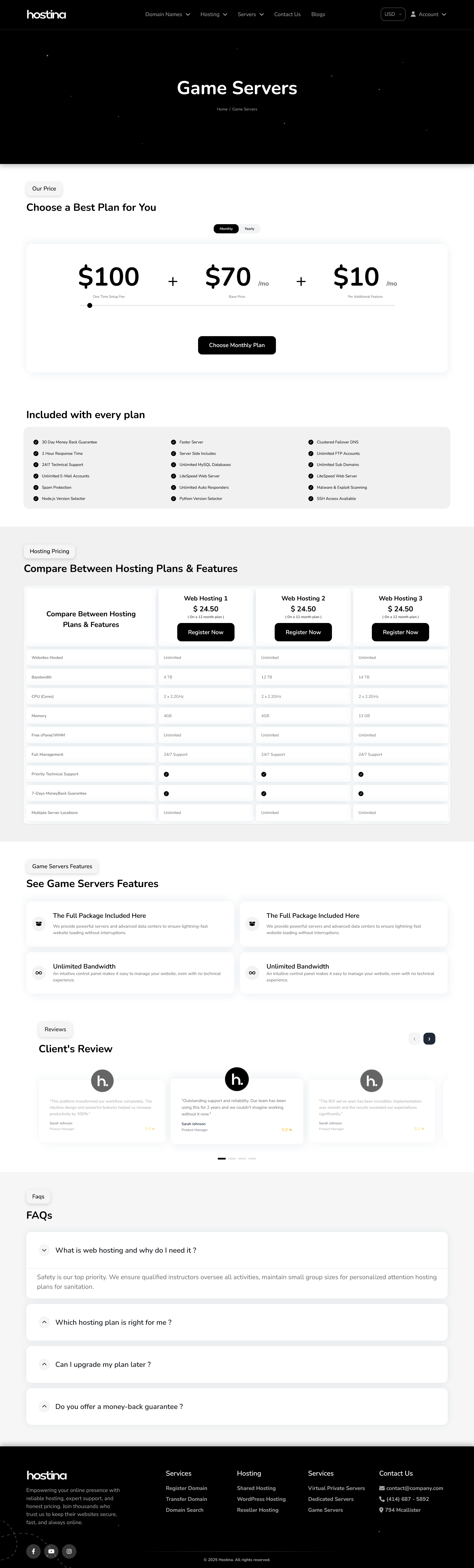
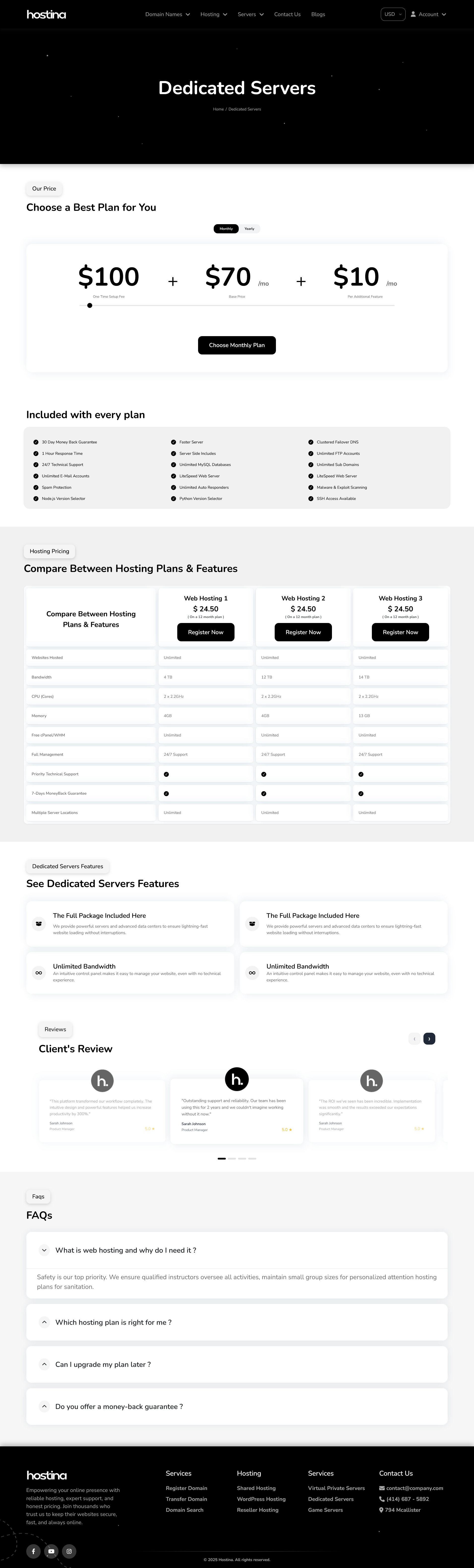
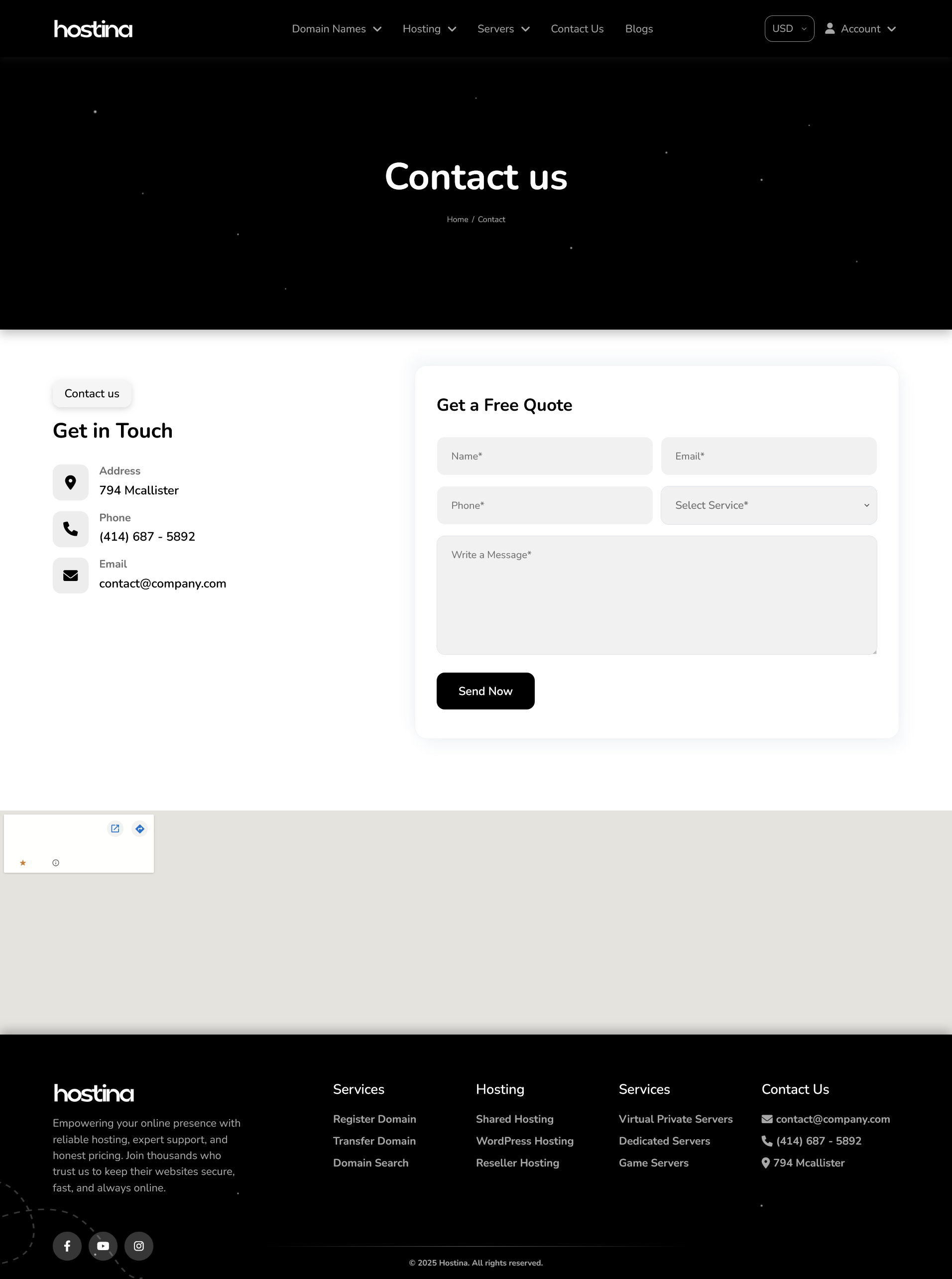
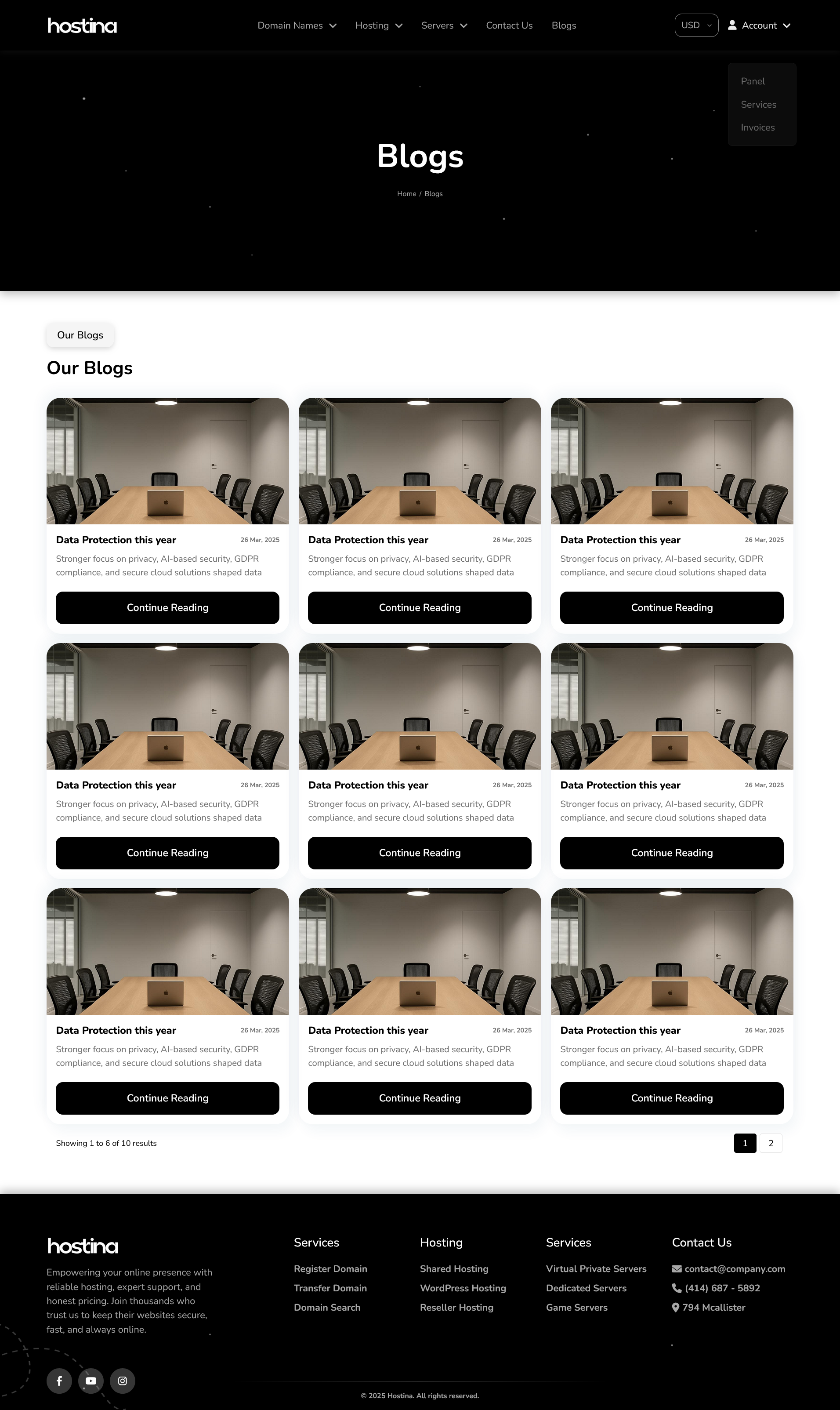
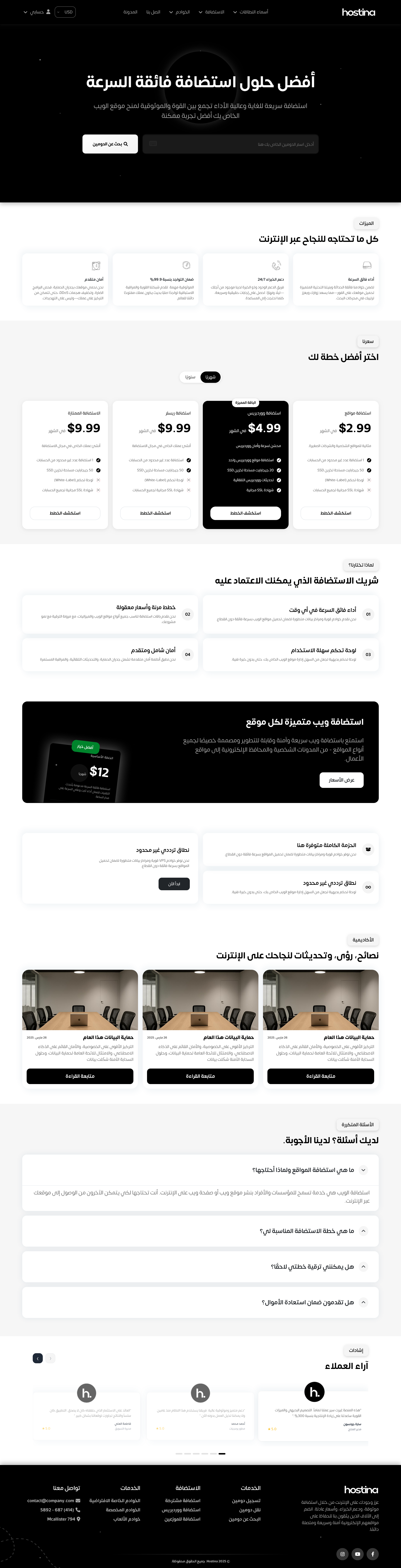
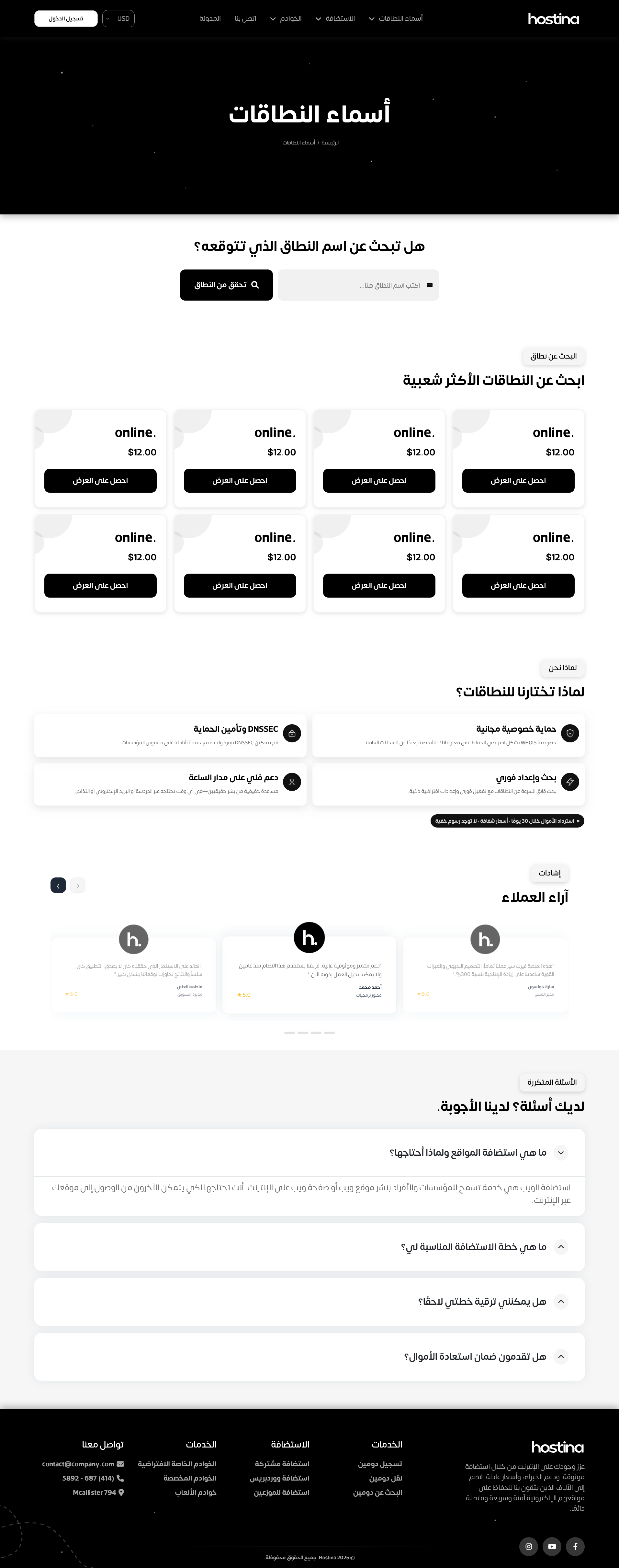
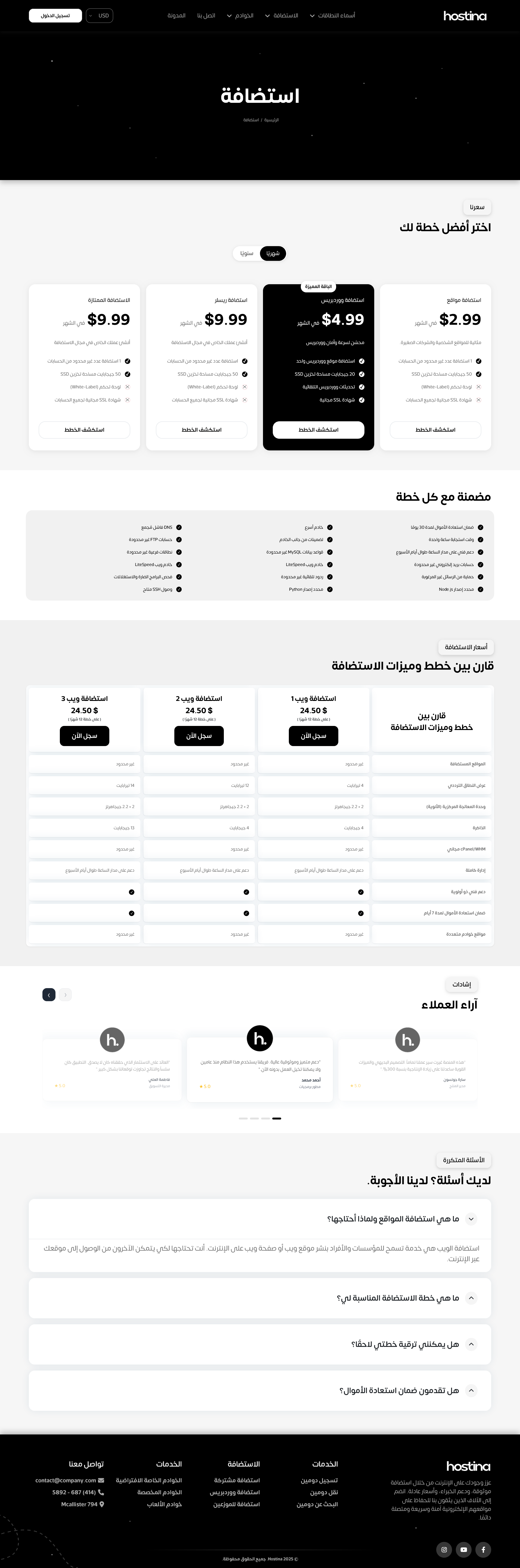
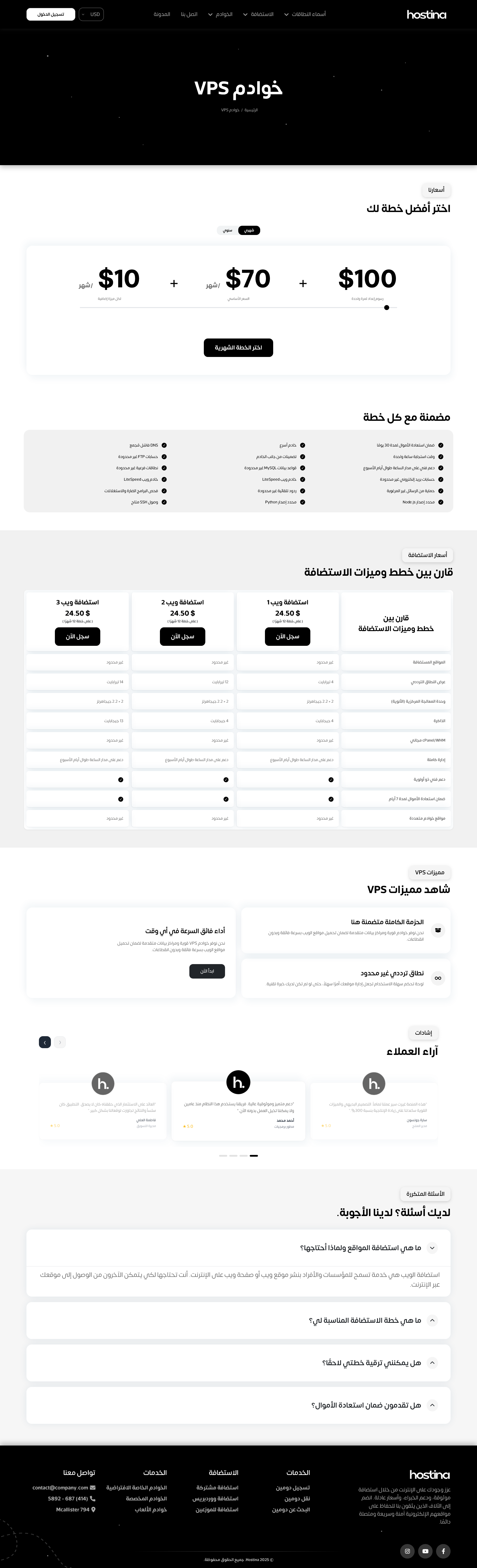
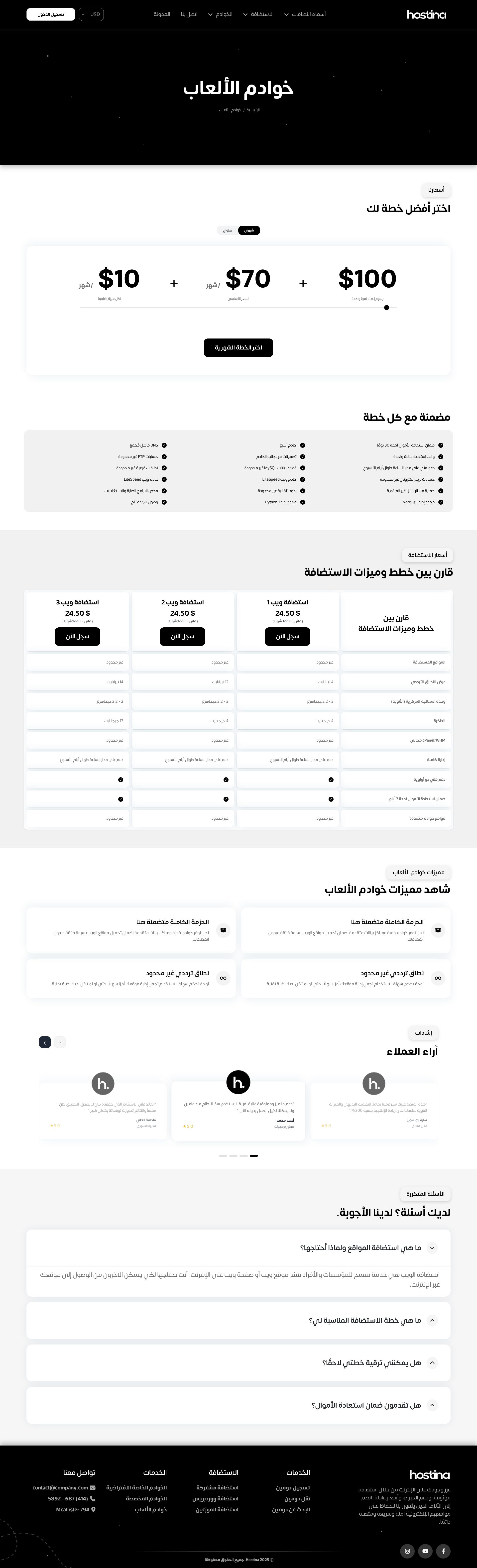
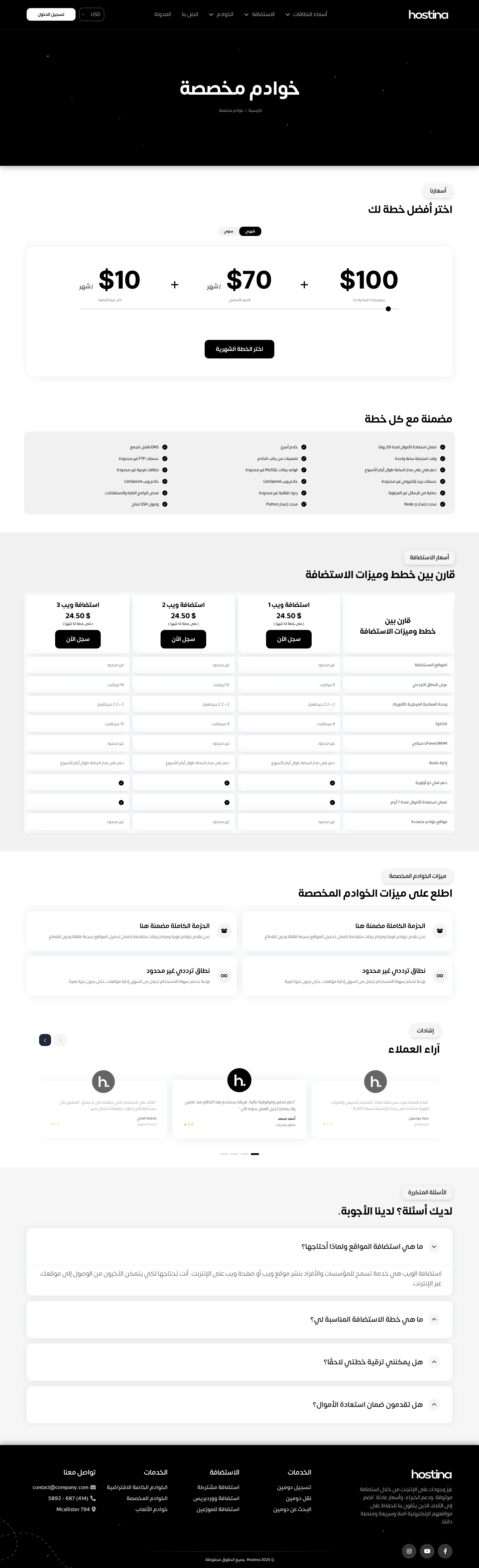
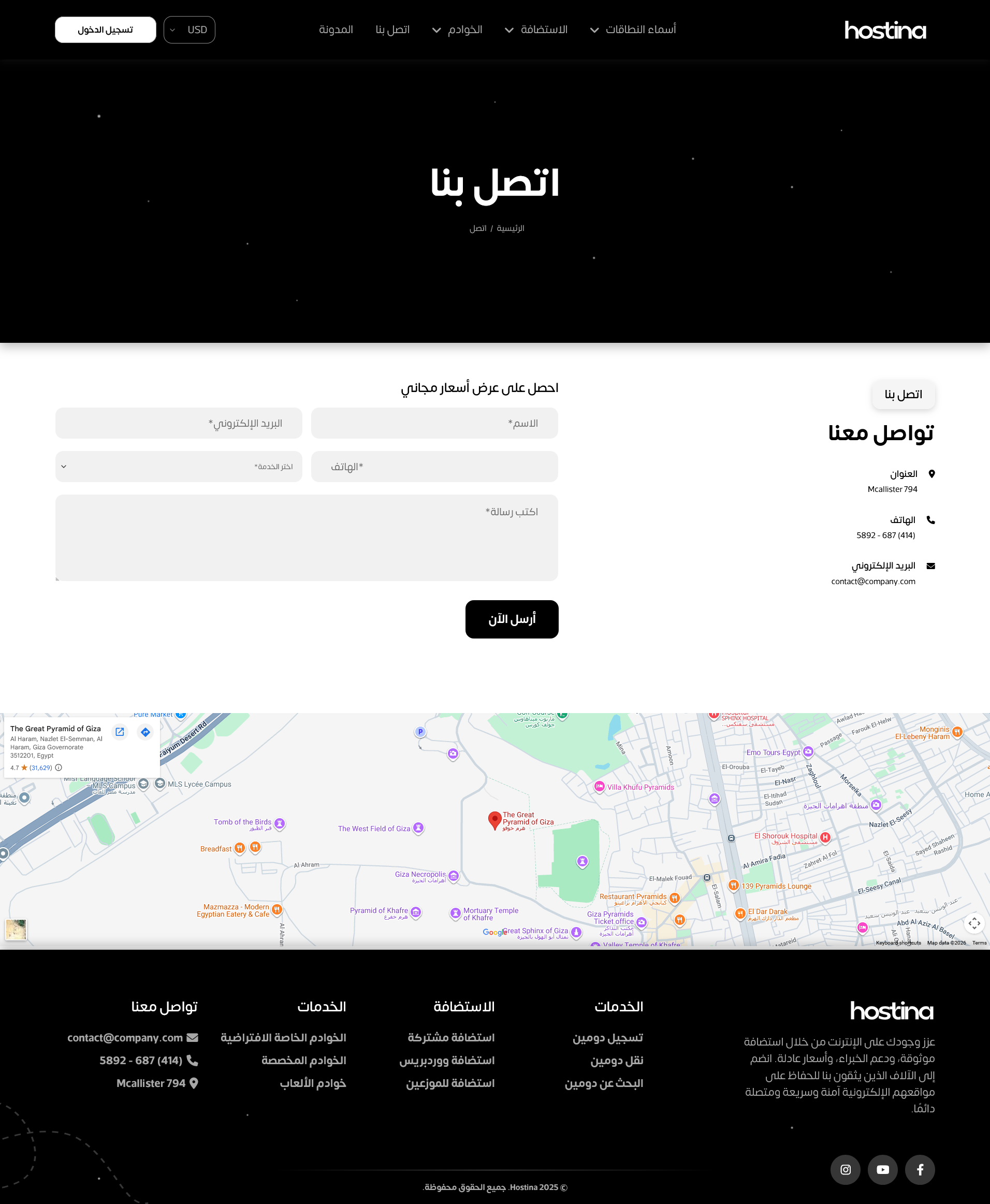
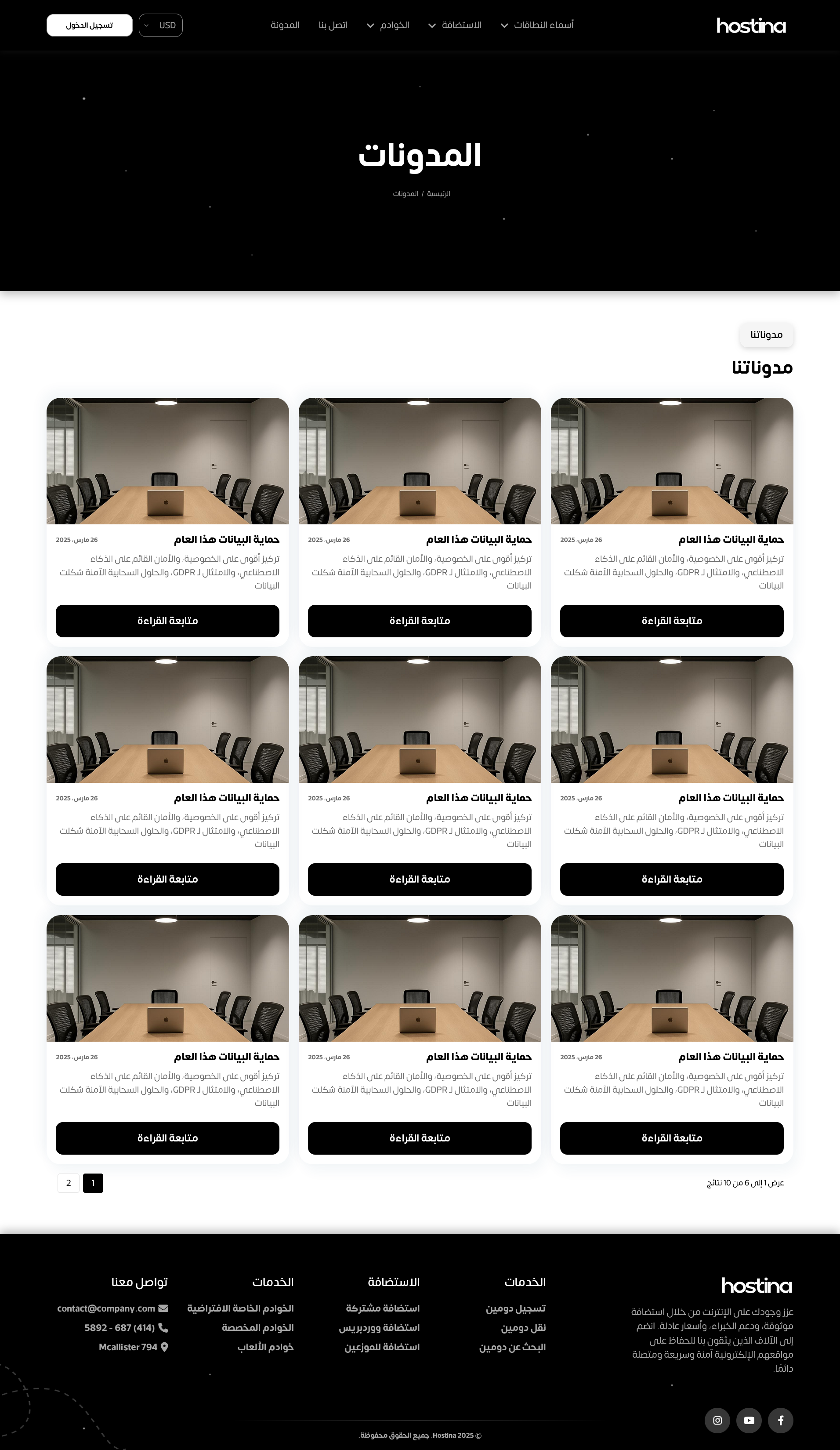
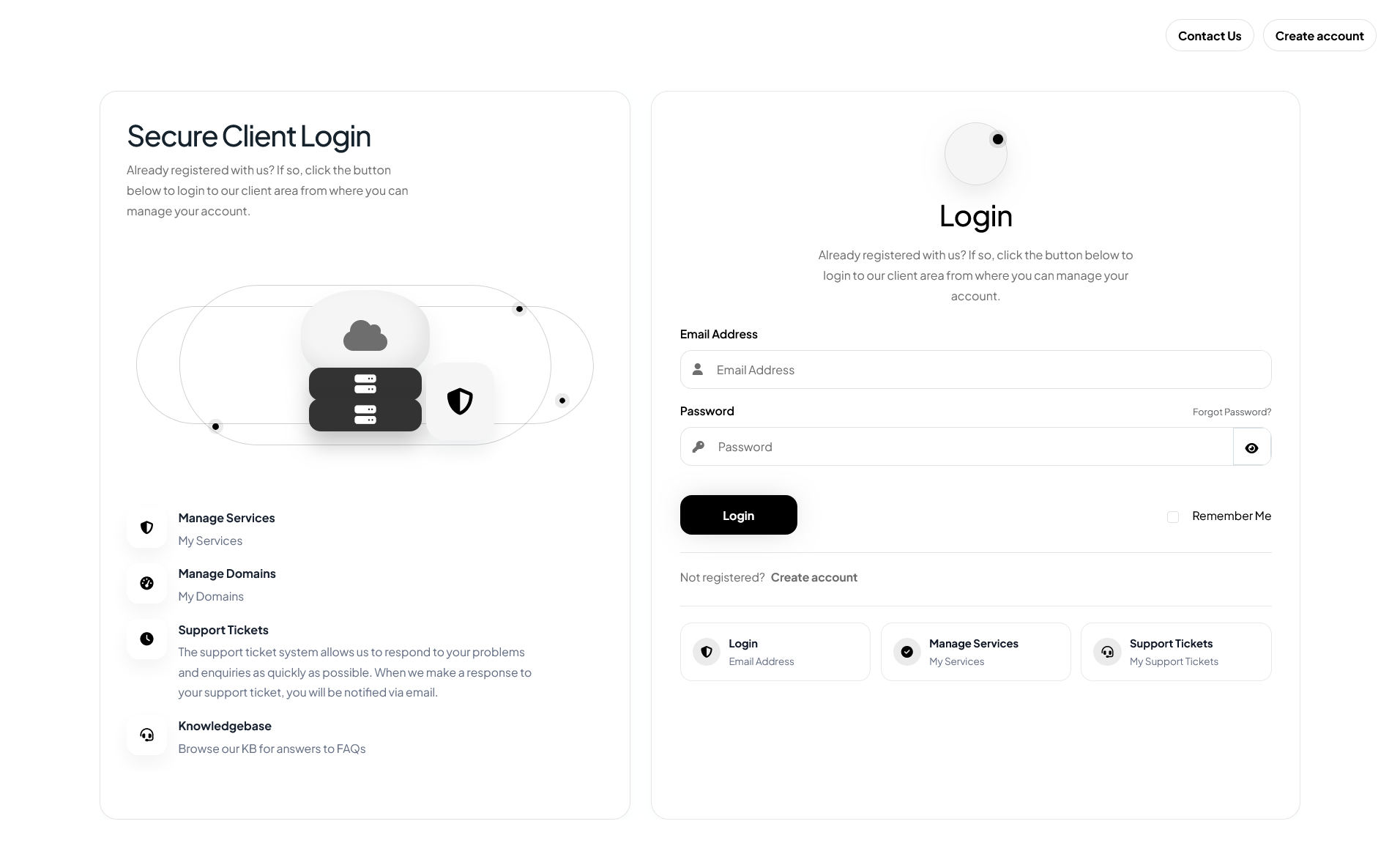
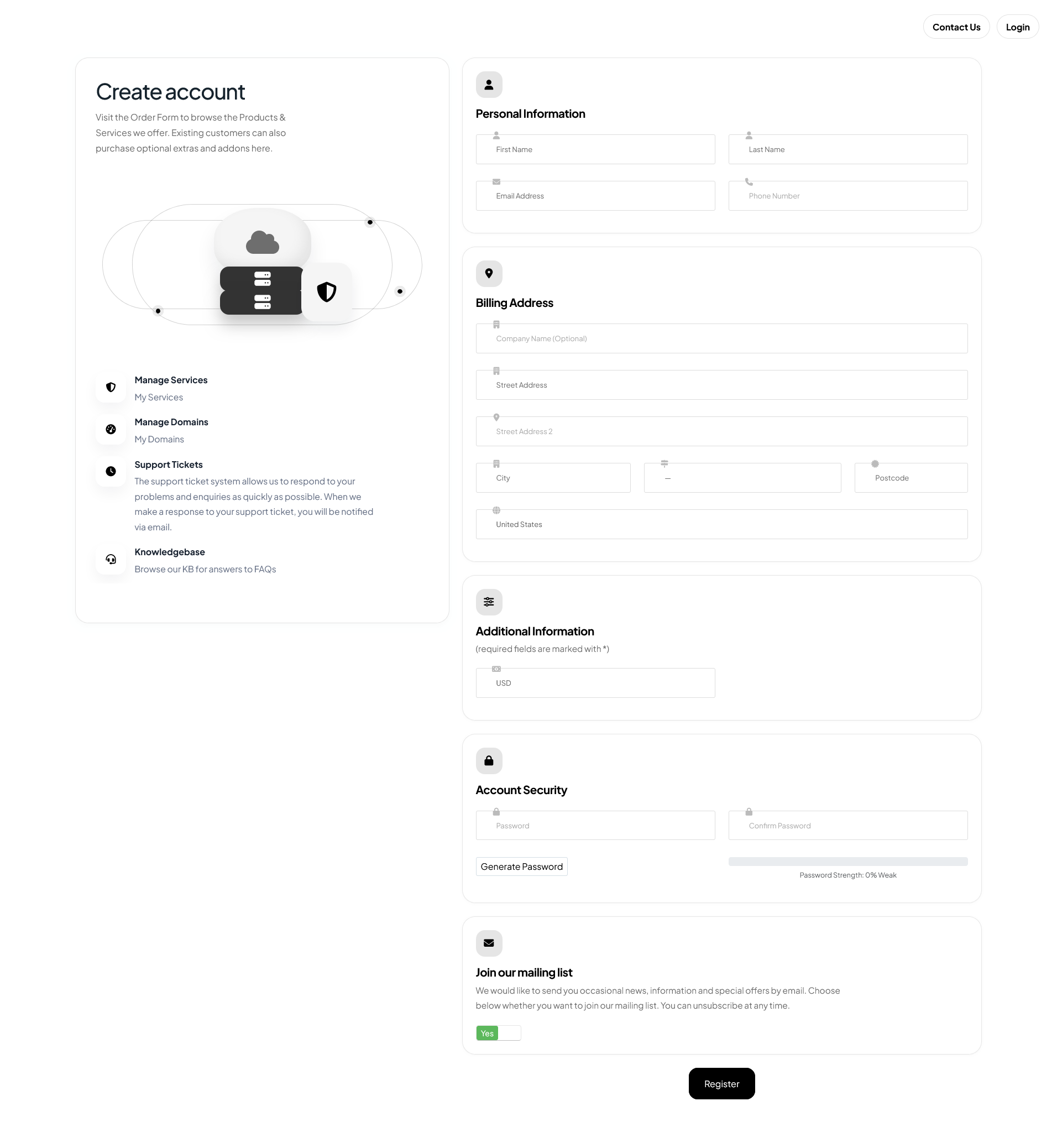
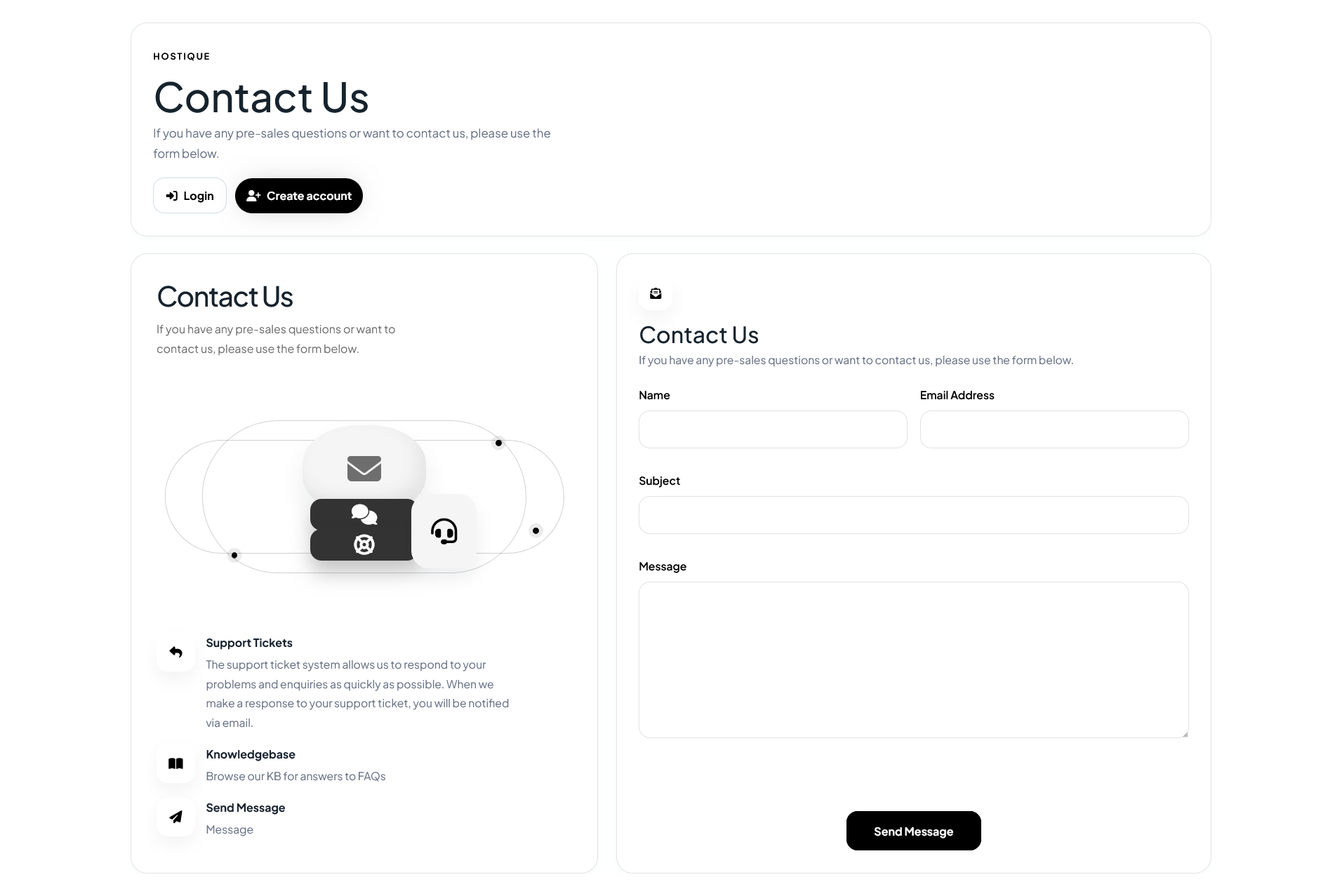
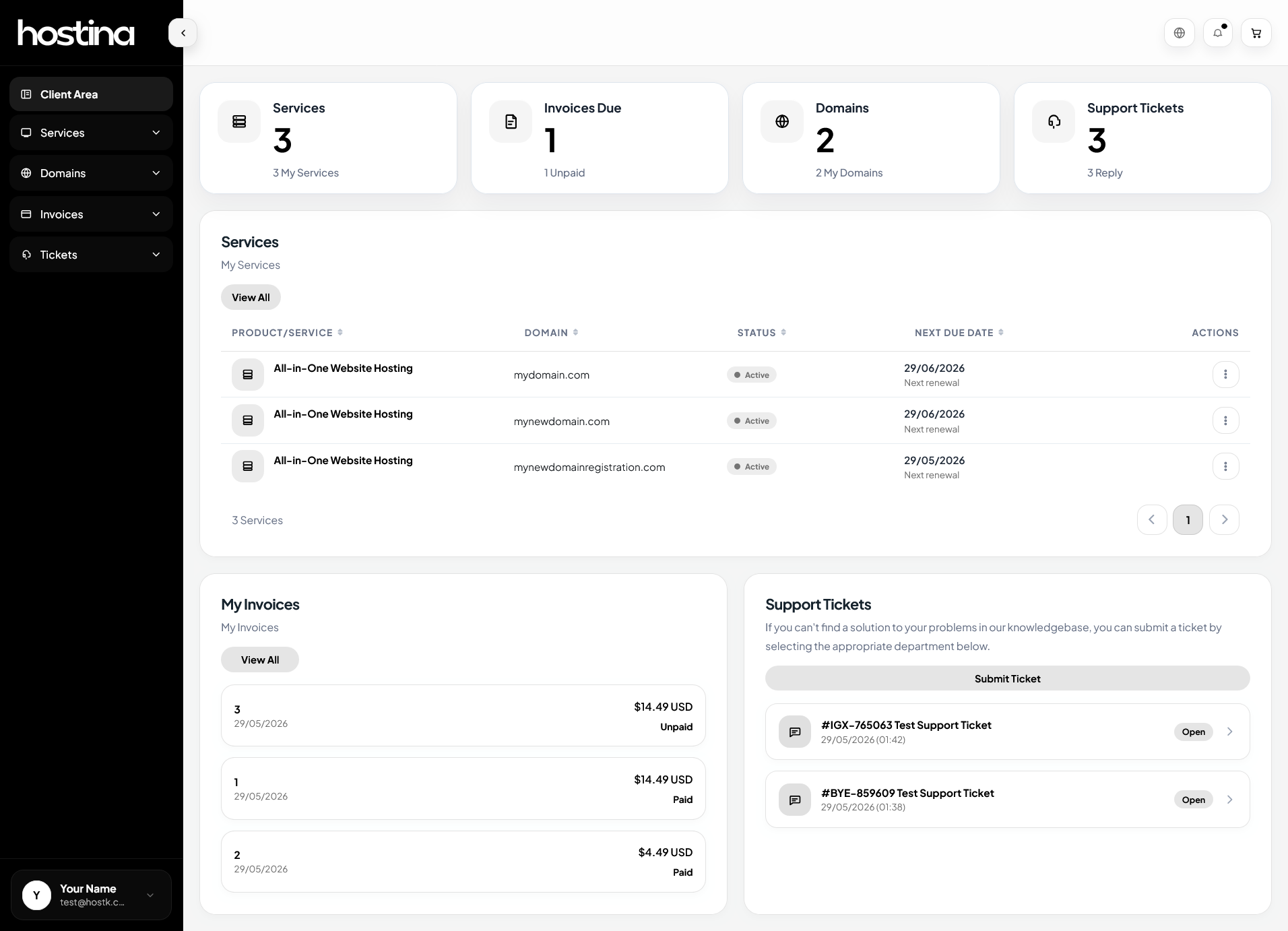
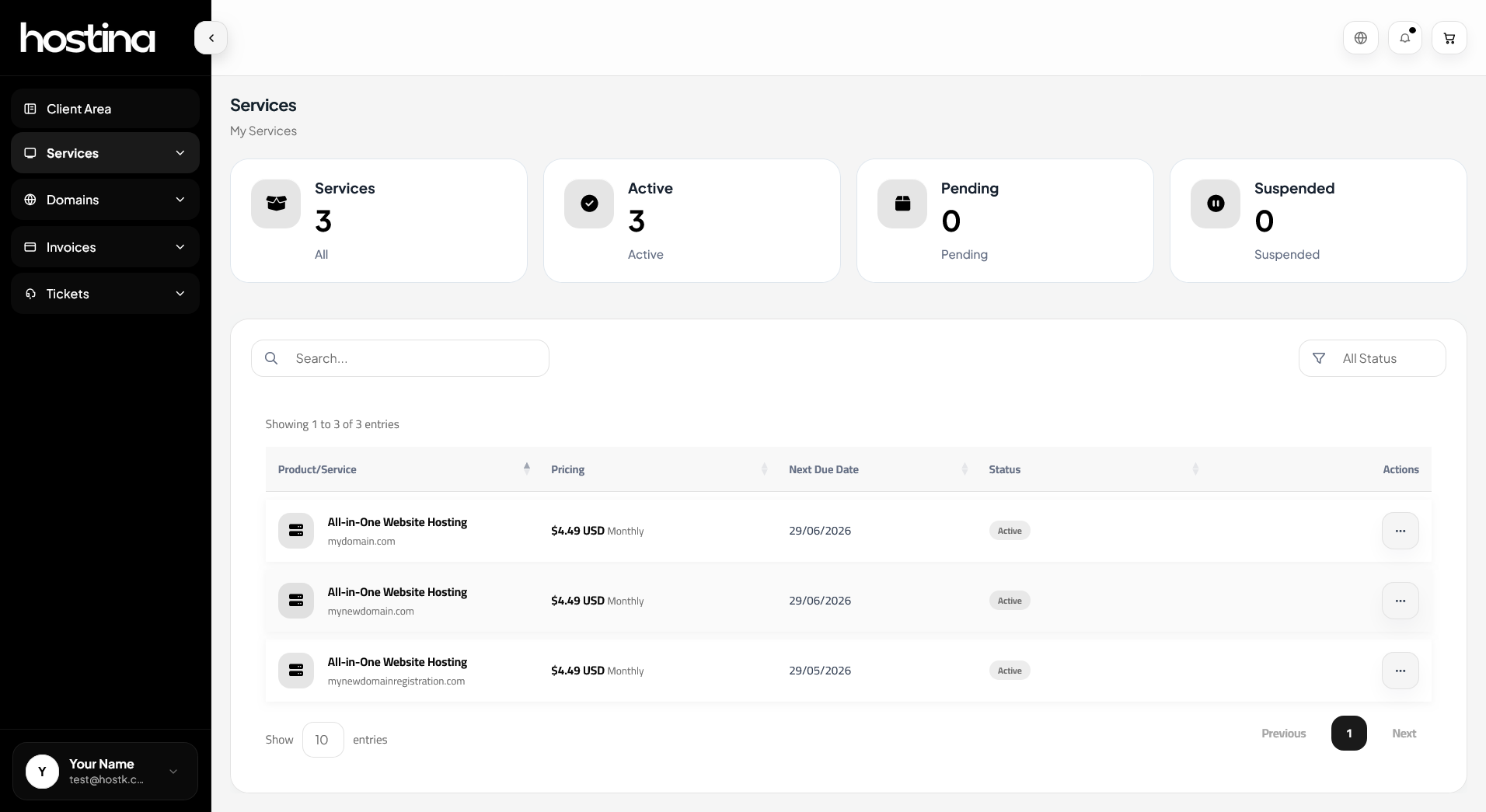
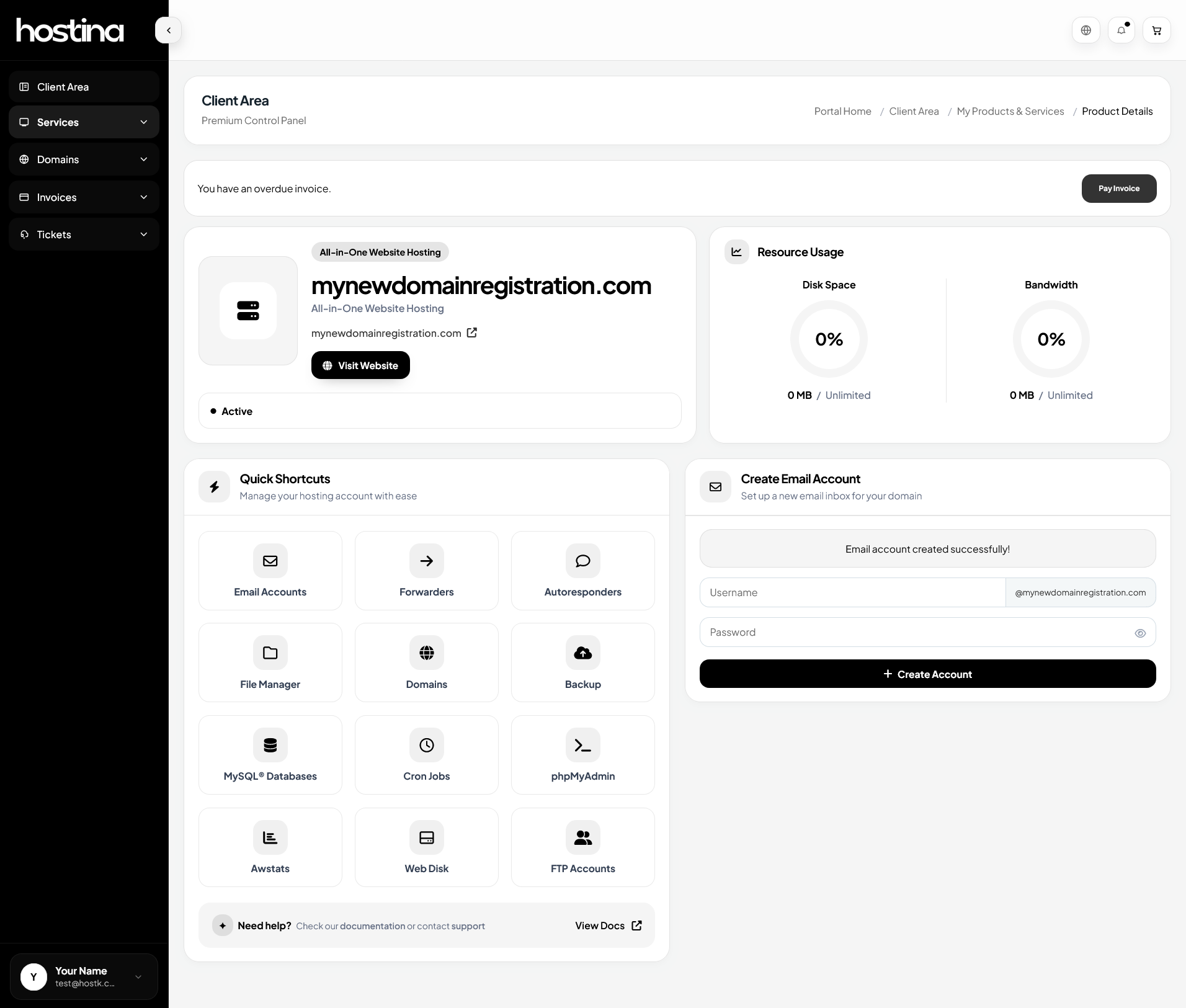
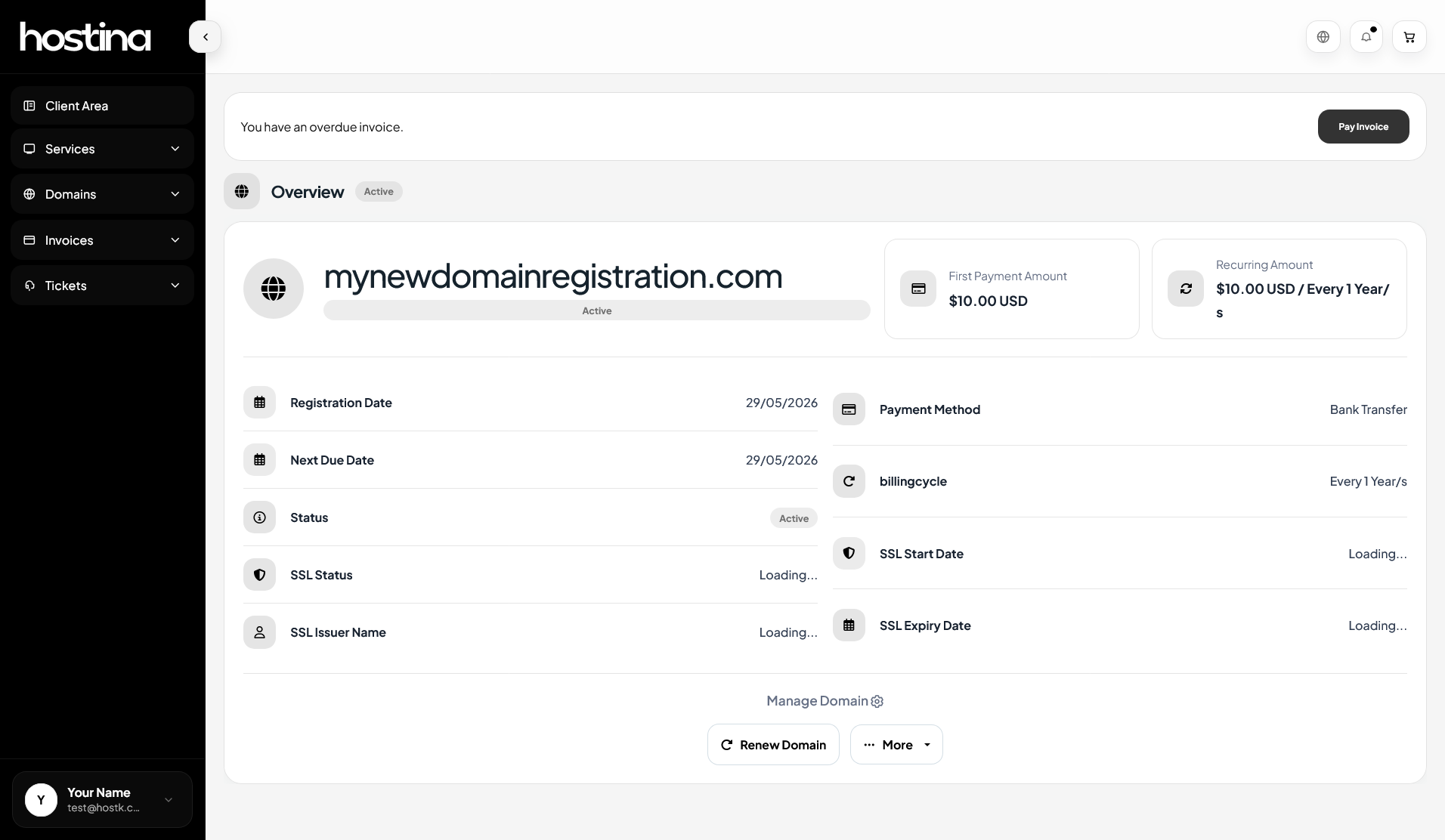
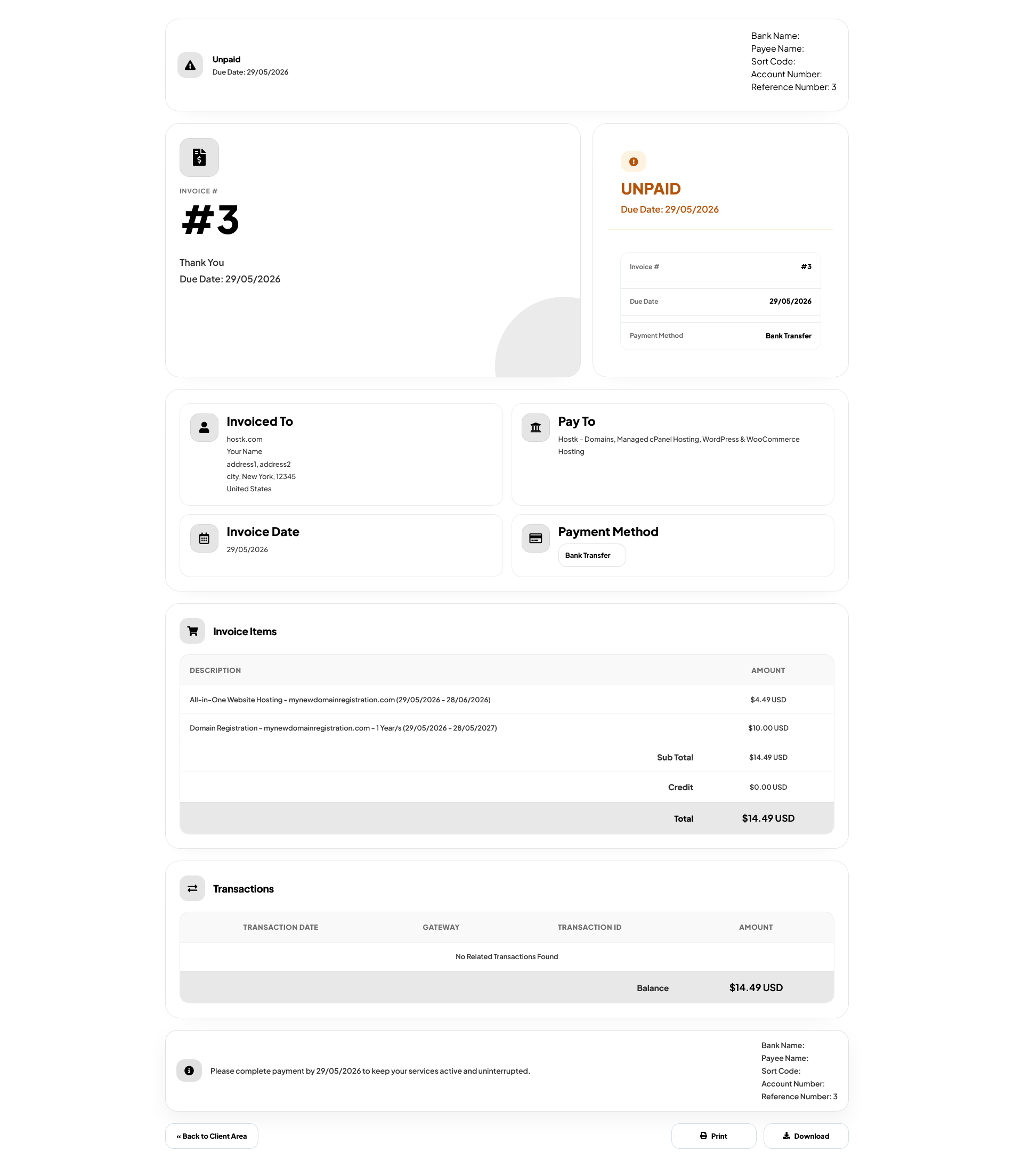
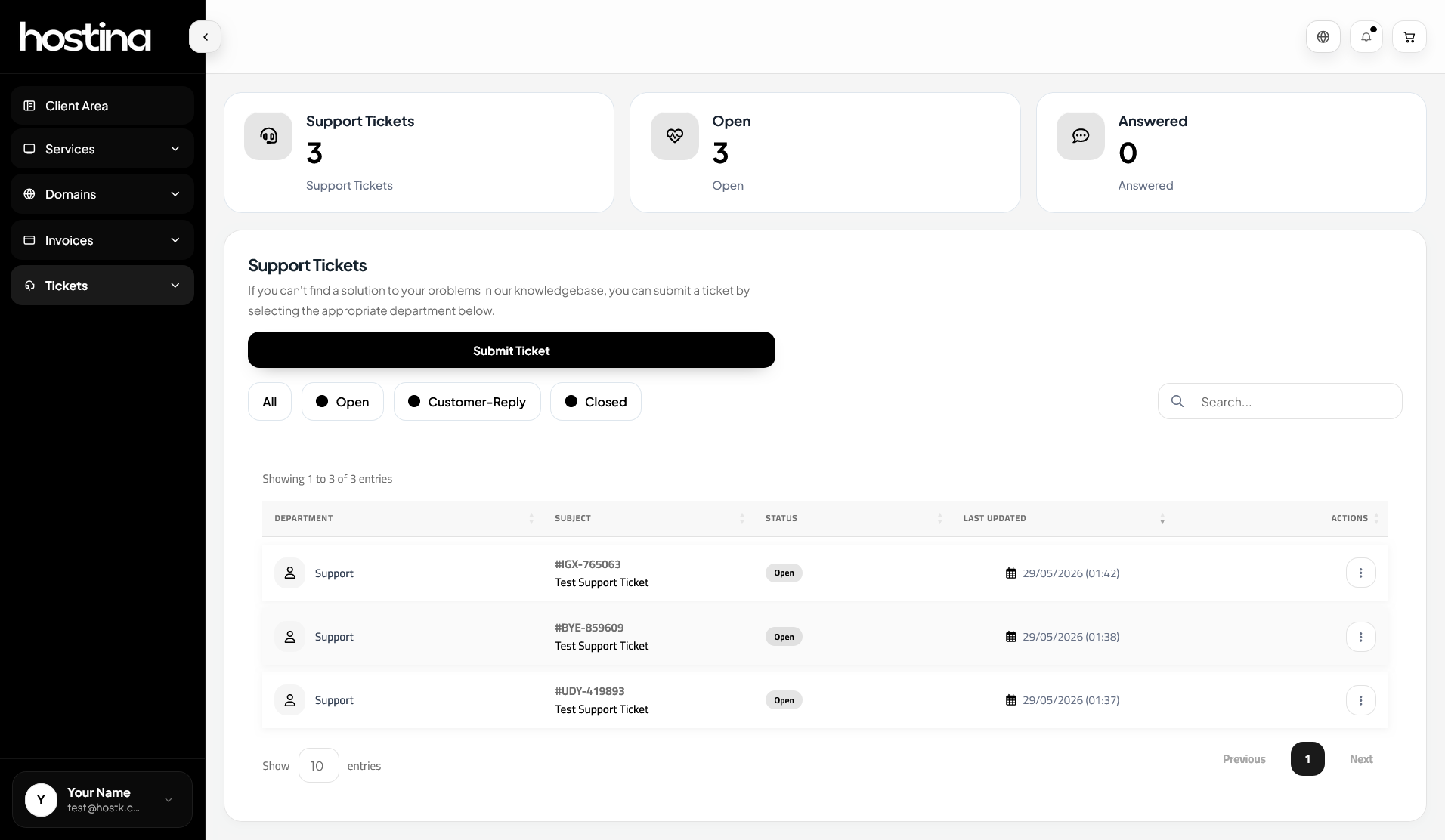
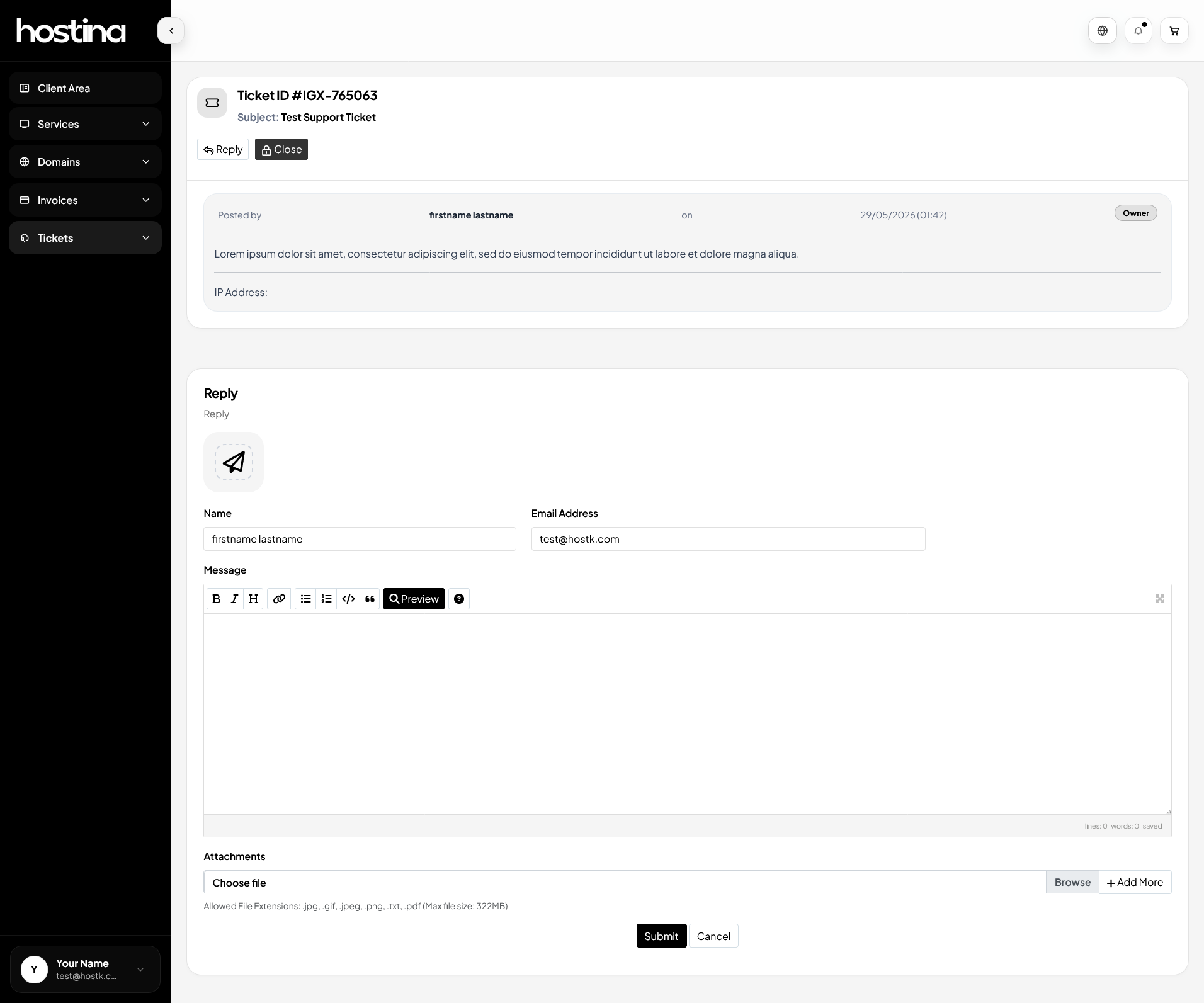
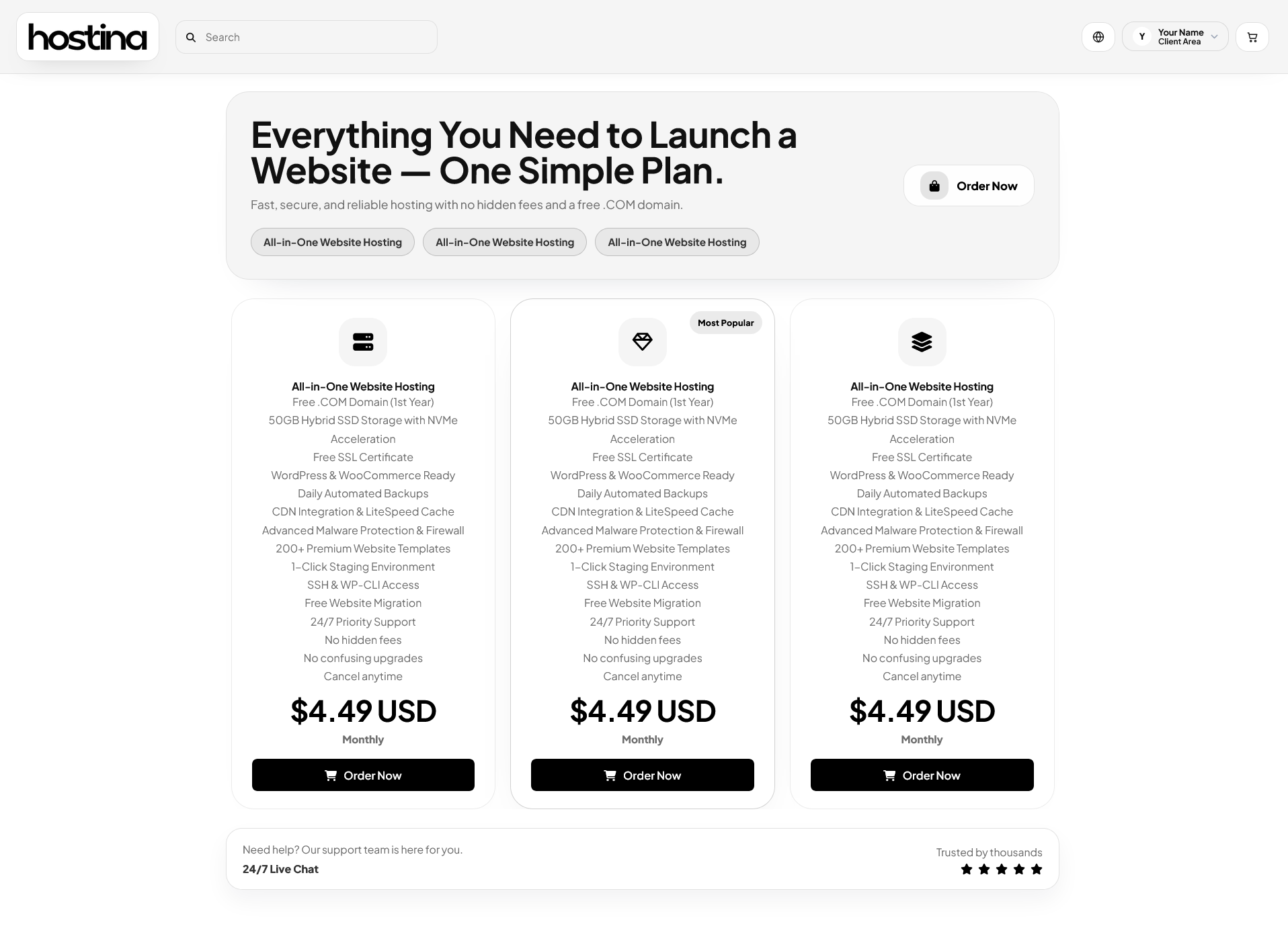
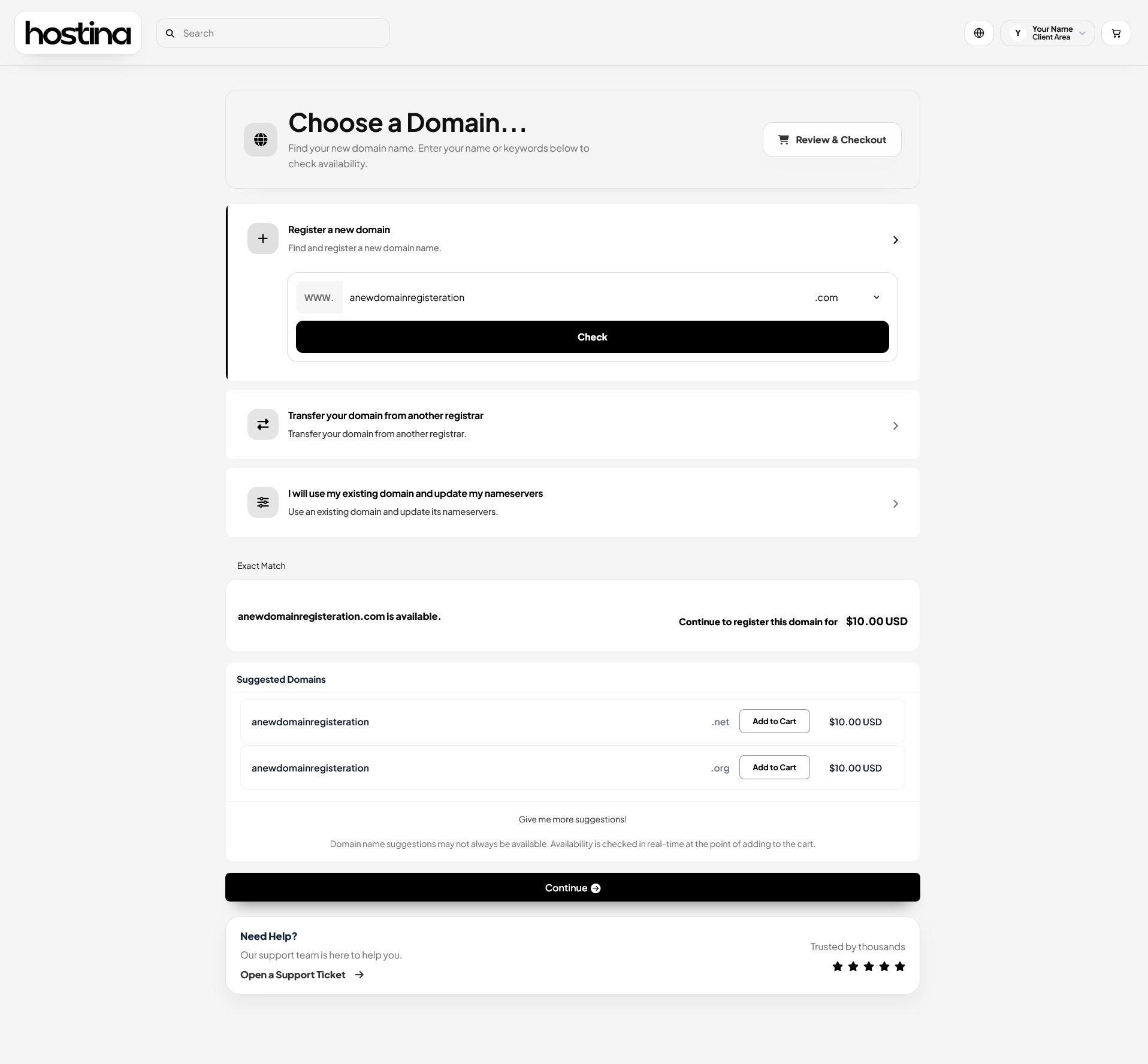
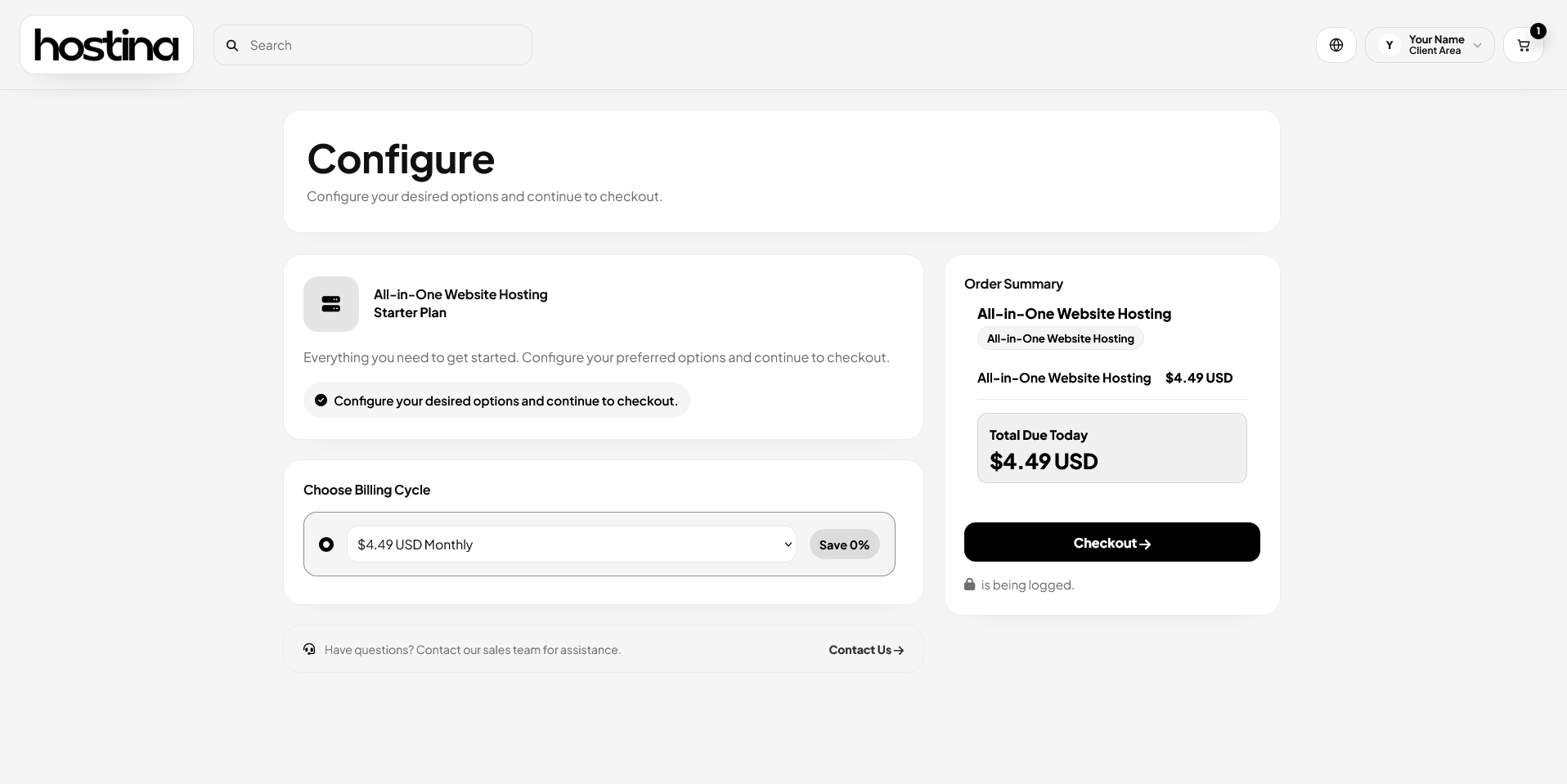
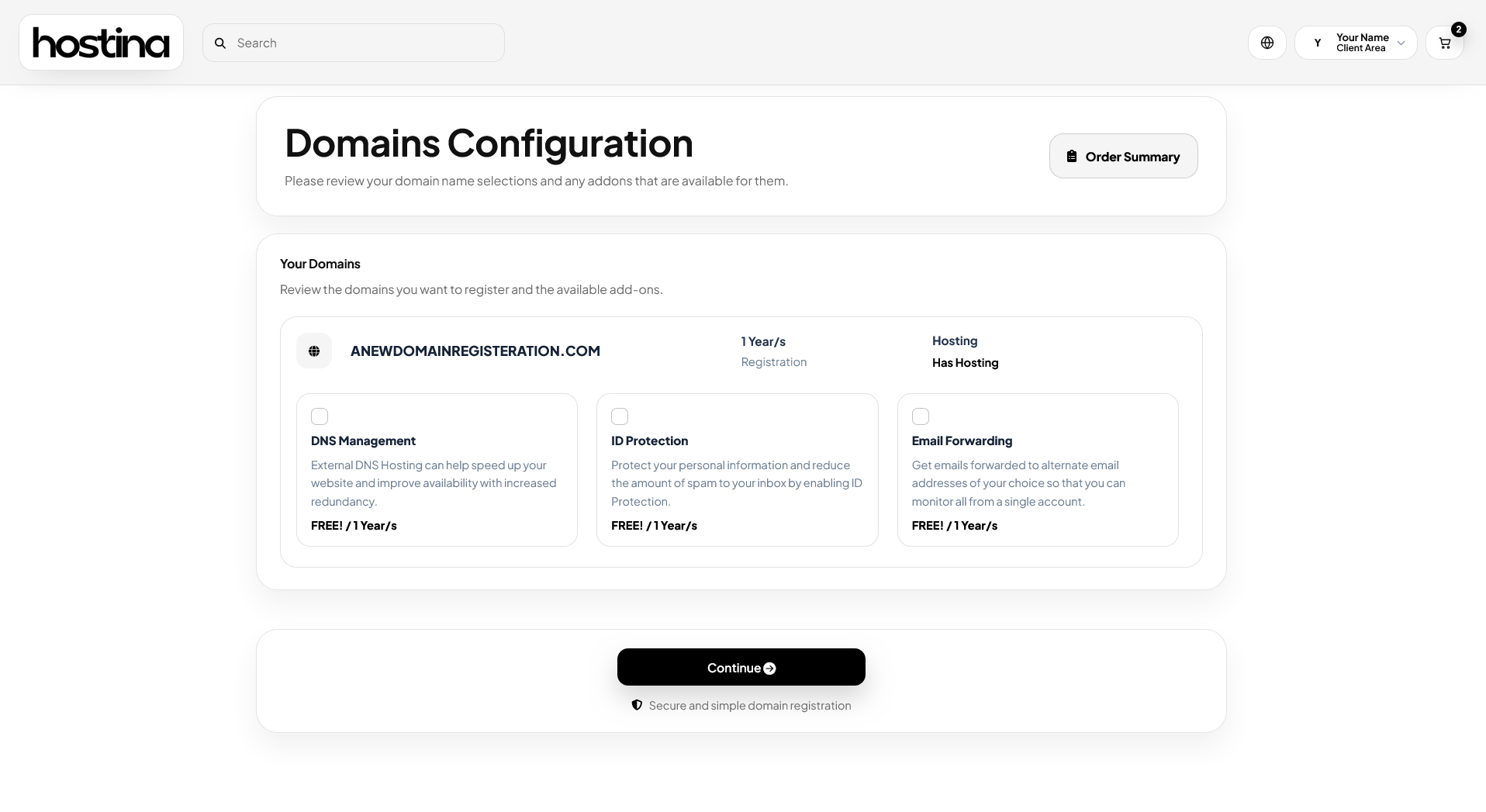
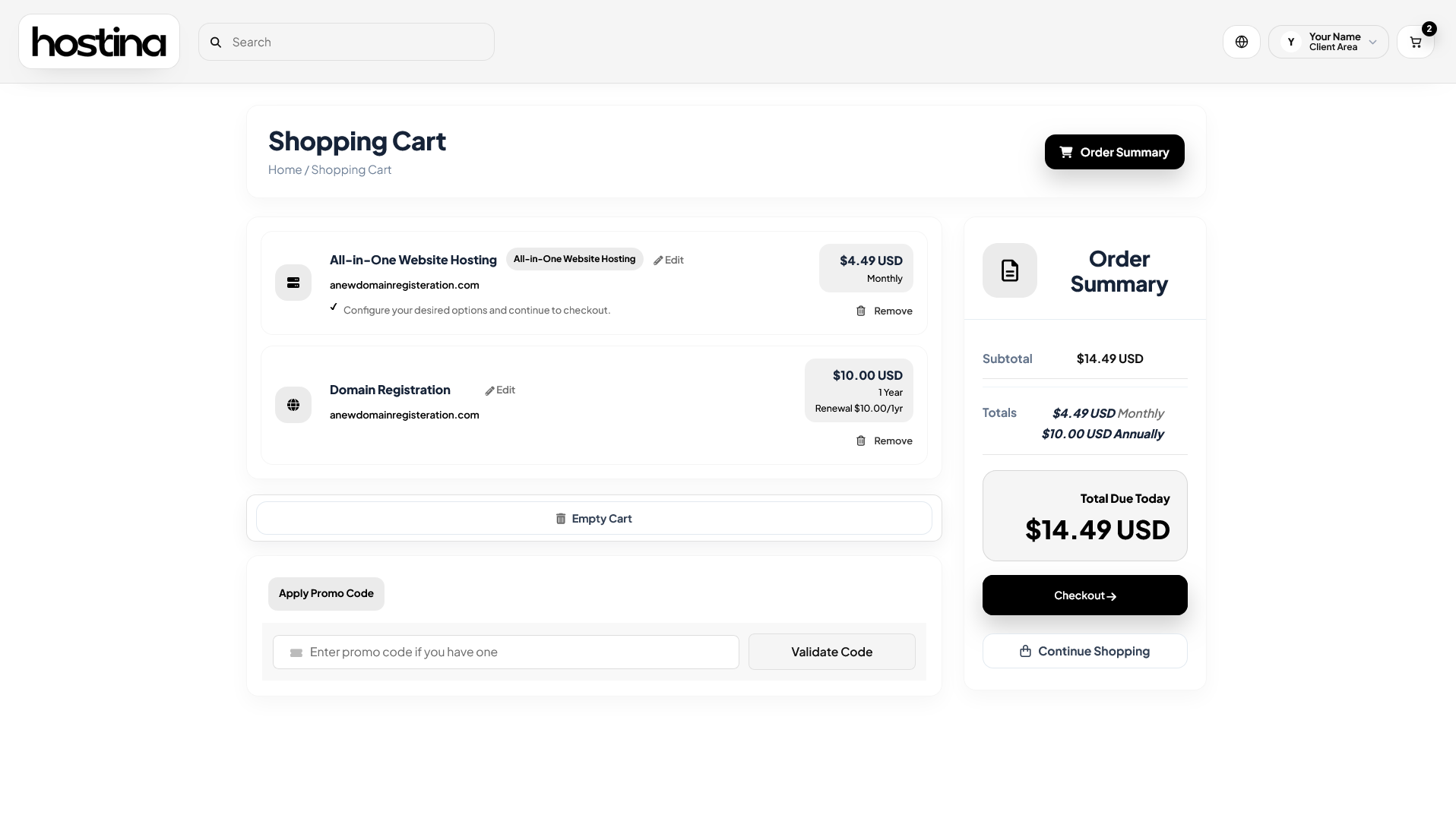
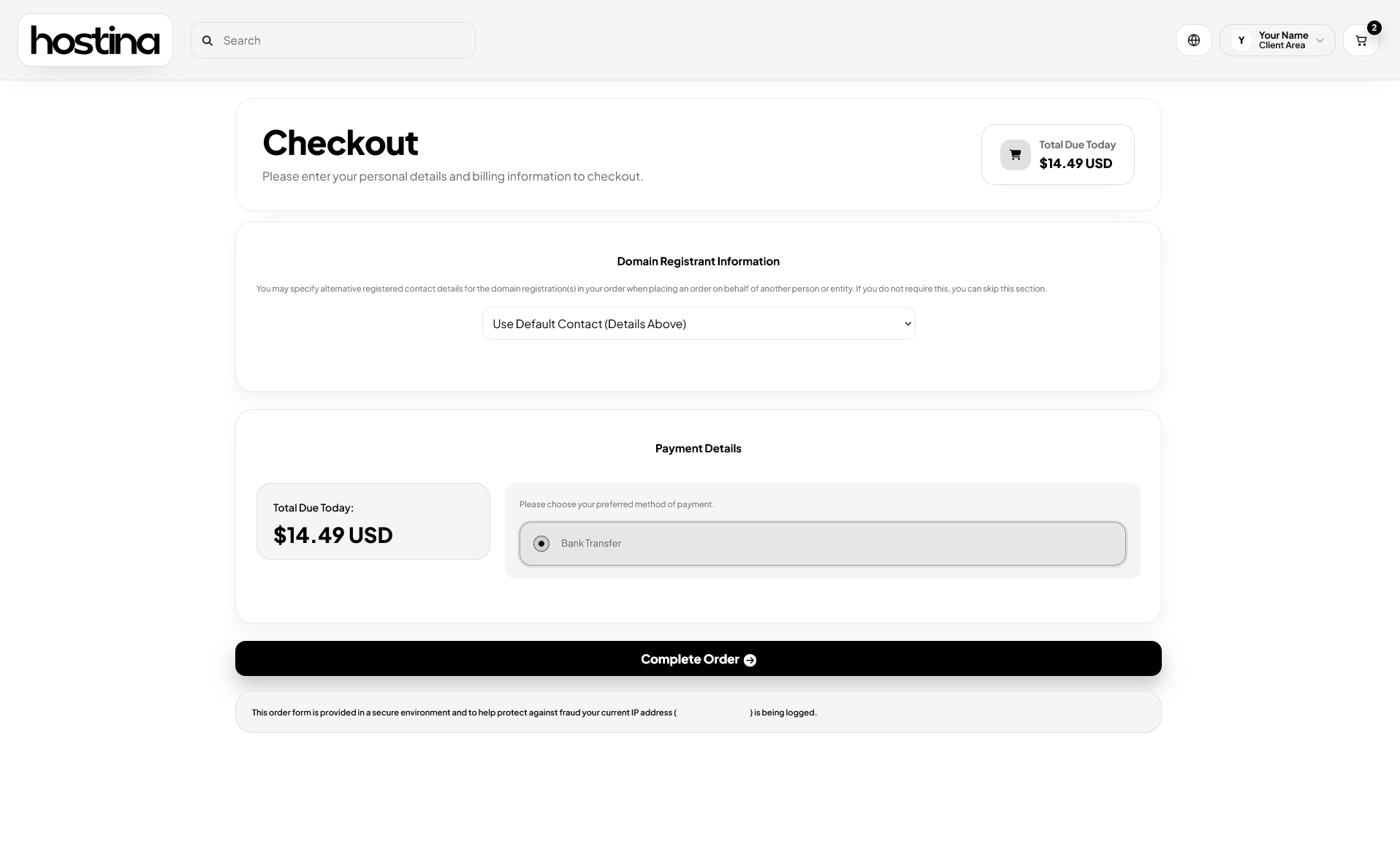
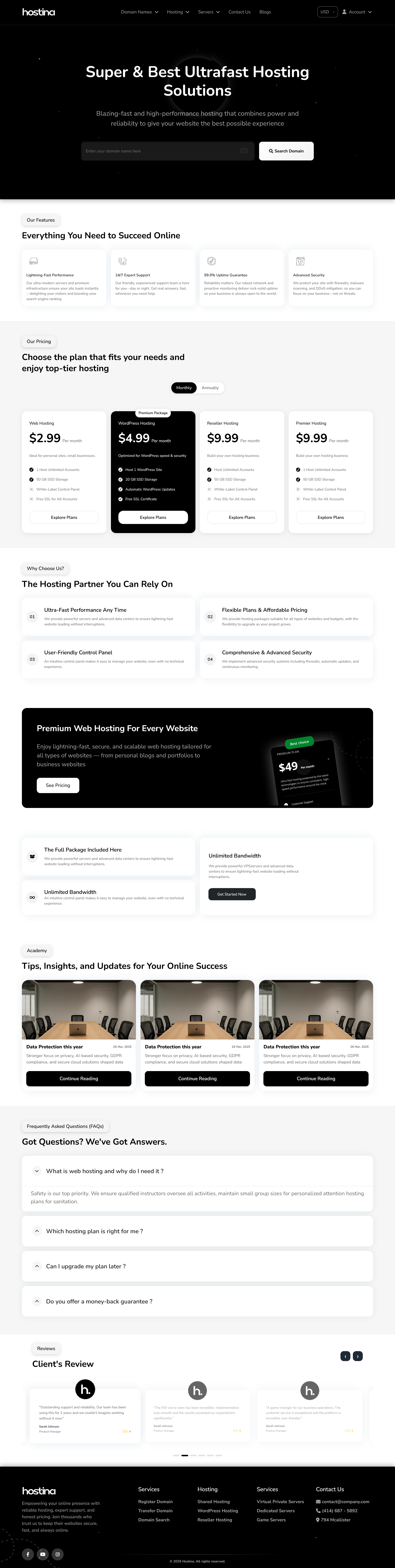
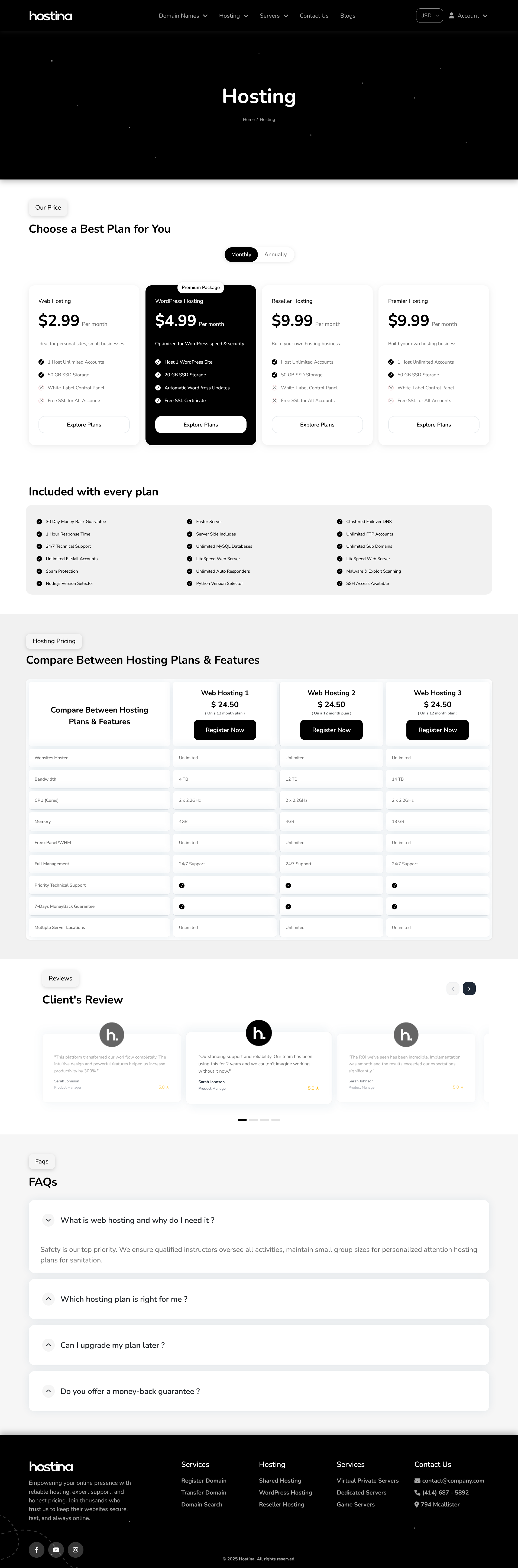
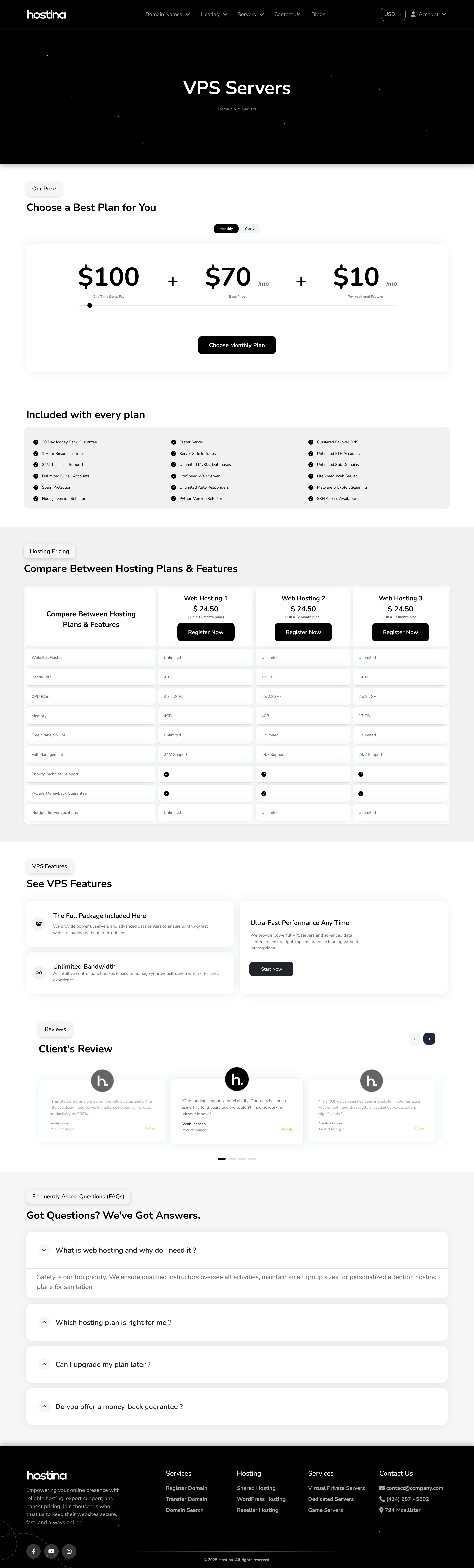
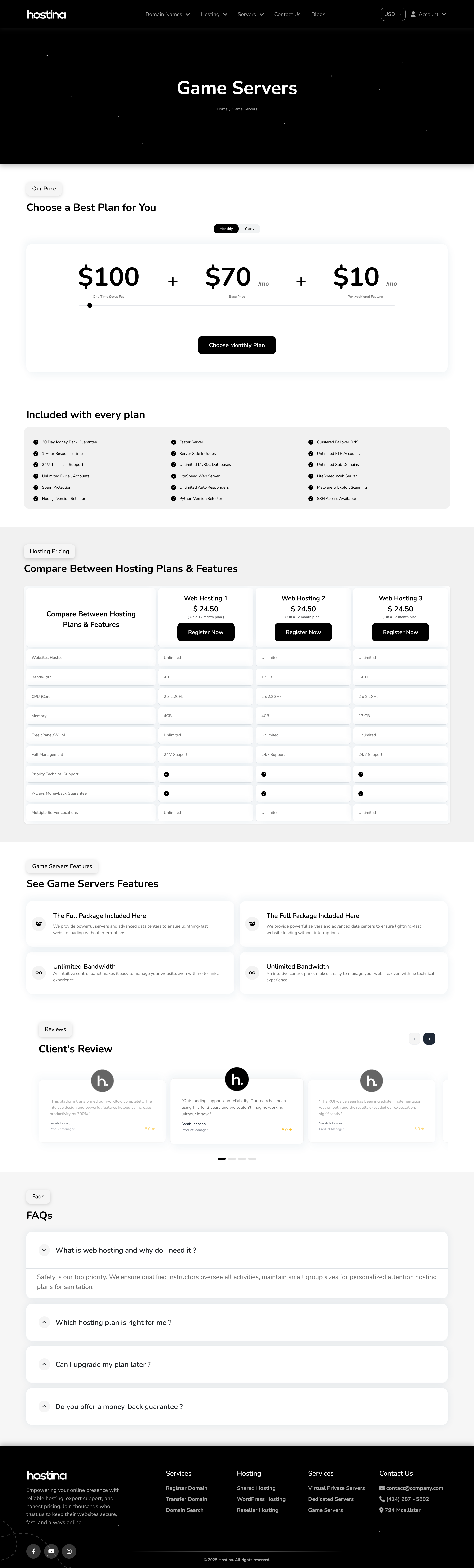
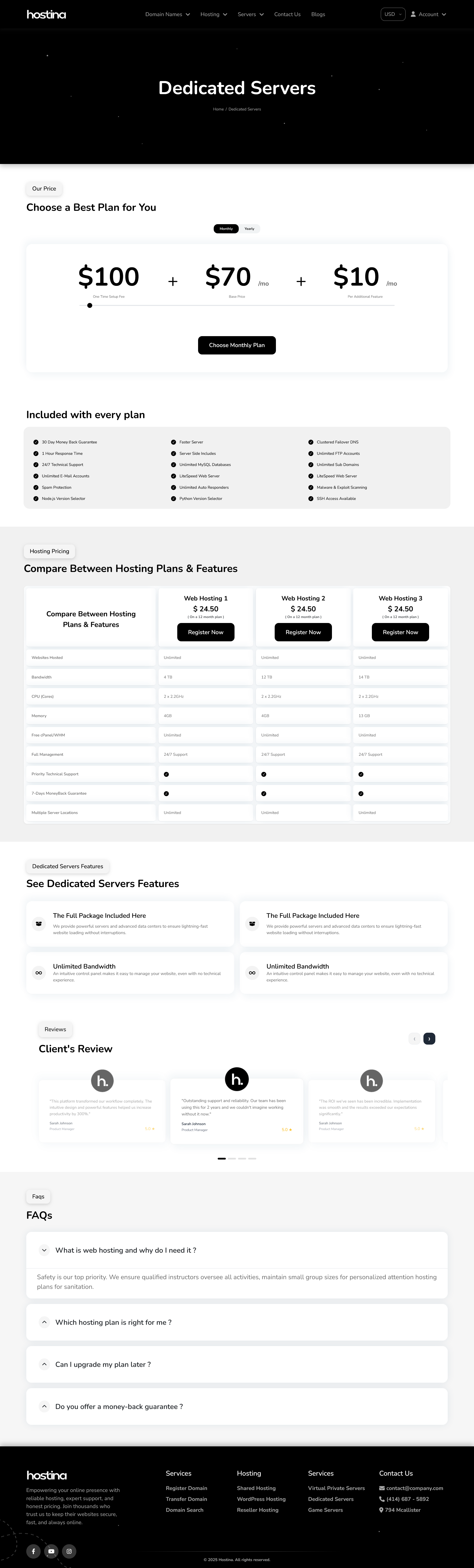
 Hostina – Professional WHMCS Template with Custom Dashboard, Client Area & Orderform (RTL + LTR) If you're running a hosting company, VPS business, dedicated server brand, reseller hosting business, or domain registrar, your website is often the first impression customers have of your company. In today's hosting market, customers don't just compare pricing. They compare: • Professionalism • User Experience • Trust • Brand Quality • Ordering Experience A modern customer experience can significantly improve customer confidence and increase conversions. That's exactly why Hostina was created. Introducing Hostina Hostina is a premium WHMCS template designed to completely modernize both your hosting website and WHMCS client area. Unlike traditional WHMCS themes that focus only on appearance, Hostina was built to improve the entire customer journey, from the homepage and product pages to checkout, client management, invoices, domains, and support tickets. The result is a cleaner, faster, and more professional hosting experience for both you and your customers. Why Choose Hostina? Modern Professional Frontend Hostina includes a complete hosting website design featuring: • Professional Homepage • Domain Search & Transfer Pages • Hosting Plans Pages • VPS & Dedicated Hosting Pages • Blog & Article Pages • Contact Us Page • Responsive Navigation • Modern Hosting Components Every section is designed to provide a clean and premium hosting experience. Custom WHMCS Dashboard One of Hostina's biggest advantages is its completely redesigned client area dashboard. Features include: • Professional Sidebar Navigation • Service Overview Widgets • Domain Management Panels • Invoice Tracking • Support Ticket Management • Quick Access Navigation • Modern User Interface The dashboard helps customers manage their services more efficiently while giving your brand a more professional appearance. Professional Order Form & Checkout The checkout process is one of the most important areas of any hosting business. Hostina includes a fully styled order experience designed to improve usability and reduce friction during ordering. Benefits include: • Clean Product Presentation • Better User Flow • Modern Cart Layout • Improved Checkout Experience • Mobile-Friendly Ordering Process • Faster Customer Navigation A smoother checkout experience often leads to better conversion rates and improved customer satisfaction. Fully Responsive Design Modern customers browse from every device imaginable. Hostina is fully responsive and optimized for: • Desktop Computers • Tablets • Mobile Devices Every page adapts seamlessly across all screen sizes. RTL & LTR Support Hostina was built with international businesses in mind. Supported layouts include: • English (LTR) • Arabic (RTL) Perfect for companies serving customers worldwide or targeting Middle Eastern markets. SEO & Performance Optimized Performance and search visibility are essential for modern hosting companies. Hostina is built with: • Clean Semantic Structure • Fast Loading Pages • Modern Responsive Layouts • SEO-Friendly Design Principles • Better User Experience • Core Web Vitals Friendly Structure This helps improve engagement, user retention, and overall website quality. Client Area Features Hostina transforms the standard WHMCS client area into a modern customer portal. Customers can easily manage: • Hosting Services • Domains • Invoices • Support Tickets • Account Details • Product Information • Service Renewals Everything is organized to provide a cleaner and more intuitive experience. Included Pages Frontend Pages • Homepage • Domain Search • Domain Transfer • Hosting Plans • VPS Hosting • Dedicated Servers • Blog Listing • Blog Details • Contact Us • Cart & Checkout Client Area Pages • Login & Registration • Custom Dashboard • My Services • Service Details • My Domains • Domain Details • Invoices & Billing • Support Tickets • Account Management Compatibility Hostina is compatible with: • WHMCS v8+ & v9+ • cPanel • Plesk • DirectAdmin • LiteSpeed • Apache • Nginx • CloudLinux Who Is Hostina For? Hostina is ideal for: • Shared Hosting Providers • VPS Providers • Dedicated Server Companies • Cloud Hosting Providers • Domain Registrars • Reseller Hosting Businesses • SaaS Companies • Digital Service Providers • Web Agencies Whether you're launching a new hosting brand or upgrading an existing WHMCS installation, Hostina provides a professional foundation for long-term growth. Why Design Matters in Hosting Many providers focus entirely on pricing. However, modern customers evaluate much more than cost. They evaluate: • Trustworthiness • Ease of Use • Professional Appearance • Ordering Experience • Customer Portal Quality A professional interface increases perceived value instantly. A poor user experience can cost sales before customers even compare plans. Your WHMCS installation is not just a billing platform. It is part of your sales process. Live Demo Client Area Demo: https://hostk.com/hostina-demo English Version: https://hostk.com/hostina-demo/frontend-english Arabic Version: https://hostk.com/hostina-demo/frontend-arabic WHMCS Client Area Demo https://hostk.com/hostina-demo Demo Login: Email: test@hostk.com Password: test Purchase Hostina Order Now: https://my.hostk.com/cart.php?a=add&pid=65 We'd Love Your Feedback We are continuously improving Hostina and would love to hear feedback from the WHMCS community regarding: • User Experience • Dashboard Design • Checkout Flow • RTL Support • Additional Features • Future Improvements Thank you for taking the time to review Hostina. We look forward to hearing your thoughts.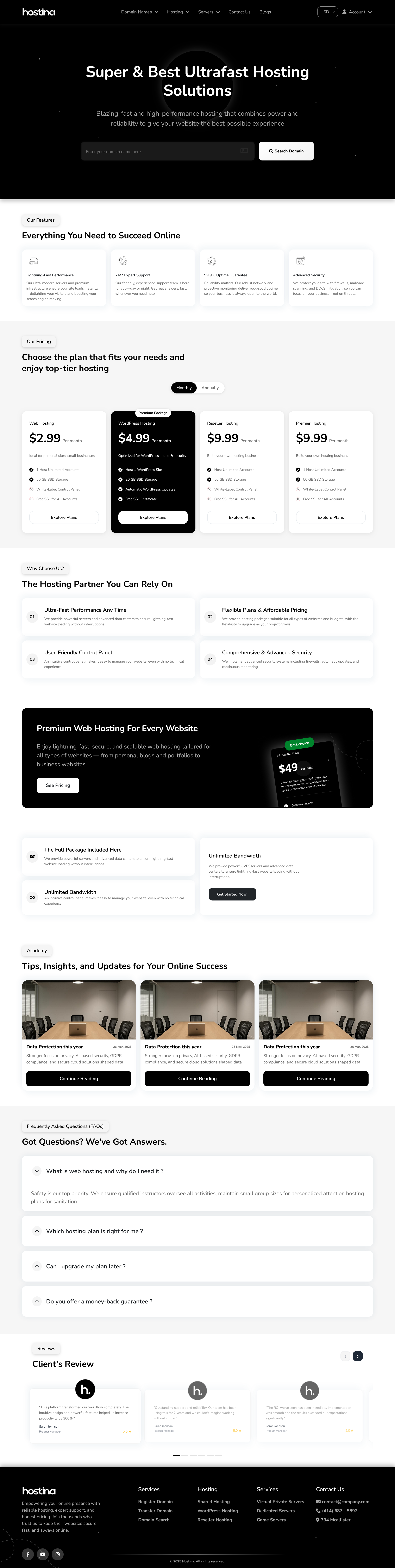
-
Best Web Hosting Template - Premium WHMCS Template Hostina is a premium professional WHMCS template designed for modern web hosting companies, shared hosting providers, VPS and reseller hosting businesses, and domain registration services. Built to deliver performance, scalability, and conversions, Hostina features a fully responsive WHMCS theme with a custom client area dashboard, a professionally styled order form checkout, and complete bilingual support (English LTR and Arabic RTL). Whether you’re launching a new hosting website or upgrading an existing WHMCS installation, Hostina provides a clean, fast, and SEO-optimized hosting template that enhances user experience, improves Core Web Vitals, and helps hosting providers convert visitors into customers across all devices. ✨ Key Features Fully responsive & modern design Arabic (RTL) + English (LTR) bilingual support SEO optimized — Core Web Vitals ready Custom WHMCS Dashboard with sidebar navigation Styled orderform & checkout pages Easy installation — upload → activate → go 🧭 Frontend Pages Homepage (features, pricing, testimonials, FAQ) Domain Search & Transfer Hosting Plans (Shared, WordPress, Reseller, VPS, Dedicated, Game Servers) Cart & Checkout (Styled Orderform Flow) Blog + Blog Details Contact Page (form + map) 💼 Client Area Login & Register Custom Dashboard with Sidebar My Services & Products My Domains (Renewal, Auto-Renew, Management) Invoices & Billing Support & Tickets Membership / User Management ⚙️ Compatibility WHMCS: 8.0 – 8.13 + PHP: 8.1 – 8.3 Works perfectly with Plesk, DirectAdmin, cPanel, CloudLinux, LiteSpeed, Apache, Nginx 🖼️ Screenshots Preview 👉 Open Gallery — hostk.com/hostina-template 🧪 Live Demo 🌐 Frontend Demo: demo.hostk.com/hostina/ 🇬🇧 English Version: demo.hostk.com/hostina/en 🇸🇦 Arabic Version: demo.hostk.com/hostina/ar 🔑 WHMCS Demo: demo.hostk.com/index.php?systpl=hostina Login: test@hostk.com Password: test 🛒 Purchase Now 👉 Buy Hostina Template 🧾 About Hostina Hostina is a premium WHMCS template built specifically for web hosting companies, shared hosting providers, VPS and reseller hosting businesses, and domain registration services. This complete WHMCS solution includes a modern, fully responsive hosting website template, a custom WHMCS client area dashboard, and a professionally styled order form checkout optimized for usability and conversions. Hostina supports both Arabic (RTL) and English (LTR), is fully SEO optimized, Core Web Vitals ready, and compatible with the latest WHMCS versions — making it the ideal choice for launching or upgrading a professional web hosting business.
-
 WeWe provides structured WHMCS project management and development services for hosting companies and digital businesses that need reliable, production-ready solutions. We focus not only on development, but also on proper planning, execution, and long-term maintainability of WHMCS systems. Our team has multi-year hands-on experience working with WHMCS in real operational environments, supported by solid technical resources through our sister company, WebNIC, which has been active in this industry for over a decade. Our WHMCS Services Include: • Custom WHMCS Modules & Addon Development • WHMCS Setup, Migration, and System Optimization • Payment Gateway & Third-Party API Integrations • Domain Registrar Integrations • Server Integrations (cPanel, Plesk, DirectAdmin) • Custom Hooks & Workflow Automation • WHMCS Version Upgrades & Refactoring • Client Area & Template Customization • Ongoing WHMCS Maintenance & Support Why Work With WeWe: • Strong focus on structured project delivery • Practical experience with live WHMCS systems • Reliable resources backed by long-term industry presence • Clear communication and accountable execution • Suitable for both one-time projects and ongoing support If you are planning a WHMCS upgrade, custom development, or need a dependable partner to manage your WHMCS project end-to-end, feel free to reach out to: Email: muhammad.m@wewe.cc Website: wewe.cc Phone: +62 85780561051 WHMCS - WeWe Talent.pdf
 -

custom billable items Custom billable items description
zitu4life posted a topic in Developer Corner
Hello, I have searched on the community and did not find yet a solution, also have tried my self and not successfully. I want to invoice in a daily basis a custon product, and realizing that billable items do that, which is great! But the issue is that I want to add automatic date on each of these new invoice that will be created by billable itens. have tried so far this.. but using {DAY}-{MONTH}-{YEAR} on the description will not display it as 03-12-2025 I suspect WHMCS accepts HTML code or smarty code templates that will do that, but can no do it at this. If anyone can advice or help. I got this, bu I need it to display actually date the invoice was generated, so evey new invoice to display actual date on the desciption. This is what I look for... Thank you!!!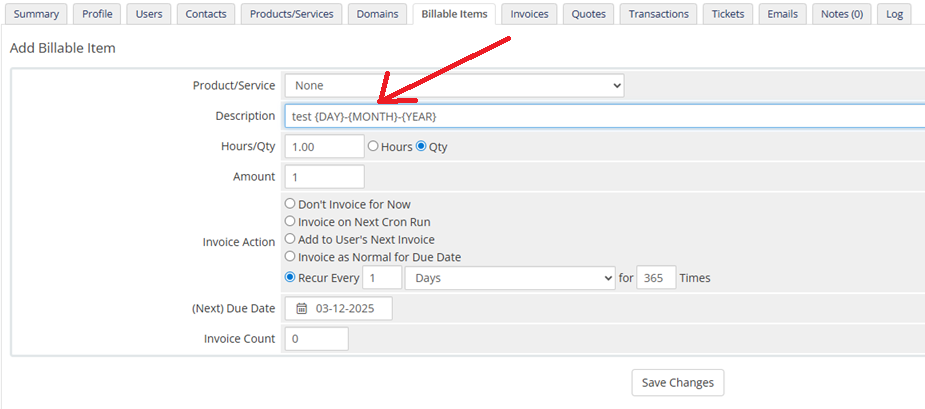


-
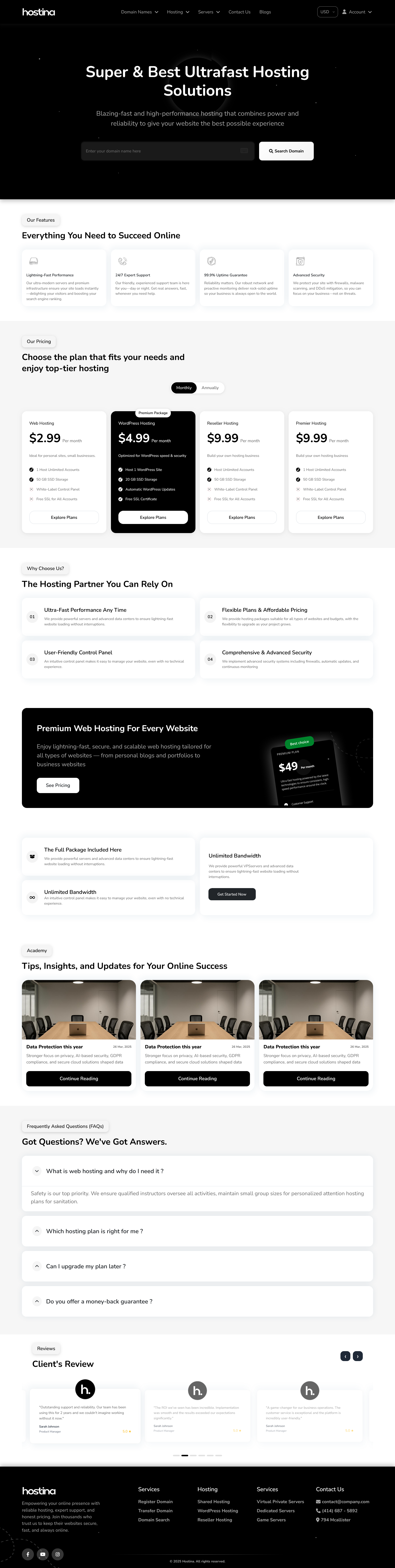
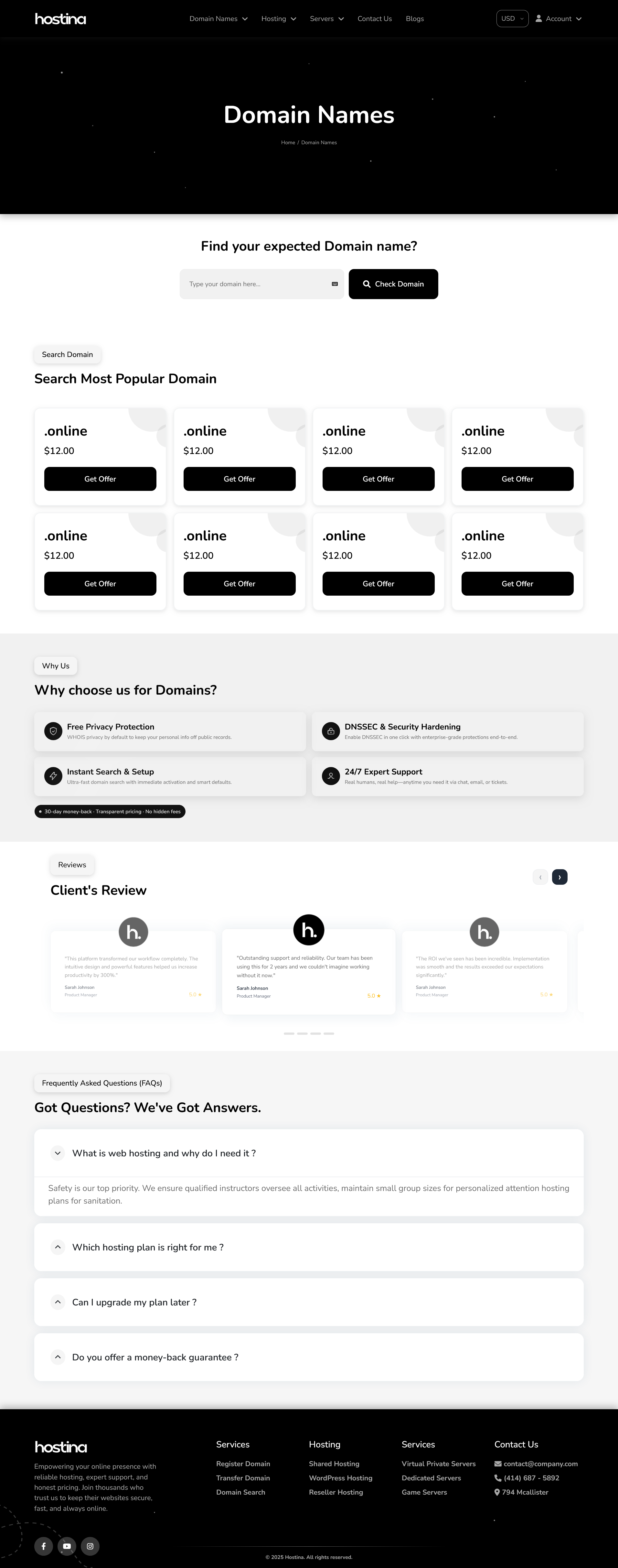
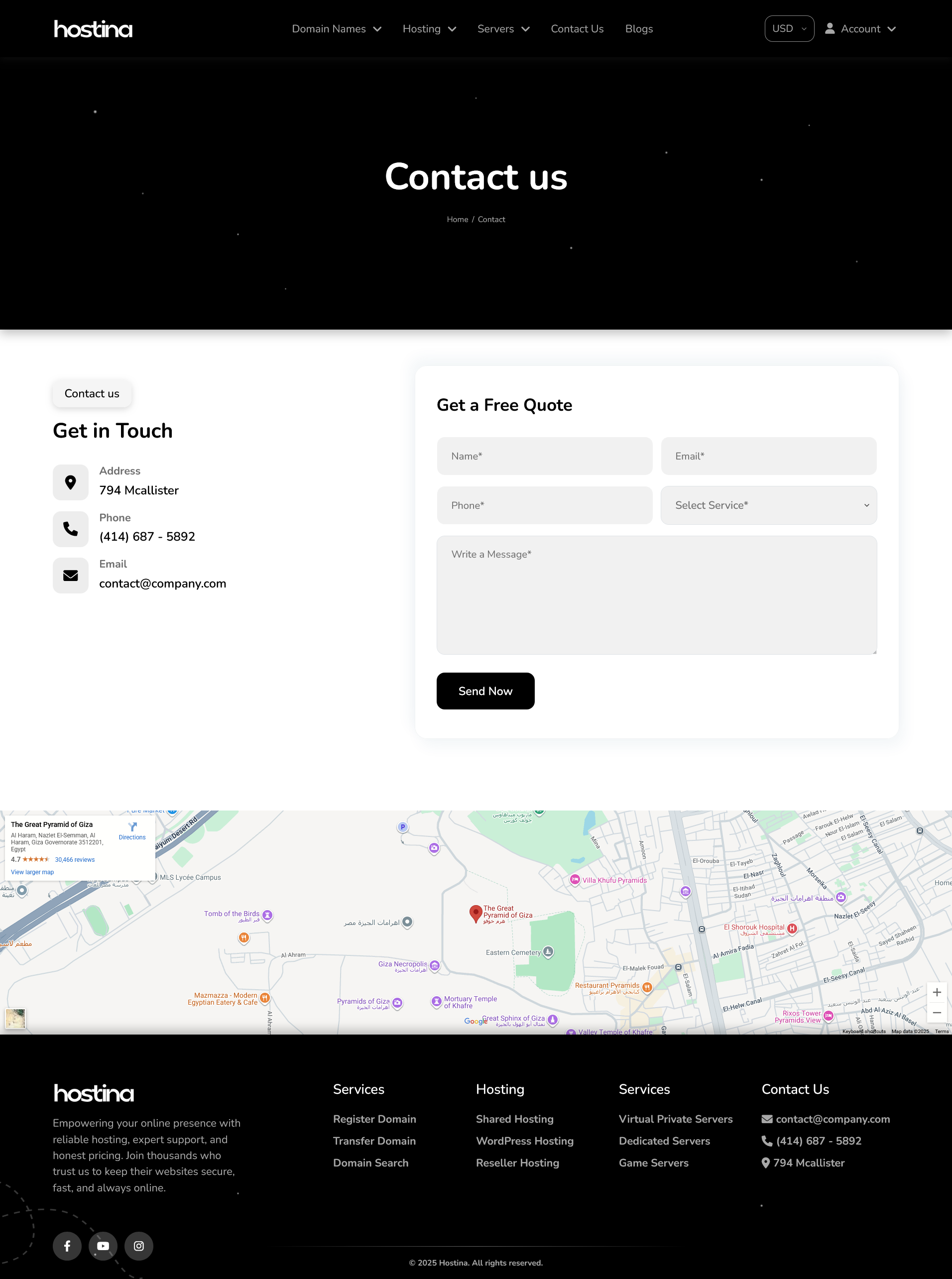
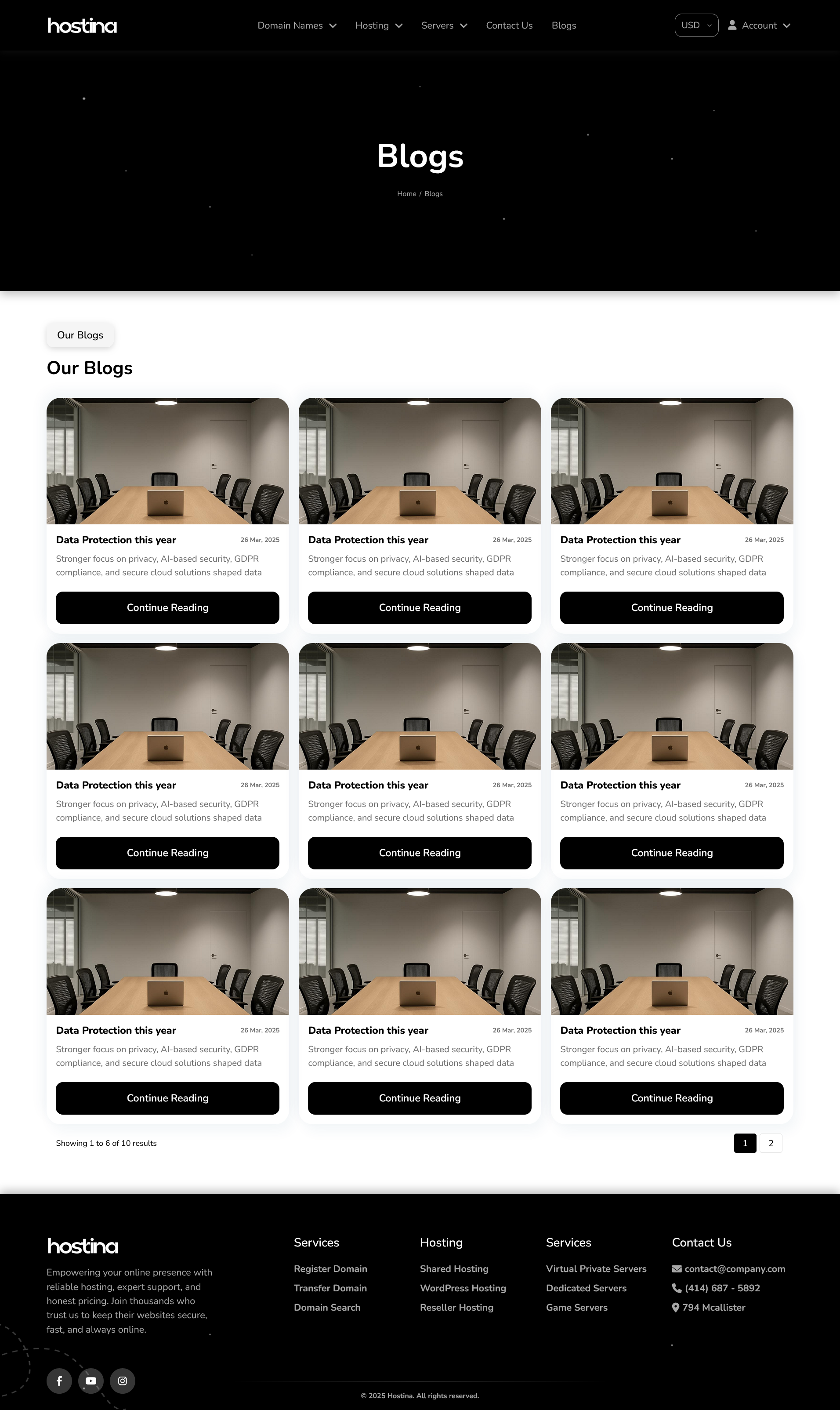
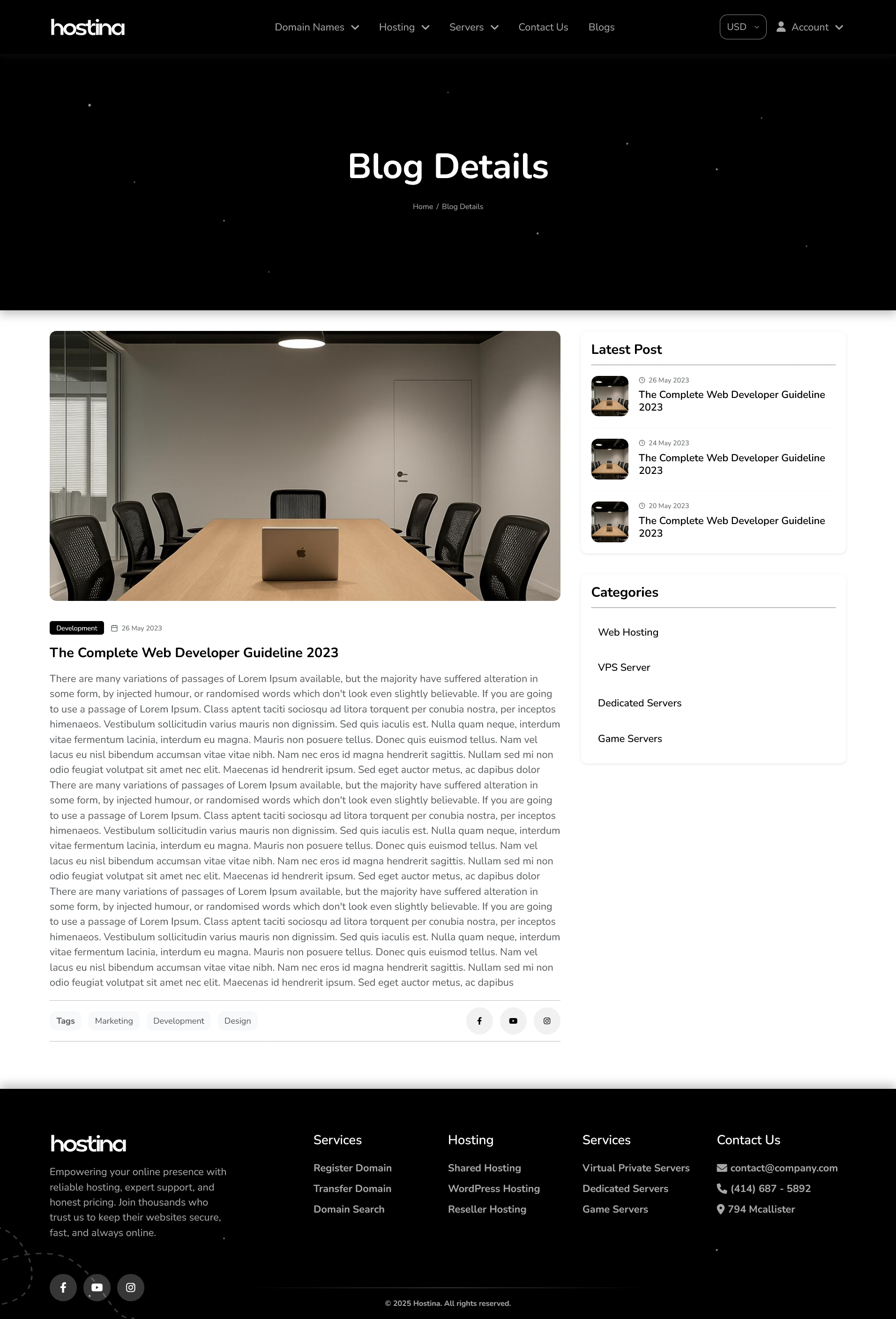
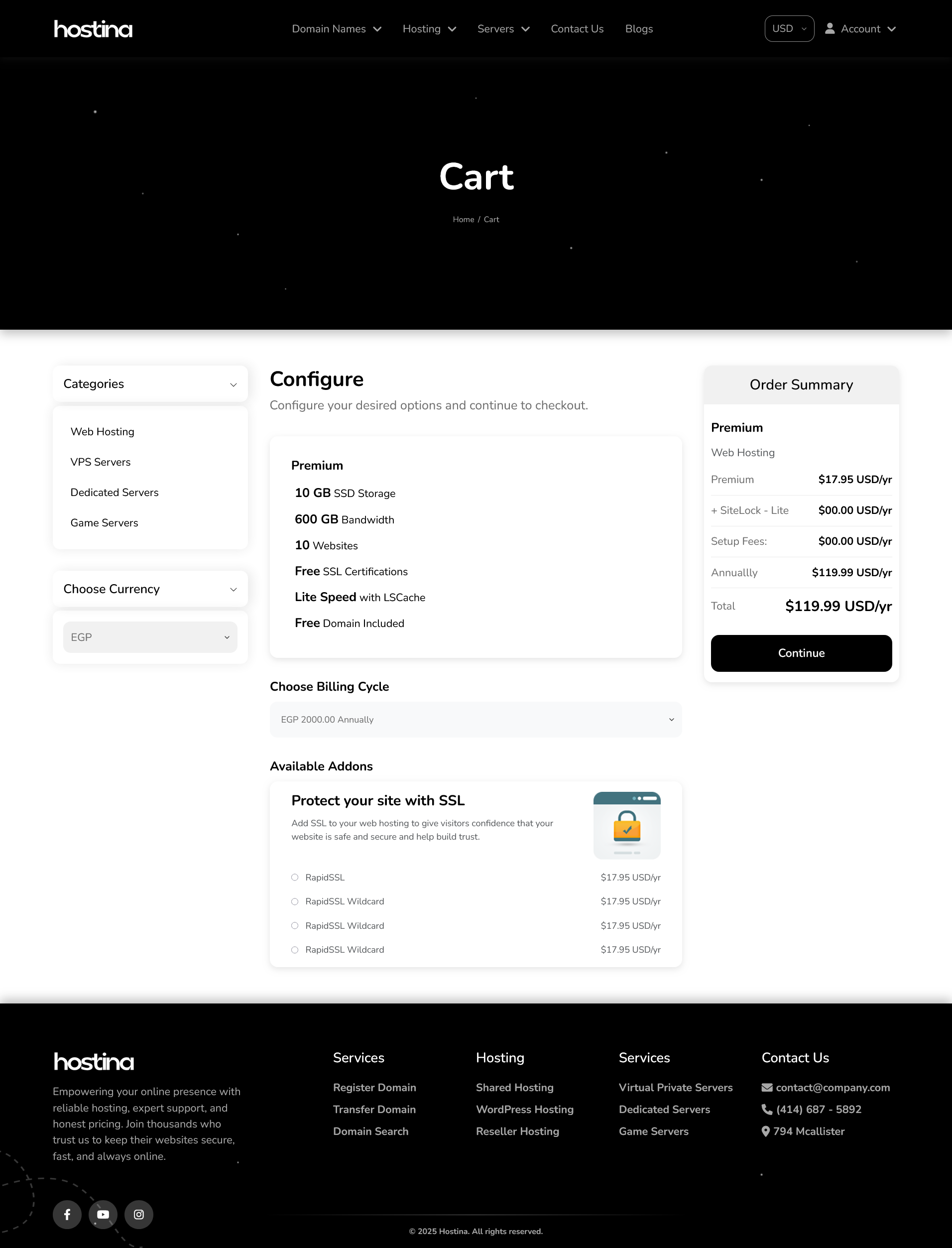
Great news! 🎉 After months of design and development, our brand-new Hostina WHMCS Template is now available to the public! It’s a premium, responsive, bilingual (LTR + RTL) WHMCS theme crafted for hosting companies, domain resellers, and web providers. Hostina combines a modern interface, custom dashboard, and styled orderform checkout — offering your clients a smooth, professional experience across all devices. ✨ Key Features Fully responsive & modern design Arabic (RTL) + English (LTR) bilingual support SEO optimized — Core Web Vitals ready Custom WHMCS Dashboard with sidebar navigation Styled orderform & checkout pages Easy installation — upload → activate → go 🧭 Frontend Pages Homepage (features, pricing, testimonials, FAQ) Domain Search & Transfer Hosting Plans (Shared, WordPress, Reseller, VPS, Dedicated, Game Servers) Cart & Checkout (Styled Orderform Flow) Blog + Blog Details Contact Page (form + map) 💼 Client Area Login & Register Custom Dashboard with Sidebar My Services & Products My Domains (Renewal, Auto-Renew, Management) Invoices & Billing Support & Tickets Membership / User Management ⚙️ Compatibility WHMCS: 8.0 – 8.13 + PHP: 8.1 – 8.3 Works perfectly with Plesk, DirectAdmin, cPanel, CloudLinux, LiteSpeed, Apache, Nginx 🖼️ Screenshots Preview 👉 Open Gallery — hostk.com/hostina-template 🧪 Live Demo 🌐 Frontend Demo: demo.hostk.com/hostina/ 🇬🇧 English Version: demo.hostk.com/hostina/en 🇸🇦 Arabic Version: demo.hostk.com/hostina/ar 🔑 WHMCS Demo: demo.hostk.com/index.php?systpl=hostina Login: test@hostk.com Password: test 🛒 Purchase Now 👉 Buy Hostina Template 🧾 About Hostina Hostina is a complete WHMCS solution — modern template, custom dashboard, and styled orderform checkout. Fully bilingual (Arabic + English), SEO-optimized, and ready to install in minutes.
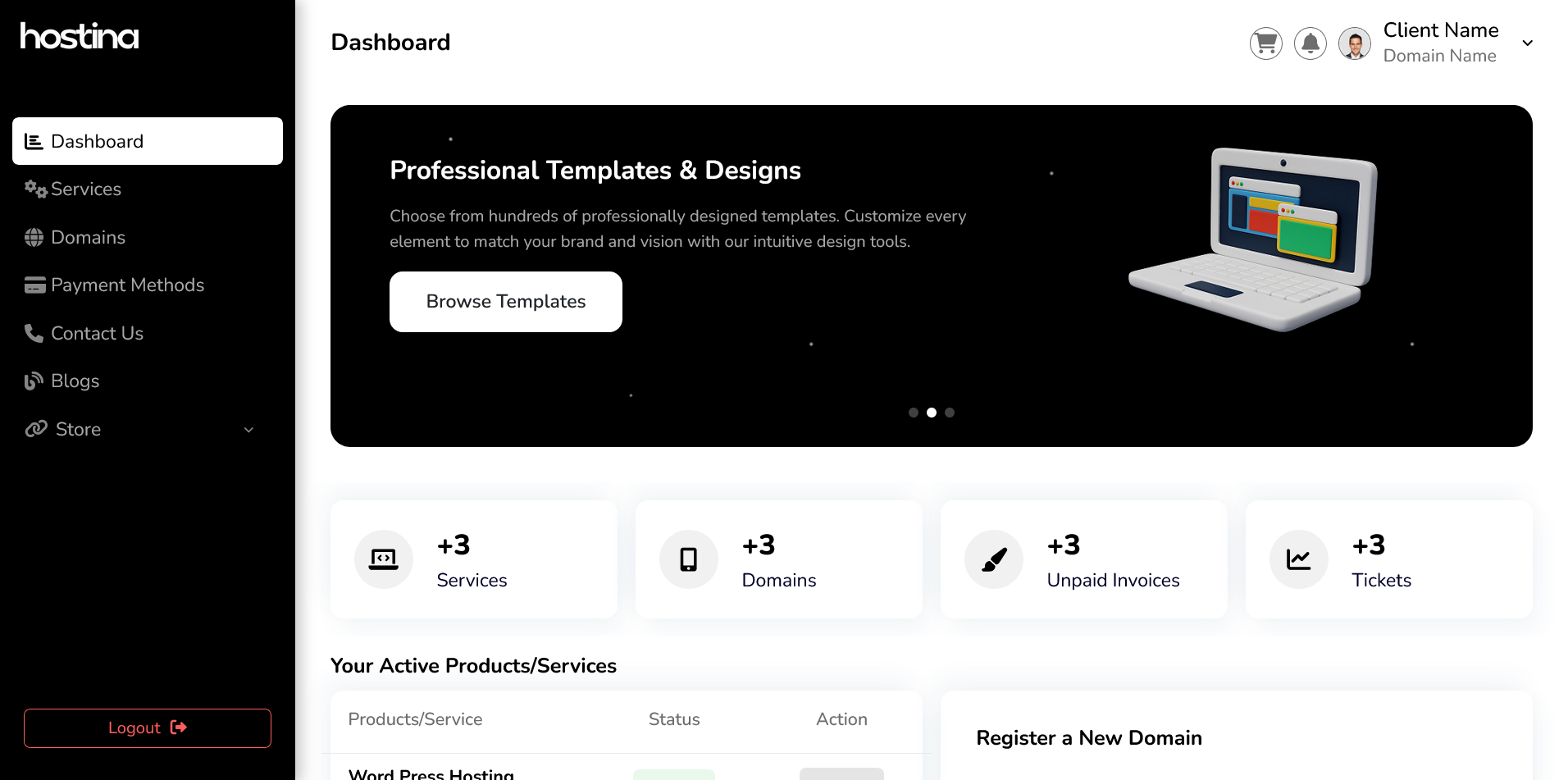
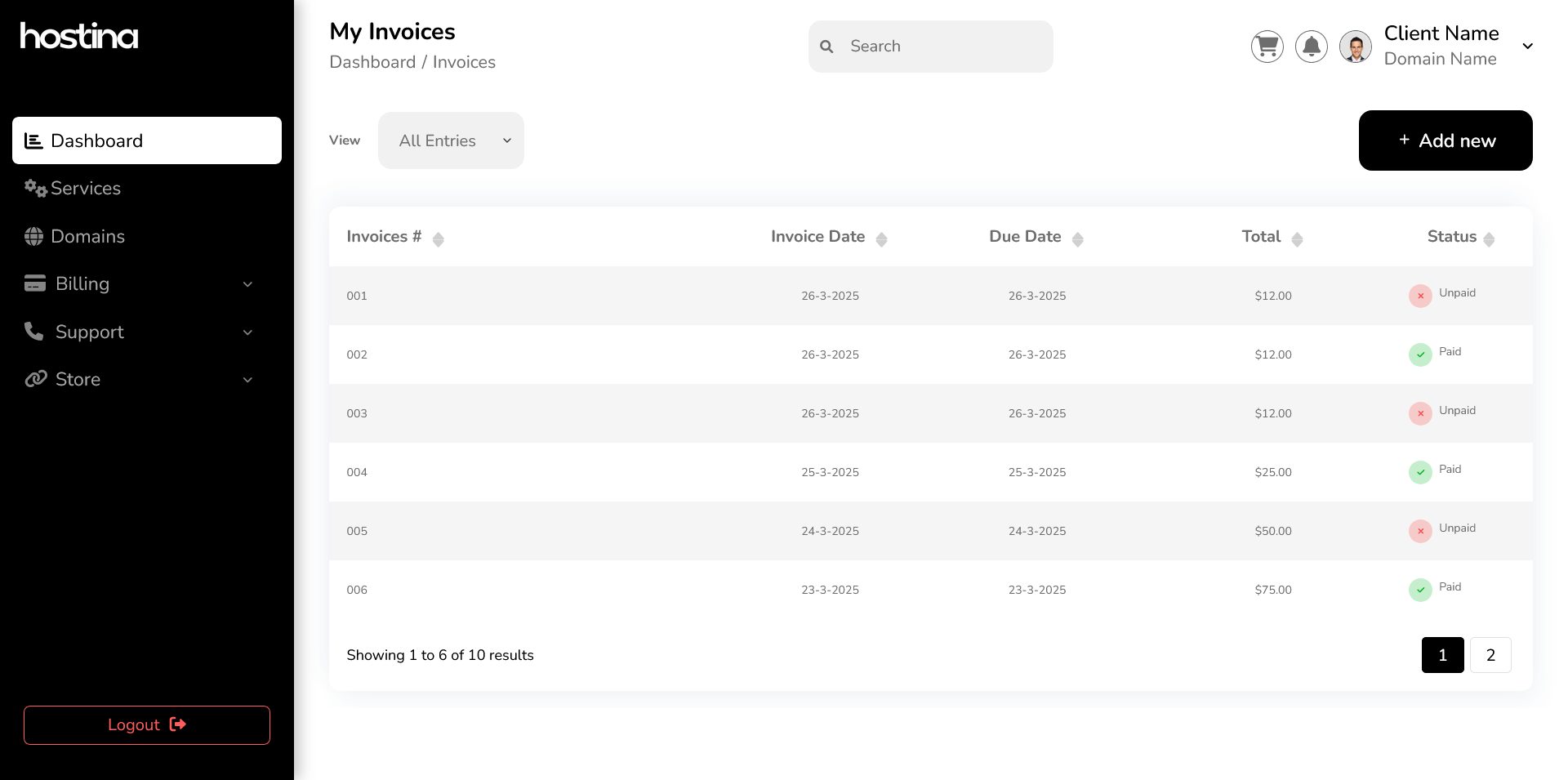
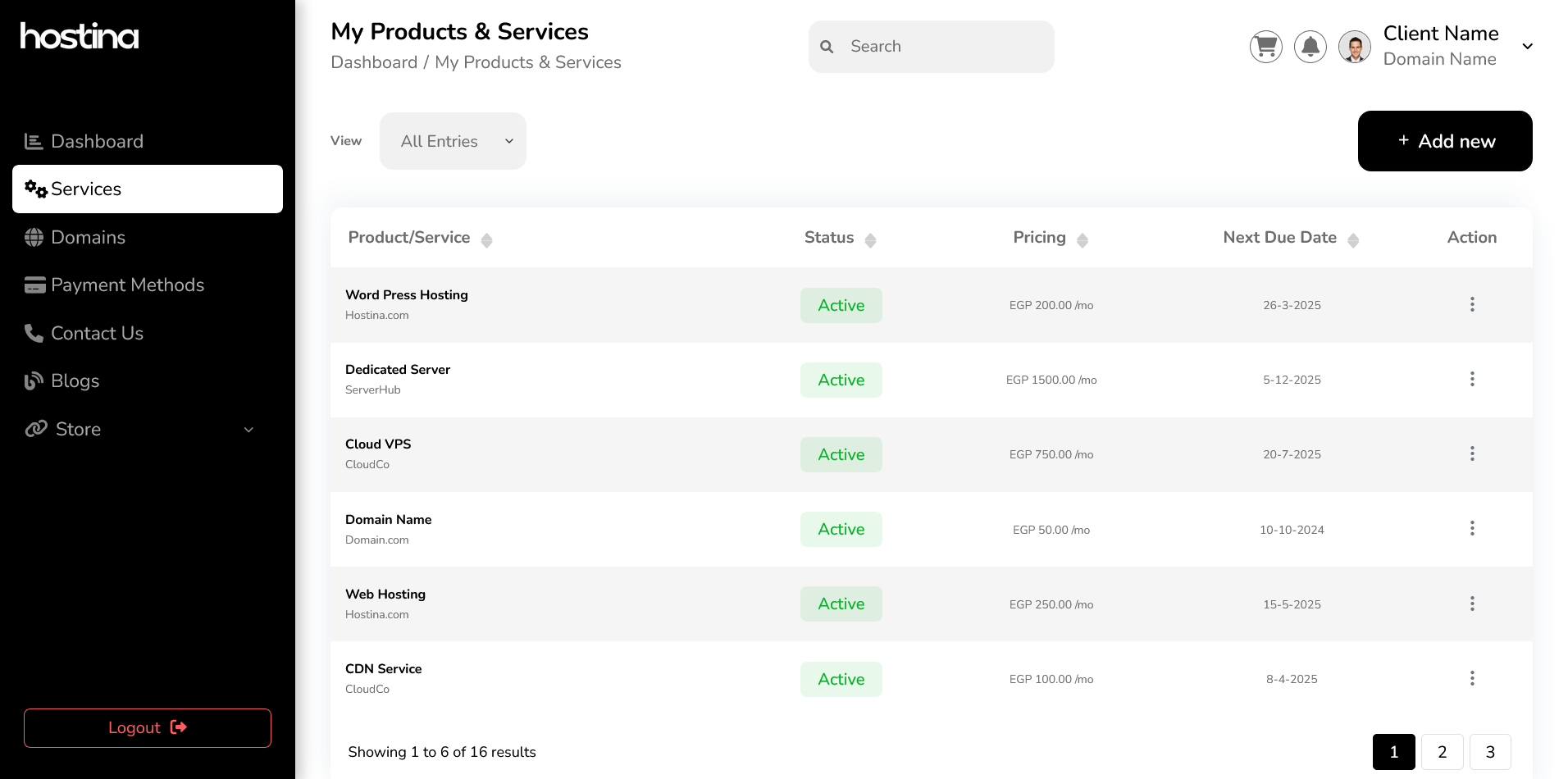
-
 Dear WHMCS Community, We're thrilled to introduce the AI Helpdesk Assistant Module—a game-changing addition to your WHMCS platform that harnesses the power of artificial intelligence to streamline operations, enhance customer support, and boost sales! 🔥 Key Features: For Clients: ✅ AI-Powered Domain Suggestions – Instantly generate available domain names based on any industry or keyword. ✅ Smart Product Recommendations – Increase upsells with AI-driven hosting suggestions tailored to each domain. ✅ 24/7 Chatbot Support – Clients can manage profiles, invoices, tickets, and more via conversational AI. For Admins: ⚡ AI Content Generation – Create product descriptions, knowledgebase articles, and announcements in seconds. 📌 Ticket Automation – Summarize conversations, generate replies, and set up smart auto-responses. 💡 Revenue-Boosting Tools – Automatically offer personalized discounts to convert more inquiries into sales. 🌟 Why Choose This Module? Save Time – Reduce manual tasks and focus on growing your business. Improve Efficiency – Handle support tickets faster and more effectively. Enhance Sales – Leverage AI to recommend products and create targeted promotions. 📢 Special Offer: Be among the first to try it! Get 20% off for a limited time. https://whmcsglobalservices.com/whmcs-ai-helpdesk-assistant-module/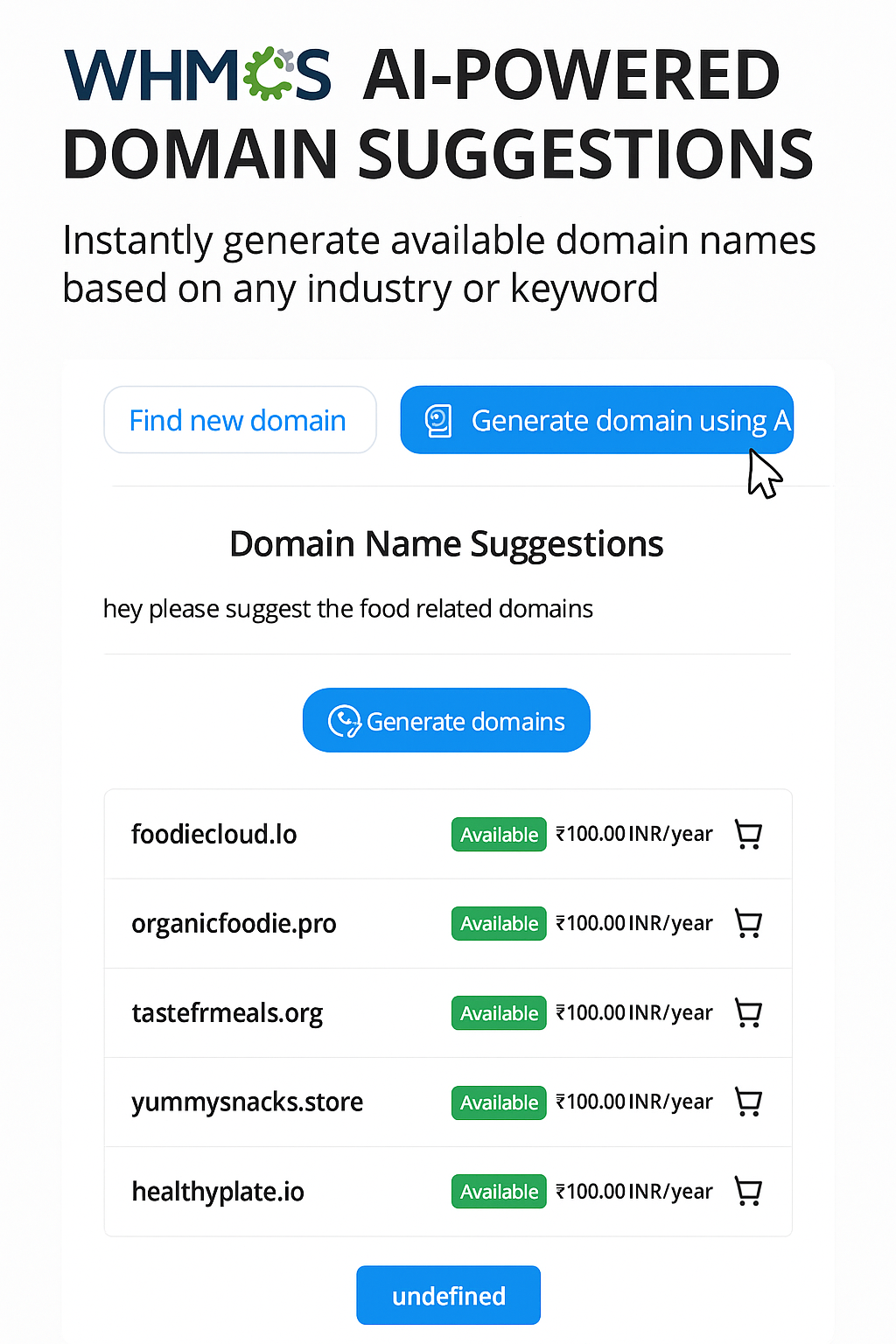
-
We are thrilled to announce that we are launching the HostX V2.2.2 version. Below are the new features & updates of the HostX theme.New Feature Added =>=> New navigation introduced.=> Font awesome 5 menu icon introduced.=> New footer design.=> Another new colour scheme added.=> Setting for currency format over dynamic pricing blocks.New Blocks Added=>=> Top rated reviews block added.=> Price comparison block added.=> New pricing block for dynamic product listing.Product URL : https://whmcsglobalservices.com/webhosting-template/hostx-whmcs-theme-template/


-
Hello everyone! I wanted to ask if it is possible to send an email from WHMCS to an external email address. I know that there are these two options from the API: https://developers.whmcs.com/api-reference/sendadminemail/ https://developers.whmcs.com/api-reference/sendemail/ But these don't look like I can enter an external e-mail address. My use case is that if a request to an external API fails, I want to send an email with more information about the error and what data it tried to send to the API. Or do SendAdminEmail and SendMail each send an email to the address specified in WHMCS under: General Settings => Mail => System Emails From Email?
-
We are looking here for the feedback on our newly introduced Advance Page Manager feature in HostX template. We have created this feature in order to ease the burden of our HostX users. We all know how simple is it to create a page in WordPress, keeping in mind we introduced this page manager feature. With Advance page Manager, admin can create a new page in his WHMCS website (When Using HostX Template) very similar to WordPress. Find out how easy is it: 1. Go To Page Manager Under WGS HostX Addon 2. Here you can find this list of all created pages. We have given some options to every page like "Preview A Page", "Edit Page", "Enable Or Disable a Page", "Delete a Page". Start a new page by clicking on Add a New Page. 3. Now you need to "Add the Page Title", you can alter the URL slug as per your seo needs. We have created the Page Type options 1. Static Page 2. VPS Product Page 3. Dedicated Product Page Admin has to choose from these above-mentioned page types. If a user wants to use this page to sell VPS Products then they can choose VPS Product Page, in case of dedicated products they need to select the Dedicated Pages. We have differentiated these pages types as on the basis of the selection, admin can assign the Products Groups to these pages. If they VPS then they will only get options to assign the VPS products and similar in the case fo Dedicated Servers. 4. Banner Contents Management You can easily add Banner Contents according to the language. 5. On the right, you can add SEO tags and OG tags. 6. Select Menu Under Which You need to Make this Page Live Now you need to select the menu item under which you want to list this new page, the menu items are the top menu items of the front end website. 7. Set Banner Featured Image You need to select a banner featured image to assign to this page. 6. In the last, it comes to the main section Drag N Drop Page Builder. By default, you will find only the Banner Block. If the user saves the page without assigning the blocks, they will see such kind of page. So it is mandatory to assign the blocks to build the page. Please let us know, how do you like this feature in the comments. Product URL: https://whmcsglobalservices.com/webhosting-template/hostx-whmcs-theme-template/
.thumb.png.5c5fe191d6095bb0f9e9c1eb9f00c42a.png)
.thumb.png.5b9fa9e43bb0f1f31b1f81eeacdf965f.png)
.thumb.png.94d5a113336df14714f5e0a0a0edb092.png)
.thumb.png.d928cfdf78bf57beff93db7f3d575f68.png)
.thumb.png.1120825153a9f74d66032beb1b81aa78.png)
.thumb.png.504a89b0012166e630d8e4af5a6a8666.png)
.thumb.png.5e89b0f41c508d99d3968007a8a6781b.png)

-
 Hi, What is DemoTiger? DemoTiger.com offers a series of high-quality video tutorials tailored for web hosting companies. These videos feature Full HD video, professional narration by a voice artist, and accompanying text instructions. They can be seamlessly integrated with the knowledge base of WHMCS. Now you can purchase the specific video series you want. The more series you buy, the more discount you will get. Purchase the video series you want. We have 218 professionally made tutorial videos. Buy All Series/Video Tutorials Sale! (Coupon Code: SAVE25 ) 180+ Reviews!! on WHMCS Market Place. Demo 1 - How your WHMCS look after importing our videos. Features: Purchase video tutorials for your Knowledge-base, and stand different from other hosting companies. Helpful for boosting your website SEO/Ranking. Used by various hosting companies. Up-to date. Multilingual - Available in English and Dutch. Purchase the web hosting tutorial series you like. Buy Only Specific Series(English) cPanel Series Plesk Obsidian Series (Linux) DirectAdmin Series SolusVM 1 Series Virtualizor Series WordPress Series Thunderbird Email Series Outlook 2019 Email Series Filezilla Client Windows FTP Series Video Tutorials in Dutch Language: (With Titles/Instructions & background music) Available Languages: English (All Series) Dutch (cPanel & DirectAdmin Series) About DemoTiger? DemoTiger provides professional video tutorials for hosting companies. We have 218+ video tutorials on the latest version of cPanel, Plesk, WordPress, etc. Videos are available in the voice of a human voice-over artist. If you wish to compete with bigger companies having lots of video tutorials for their customers, then it is your chance to advertise and increase your presence by buying high-quality video tutorials from DemoTiger. Supported Platforms/Billing Software: - Support WHMCS v5 to v8.x - Others Buy All Series/Video Tutorials Flash Sale! (Coupon Code: SAVE25 ) Thanks. DemoTiger.
 -
 Hello, Dear, We need the jwhmcs file module please to share. I will send give. But you need to help me Thanks
 -
AutoVM is a management and automation solution that simplifies virtualization systems through a simple control panel. This platform provides a complete IaaS management platform for hosting, Cloud providers, and telecom corporations. Companies with private networks using virtualization as infrastructure can easily manage their service by AutoVM without the help of any technician or an operator. Some of the features: VCenter and WHMCS integration. VPS Resellering feature Auto installation of the operating system on VM. Bandwidth monitoring and manage VPS traffic usage. Full API service Auto Provisioning VM After Payment Successfully. Auto-assign IP and Network adapter once VM is created. Hourly and pay as you go cost model Create VAPP, cluster, resources by the client Discover VMs, Storages, Clusters, VAPPs, Datacenters, and Networks automatically Support VSAN, Storage DRS, Distributed switch Support OAuth service Run Bash/Batch, Python, or any scripts after VM installation Manage IPs by the platform Template customization VM HTML console Clone the existing VM by clients Why AutoVM? There are many different problems regarding the manual management of virtualization platforms. For example, the workflows process requires ticketing and queues, hiring and managing the operators or technicians can be financially expensive, human error is another issue that may occur, there may be security issues, and there will be manual and inconsistent provisioning. However, the AutoVM platform will be the best choice for those companies who want to minimize all the risks taken during manual management. In addition, AutoVM is software for reducing technician tasks and providing a simple workflow for consumers, resulting in accelerated task management. With AutoVM, all virtualization systems workflows are grouped into one set through a simple dashboard, and employees or customers of an organization can handle all requests by themselves. With multi-cloud support in this system, employees do not need to learn several techniques, and all tasks are automatically operated. The challenges mentioned above are eliminated, and organizations can automate their infrastructure at an economical cost.

-
Hello, Dear, We need a Preloader fine for the Client Area, which requires WHMCS coding confirmation. Thanks
-
Hello, Dear, I wish only managed by WhiteLabel work fine confirmed where it. I can't speak, I'm disabled, but I need something very simple. Thanks & Regards
-
Hello, Sir, Unable to load your shopping cart. Please contact support. Please help me. fast so saying

-
Hello, Dear, Best Client Area for the WHMCS Theme on a free customisation theme needs confirmation here. Please, you need to help me. Thanks
-
Hello, Sir, Client Area is a screenshot shared in which language? Another problem here. But just didn't see the English footer right, failed it. Please help me. Thank you for your time to support me.

-
Hello, Sir, We need to Update Product Prices like this, as we didn't see confirmation of it. But we just need currency updates, please help me. Thank you for your time to support me. 🙏🏽

-
Hello, I would like to introduce you to my new template Demo Preview If you have any idea or find some bugs (that is still beta so please report to me thanks 😇)


-
Dear Valued Clients, Enhance Your Virtualization Management with the Latest VMware WHMCS Module We are excited to announce the release of WGS VMware WHMCS Module v4.1.0, packed with powerful new features, significant improvements, and critical bug fixes to elevate your virtualization management experience. This update introduces enhanced security, greater flexibility, and improved compatibility, ensuring seamless integration with your WHMCS environment. Key Highlights of v4.1.0 🚀 New Features Two-Factor Authentication (2FA) for NoVNC console access, adding an extra layer of security. vCenter User Account Management for streamlined VMRC access control. Network Selection & IP Pool Creation for auto-provisioning customization. Custom Fields for root/Administrator usernames and ports (Linux & Windows). Private NAT Pools with custom port configurations for VMs. Client Area ACL Configuration per product for granular access control. 🛠 Improvements Full compatibility with WHMCS 8.13, PHP 8.2/8.3, and IonCube 14.x. Expanded OS support for Debian, AlmaLinux, Kali Linux, and CloudLinux. Optimized mobile responsiveness and updated HAProxy documentation. Default service password now serves as the VM root/Administrator password for simplified access. 🐞 Bug Fixes Resolved VM network connectivity and console access issues. Fixed auto-upgrade failures and welcome email delivery problems. Corrected datastore path and traffic bandwidth calculations. 📅 Release Details Module Name: WGS VMware WHMCS Module Version: v4.1.0 Release Date: May 21, 2025 📢 Take Action Now! Upgrade to the latest version today to take advantage of these powerful enhancements and ensure optimal performance. Buy Now: https://whmcsglobalservices.com/vmware-whmcs-module/ Thank you for your continued trust in WHMCS. We’re committed to delivering innovative solutions to streamline your operations. Best Regards, The WHMCS Global Services Team
-
 1. DigitalOcean Droplets For WHMCS 1.8.3 - 10% OFF! Despite our fondness for the winter holiday season, we’ve eagerly returned to reality and resumed the game of updating our WHMCS modules. We’ve scored our first win by releasing version 1.8.3 of our renowned DigitalOcean Droplets For WHMCS. You must be curious about the latest features, so let us reveal that this update has brought much-anticipated compatibility with WHMCS V8.12. Additionally, we’ve improved the efficiency of the virtual machine setup process: the "Wait for IP Assignation" option ensures that account creation is delayed until a default IP address is assigned to the VM. There's a good chance you’re already intrigued and hurrying to explore the module’s enriched potential. And in case you still need encouragement, here it is: a 10% discount on the purchase is now for the taking! Get to know DigitalOcean Droplets For WHMCS 1.8.3! 2. Soon among our WHMCS modules The game is definitely on, and its new levels are to be unlocked. Not wanting to leave you empty-handed while you wait, we're thrilled to share a glimpse of what's just around the corner. Here's a shortlist of update-awaiting products, along with the most crucial changes to the toolkits: Products Reseller For WHMCS - about to be enriched with new options for more effective management of product renewals, pricing models and promotionsReport Generator For WHMCS - set to feature enhancements in the field of data protectionAdvanced Billing For WHMCS - expecting the stable release of version 4.0.0DNS Manager For WHMCS - soon to embrace improvements in the handling of custom rDNS and data safeguardingServer Monitoring For WHMCS - preparing for integration with SMS Center For WHMCS, for the sake of greater versatility in sending notifications. Need WHMCS Module Development For Your Business? Get Your Free Quote Now! We can customize our modules to fit your exact needs or even create a completely new one from scratch to give your WHMCS platform an added boost!
 -
 This add-on module displays a customizable helpdesk wallboard for your support center. Includes a live (AJAX) overview of: each department with ticket count (Waiting and Open) each status with ticket count staff online WHMCS activity feed The display is pure html and css and can easily be modified as required. Some sample layouts are included. Download for free from the marketplace: https://marketplace.whmcs.com/product/7620-ut-ticketboard Installation instructions can be found here: https://uptimemodules.com/knowledge-base/installation/
-
Lagom WHMCS Client Theme has been updated to 2.0 version! Order Now Changelog Documentation Services Contact Different Styles & Colors Lagom WHMCS Client Area Theme consists of 4 unique styles. There are 5 different color schemes available for each style. Modern Futuristic Default Depth Style Manager Provides essential tools used to manage Lagom theme colors and styles without having any technical know-how. You will be empowered to apply various Styles and Color Schemes to tailor our theme to your brand style. Learn More Menu Manager From now on, you do not need to create complicated WHMCS hooks to modify the Lagom theme navigation. Menu Manager delivers a super convenient option to set up the menu items from the WHMCS addon. Learn More Multiple Layouts Make full use of 5 unique layouts for the main menu navigation and 2 various layouts for the footer. Other Lagom Features Login Based Layouts Display different menu and footer layouts based on the customer's login status. Learn More Basic SEO Management Manage SEO for selected theme pages. Assign your custom page title, description, and social image. Learn More Custom Layout for Pages Assign a unique Lagom Layout to specific pages and overwrite settings made in Layout Manager. Learn More Affix Theme Navigation Affix the top Lagom theme navigation when a customer scrolls your website up. Learn More Multiple Element Styles Using a few simple clicks you can choose from 3 different styles available for particular Lagom elements. Learn More Multiple Page Templates Define various templates for selected Lagom theme pages and configure its settings. Learn More Different Fonts Change Font Family used in the Lagom theme with a few simple clicks. Learn More Affix Theme Sidebars Affix theme sidebars to the top of the browser window. Learn More Hide Sidebars Hide Lagom theme sidebars for selected pages in Page Manager. Learn More


-
How do I connect accounts that are already in my WHM to WHMCS? How do I impprt that data?
-
Issue: Tried to use custom nameservers, endedup going wanting to just use default enom servers. One of my clients bought a domain while the nameservers were misconfigured, and now the domain is automatically redirected to www.mydomain/lander . I reset the Host records in my enom panel, enabled auto-renew on the domain (it was previously off) and under the client's page i've clicked " Reset to default nameservers " and the nameservers are now dns1.name-services.com through-dns5.name-services.com and I've cleared my cache, wondering what I'm doing wrong as the domain still redirects to this /lander page. The client's site should be wordpress and it says they have an active install with a wordpress package Is there anything im missing / I should change? I can provide more info first time setting up WHMCS thanks thank you


.png.bcc047cea6b58fe6c4eab77cdf8216d2.png)
.png.ea297a425e6fe59c0190f5d781d86ec0.png)
.png.5b57da30657842d6e972a508d3c11dc6.png)
.png.0b5833fc7d23ee651147d3de73598fd5.png)
.png.eb26c542e05a727d7f1179c226b13e1d.png)
.png.6f92afa92614db68bf360d029cbb4653.png)
.png.c9bd7b4b65d0058176124753a7da7a43.png)


