


ThemeMetro
-
Posts
246 -
Joined
-
Last visited
-
Days Won
5


ThemeMetro's Achievements


-

We Need Your Feedback on Croster WHMCS Client Theme
ThemeMetro posted a topic in ThemeMetro's Topics
Hi everyone, We're currently planning the next releases of Croster, and we'd love to hear directly from the WHMCS community. If you're already using Croster for your business: What features do you use the most? What frustrates you the most? What improvements or new features would make the biggest difference for your business? If you're not using Croster yet: What has stopped you from trying it? Is there any feature you feel is missing? What would make you consider switching to Croster in the future? If you could change just one thing about Croster, what would it be? We're not looking for compliments -- we're looking for honest feedback. Every suggestion helps us build a better product for the entire WHMCS community. Thank you for your time and support. We look forward to hearing your thoughts! -
Everything You Need for Email Deliverability Key Features Validate client email addresses in bulk Detect invalid, disposable, catch-all, and risky email addresses Reduce hard bounces and protect your sender reputation Automatically process bounced emails Create smart recipient segments using products, client groups, countries, status, and more Send targeted email campaigns directly from WHMCS View detailed validation and campaign reports many more.. Why it matters Over time, every WHMCS database collects invalid and inactive email addresses. Sending campaigns to these addresses can hurt your email reputation and reduce inbox delivery. Smart Email Campaign helps you keep your mailing list clean so your emails reach more real customers. Learn More & Get Started.
.png.a2dbecf8ddb6d4c4f52fdc4c89cee1c5.png)
-
Introducing the WHMCS Blog Module - ThemeMetro
ThemeMetro replied to ThemeMetro's topic in Commercial Modules and Addons
WHMCS Blog Addon v1.6 Released We're pleased to announce the release of WHMCS Blog Addon v1.6, introducing powerful SEO enhancements, advanced content discovery tools, and improved article navigation designed to help you grow your blog and increase user engagement. What's New in Version 1.6? This update includes several highly requested features to help hosting providers, software companies, and WHMCS users create a more professional blogging experience while improving search engine visibility. Changelog Added Advanced Blog Search Added Homepage SEO Title & Meta Description Settings Added Article SEO Title & Meta Description Settings Implemented Google Schema Markup Support Added Read Next Articles Section Date formatting now respects WHMCS configuration settings Various performance improvements and optimizations These enhancements make it easier for visitors to discover content, improve on-page SEO, and navigate between related articles. You can find full release details on our blog. -
-
We're excited to announce that Croster v3.0 is now available — a major update introducing powerful new features, expanded customization options, and greater flexibility across your website, client area, and order flow. What's New in 3.0? Promotion Manager – Create unlimited promotional banners and display them throughout the Client Area, including the Homepage, Products & Services, Product Details, and Domains pages. Schedule campaigns with start and end dates, and use Advanced Restrictions to target promotions based on specific products and addons owned by your clients. Advanced Menu Manager – Create multiple menu groups and display them based on location and user type, including Website, Order Form, Client Area, Existing Clients, and Guest Visitors. Style Manager – Completely redesigned and more powerful than ever, giving you greater control over colors, styling, and branding across your entire website. Dynamic Layouts – Automatically use different layouts for public pages and the client portal, creating a more optimized user experience. Full RTL Support – Seamless right-to-left language support throughout the entire theme. New sections for Testimonials, Team Members, and News & Articles, with expanded customization options. Section Tabs – Organize content with tabs in Features, Statistics, FAQs, Gallery, Products, and Product Group sections. Promotion Timer – Add countdown timers to the Banner section to create urgency and boost conversions. Coupon Code Integration – Display and promote coupon codes directly within the Banner and Products sections. In addition to these major features, Croster v3.0 includes numerous enhancements, performance optimizations, bug fixes, and usability improvements designed to deliver a smoother experience for both administrators and clients. We've also completely redesigned our documentation with improved navigation, updated guides, and detailed feature references to help you get the most out of Croster. Explore All New Features in Croster v3.0 →
-
We’re beyond excited to introduce the brand-new Croster WHMCS Theme update — our biggest and most game-changing release ever! This version takes the Client Area experience to an entirely new level, merging stunning design, lightning-fast performance, and intuitive usability into one seamless, next-generation upgrade your customers will love. The Croster Theme gives you the freedom to use it for your whole website or just for the client area, ensuring a smooth and professional user experience. What’s New in This Release? Revamped Ticket System UI – A sleek, modern support interface for faster and smoother communication. Sensitive Data – Enhanced privacy tools to keep your clients confidential information secure. Operating Hours – Display your business hours right inside the client area. Favicon Generator – Customize your brand effortlessly with a built-in favicon creator. Hide Inactive Services/Domains – Keep your client dashboard clean and focused. AJAX-Powered Data Tables – Enjoy faster loading times and an even smoother browsing experience. And many more.. This release represents a bold step forward for Croster, designed to empower your business and elevate the experience you deliver to your clients. We highly recommend upgrading to the latest version to take full advantage of these exciting new capabilities. Explore all new features at https://docs.thememetro.com/
-
Create a ClientAreaPrimarySidebar Hook for the Home Page Only
ThemeMetro replied to HostCuritiba's topic in Developer Corner
Try to remove the line 'uri' => '#', -
Create a ClientAreaPrimarySidebar Hook for the Home Page Only
ThemeMetro replied to HostCuritiba's topic in Developer Corner
You may use like below: <?php use WHMCS\View\Menu\Item as MenuItem; add_hook('ClientAreaSecondarySidebar', 1, function ($secondarySidebar) { global $smarty; $templatefile = $smarty->getVariable('templatefile'); if ($templatefile == 'clientareahome') { $secondarySidebar->addChild('slider', [ 'label' => 'Atendimento', 'uri' => '#', 'icon' => 'fa fa-sun-o', ]); $sliderPanel = $secondarySidebar->getChild('slider'); if ($sliderPanel) { $CustomHTML = '<div class="sidebar-atendimento"> <div class="status-message" id="statusMessage"> <div class="status-header"> <span class="status-title" id="statusTitle">Carregando status...</span> <div class="status-icon-small" id="statusIcon"></div> </div> <div class="status-description" id="statusDescription"></div> </div> <div class="horario-info"> <div class="horario-title">Horário de Atendimento:</div> <div><strong>Abertos:</strong> 08:00 às 18:00, Seg-Sexta</div> <div><strong>Fechados:</strong> Domingos e Feriados</div> </div> <div class="nota-fiscal"> <strong>Nota Fiscal:</strong> Pedidos de Notas Fiscais, solicitações são somente via ticket. </div> <div class="buttons-container"> <button onclick="openChat()" class="botoes-sidebar">WhatsApp</button> <a href="https://painel.hostcuritiba.net.br/submitticket.php?step=2&deptid=1" class="botoes-sidebar">Abrir ticket</a> </div> </div>'; $sliderPanel->moveToFront(); $sliderPanel->addChild('custom-html', [ 'label' => $CustomHTML, 'uri' => '#', ]); } } }); -
Create a ClientAreaPrimarySidebar Hook for the Home Page Only
ThemeMetro replied to HostCuritiba's topic in Developer Corner
Please give the below method a try, it will definitely work <?php use WHMCS\View\Menu\Item as MenuItem; add_hook('ClientAreaSecondarySidebar', 1, function ($secondarySidebar) { global $smarty; $templatefile = $smarty->getVariable('templatefile'); if ($templatefile == 'clientareahome') { $secondarySidebar->addChild('slider', [ 'label' => 'Atendimento', 'uri' => '#', 'icon' => 'fa fa-sun-o', ]); $sliderPanel = $secondarySidebar->getChild('slider'); if ($sliderPanel) { $sliderPanel->moveToFront(); $sliderPanel->addChild('custom-html', [ 'label' => 'Test Sidebar', 'uri' => '#', ]); } } }); -
Create a ClientAreaPrimarySidebar Hook for the Home Page Only
ThemeMetro replied to HostCuritiba's topic in Developer Corner
Sorry, I forget to declare $vars, Please try below: add_hook('ClientAreaPrimarySidebar', 1, function (MenuItem $secondarySidebar, array $vars) { if ($vars['templatefile'] == 'clientareahome') { ...rest of code } }); -
Create a ClientAreaPrimarySidebar Hook for the Home Page Only
ThemeMetro replied to HostCuritiba's topic in Developer Corner
You should wrap the hook code, add_hook('ClientAreaPrimarySidebar', 1, function (MenuItem $secondarySidebar) { if ($vars['templatefile'] == 'clientareahome') { -- rest of code } } -
Maybe MySQL's strict mode is enabled, please try to disable.
-
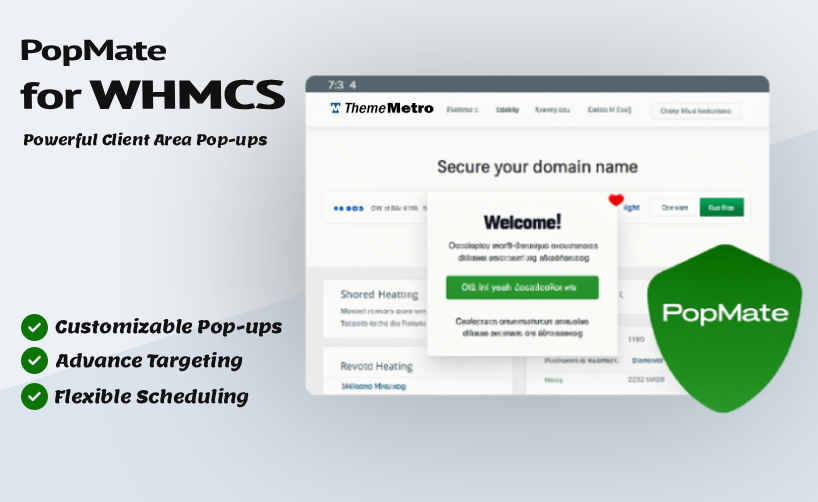
We’re thrilled to introduce PopMate – the ultimate popup addon for WHMCS, crafted by the team at ThemeMetro to supercharge your client engagement and boost conversions. What is PopMate? A smart and fully customizable popup solution built exclusively for WHMCS, Effortlessly deliver personalized messages, promotions, alerts, or announcements within the client area, precisely targeted by user status, specific pages, products, or addons, with elegant designs and complete control over when and how they appear. Key Features: Advanced Targeting System URL Contains - Simple phrase matching for basic targeting Pages (Wildcards) - Advanced wildcard patterns for precise targeting User Groups - Target specific client groups Product/Service Targeting - Show popups to users with specific products or services Multilingual Support & Language Targeting – Display different popup content based on the client’s selected language Guest vs Logged-in Users - Different targeting for visitors and clients Content Types & Design Text/HTML Content - Rich text editor with HTML support Image Popups - Upload and display custom images Custom Styles - Create unlimited popup designs Animation Library - 25+ animation types (fade, slide, zoom, bounce, etc.) Custom Dimensions - Set specific width/height or auto-sizing Responsive Design - Works perfectly on all devices Scheduling & Display Start/End Dates - Schedule popups for specific time periods Display Limits - Control how many times a popup can be shown (total or per user) Delay Timing - Set custom delays before popup appears Permanent Close - Allow users to permanently dismiss popups Due Date Targeting - Show popups based on service due dates Smart Restrictions Product Restrictions - Show only to users with specific products Addon Restrictions - Target users with specific addons TLD Restrictions - Target users with specific domain extensions Invoice Status - Show to users with unpaid invoices Days of Week - Schedule popups for specific days Negative Targeting - Hide from users with specific products/addons Explore Full Features & Screenshots What is Cost? $99.95 /Year (Free ( support and updates) If you may have any questions, Please feel free to Contact Us.
-
Introducing the WHMCS Blog Module - ThemeMetro
ThemeMetro replied to ThemeMetro's topic in Commercial Modules and Addons
We’re pleased to bring you a powerful new update to the WHMCS Blog Addon, packed with exciting features, important improvements, and essential fixes to enhance your blog experience and security. New Features: Emoji Reactions on Posts – Add some fun with Disqus-style emoji responses for your blog posts. Auto Closed Comments & Reactions – Automatically disable comments and reactions after a specific number of days. Client-Only Comments – Restrict commenting to logged-in WHMCS clients only. Custom Pagination Types – Choose how pagination is handled for a smoother browsing experience. Advanced Anti-Spam Measures – Additional hidden security layers help block spam comments more effectively. Markdown Support in Comments – A new markdown editor gives users better formatting control. Improvements: Enhanced Post Ordering – Fine-tuned sorting options for better content arrangement. Better 404 & Invalid URL Handling – Smarter error page responses for a cleaner user experience. Fixes: Sitemap Index URL Issue – Resolved problem affecting the blog's index sitemap generation. Compatibility: WHMCS: v8.12.x and Latest v8.13.x. PHP: 8.1, 8.2 and 8.3. Templates: Tested with Croster, Twenty-One and Six only The Addon should work in all themes OR templates which are based on WHMCS bundled themes. Explore all features and live Demo If you may have any questions, Please feel free to Contact Us.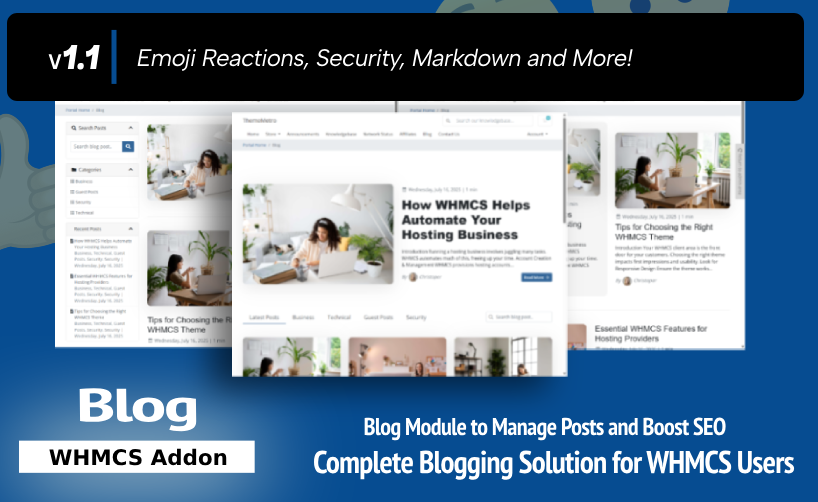
-
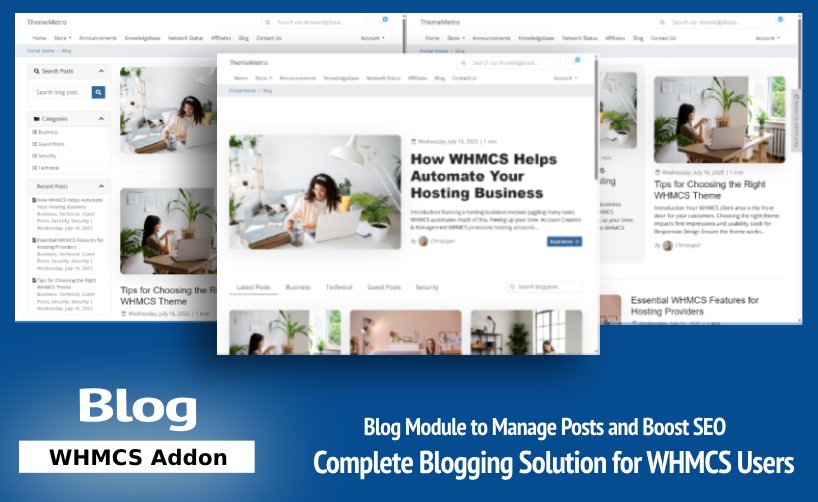
We’re excited to announce the launch of our brand-new WHMCS Blog Module—a complete, SEO-optimized blogging solution built specifically for WHMCS. The addon is Fully compatible with Croster, Twenty-One and Six template. Why This Module? Your hosting or SaaS business needs content to: Build trust Improve SEO rankings Educate customers Share updates But running an external blog means extra management, security concerns, and split branding. With our WHMCS Blog Module, you can now, Blog Directly from WHMCS! Key Highlights: Full Blog Management – Posts, Categories, Authors, and Tags. SEO Features – Meta Tags, Open Graph, Schema, Canonical URLs. Multilingual Support – Use WHMCS language switching natively. Advanced Comments – With CAPTCHA & Spam Control. Post Scheduling & Drafts – Publish when you’re ready. Author Profiles – Show bios, images, and social links. Featured Images – Optimized for sharing. Clean URLs & Sidebars – Seamless integration with your WHMCS theme. Get it now in just $69.95/One time (Owned License). The license is valid for lifetime and single domain only, Includes 1st year of support & updates. Optionally renewed @ $59 per year. Explore all features and live Demo If you may have any questions, Please feel free to Contact Us.

.png.a2dbecf8ddb6d4c4f52fdc4c89cee1c5.png)
