


ThemeMetro
-
Posts
241 -
Joined
-
Last visited
-
Days Won
5
Content Type
Profiles
Forums
Events
Hotfixes
Everything posted by ThemeMetro
-
We’re beyond excited to introduce the brand-new Croster WHMCS Theme update — our biggest and most game-changing release ever! This version takes the Client Area experience to an entirely new level, merging stunning design, lightning-fast performance, and intuitive usability into one seamless, next-generation upgrade your customers will love. The Croster Theme gives you the freedom to use it for your whole website or just for the client area, ensuring a smooth and professional user experience. What’s New in This Release? Revamped Ticket System UI – A sleek, modern support interface for faster and smoother communication. Sensitive Data – Enhanced privacy tools to keep your clients confidential information secure. Operating Hours – Display your business hours right inside the client area. Favicon Generator – Customize your brand effortlessly with a built-in favicon creator. Hide Inactive Services/Domains – Keep your client dashboard clean and focused. AJAX-Powered Data Tables – Enjoy faster loading times and an even smoother browsing experience. And many more.. This release represents a bold step forward for Croster, designed to empower your business and elevate the experience you deliver to your clients. We highly recommend upgrading to the latest version to take full advantage of these exciting new capabilities. Explore all new features at https://docs.thememetro.com/
-

Create a ClientAreaPrimarySidebar Hook for the Home Page Only
ThemeMetro replied to HostCuritiba's topic in Developer Corner
Try to remove the line 'uri' => '#', -
Create a ClientAreaPrimarySidebar Hook for the Home Page Only
ThemeMetro replied to HostCuritiba's topic in Developer Corner
You may use like below: <?php use WHMCS\View\Menu\Item as MenuItem; add_hook('ClientAreaSecondarySidebar', 1, function ($secondarySidebar) { global $smarty; $templatefile = $smarty->getVariable('templatefile'); if ($templatefile == 'clientareahome') { $secondarySidebar->addChild('slider', [ 'label' => 'Atendimento', 'uri' => '#', 'icon' => 'fa fa-sun-o', ]); $sliderPanel = $secondarySidebar->getChild('slider'); if ($sliderPanel) { $CustomHTML = '<div class="sidebar-atendimento"> <div class="status-message" id="statusMessage"> <div class="status-header"> <span class="status-title" id="statusTitle">Carregando status...</span> <div class="status-icon-small" id="statusIcon"></div> </div> <div class="status-description" id="statusDescription"></div> </div> <div class="horario-info"> <div class="horario-title">Horário de Atendimento:</div> <div><strong>Abertos:</strong> 08:00 às 18:00, Seg-Sexta</div> <div><strong>Fechados:</strong> Domingos e Feriados</div> </div> <div class="nota-fiscal"> <strong>Nota Fiscal:</strong> Pedidos de Notas Fiscais, solicitações são somente via ticket. </div> <div class="buttons-container"> <button onclick="openChat()" class="botoes-sidebar">WhatsApp</button> <a href="https://painel.hostcuritiba.net.br/submitticket.php?step=2&deptid=1" class="botoes-sidebar">Abrir ticket</a> </div> </div>'; $sliderPanel->moveToFront(); $sliderPanel->addChild('custom-html', [ 'label' => $CustomHTML, 'uri' => '#', ]); } } }); -
Create a ClientAreaPrimarySidebar Hook for the Home Page Only
ThemeMetro replied to HostCuritiba's topic in Developer Corner
Please give the below method a try, it will definitely work <?php use WHMCS\View\Menu\Item as MenuItem; add_hook('ClientAreaSecondarySidebar', 1, function ($secondarySidebar) { global $smarty; $templatefile = $smarty->getVariable('templatefile'); if ($templatefile == 'clientareahome') { $secondarySidebar->addChild('slider', [ 'label' => 'Atendimento', 'uri' => '#', 'icon' => 'fa fa-sun-o', ]); $sliderPanel = $secondarySidebar->getChild('slider'); if ($sliderPanel) { $sliderPanel->moveToFront(); $sliderPanel->addChild('custom-html', [ 'label' => 'Test Sidebar', 'uri' => '#', ]); } } }); -
Create a ClientAreaPrimarySidebar Hook for the Home Page Only
ThemeMetro replied to HostCuritiba's topic in Developer Corner
Sorry, I forget to declare $vars, Please try below: add_hook('ClientAreaPrimarySidebar', 1, function (MenuItem $secondarySidebar, array $vars) { if ($vars['templatefile'] == 'clientareahome') { ...rest of code } }); -
Create a ClientAreaPrimarySidebar Hook for the Home Page Only
ThemeMetro replied to HostCuritiba's topic in Developer Corner
You should wrap the hook code, add_hook('ClientAreaPrimarySidebar', 1, function (MenuItem $secondarySidebar) { if ($vars['templatefile'] == 'clientareahome') { -- rest of code } } -
Maybe MySQL's strict mode is enabled, please try to disable.
-
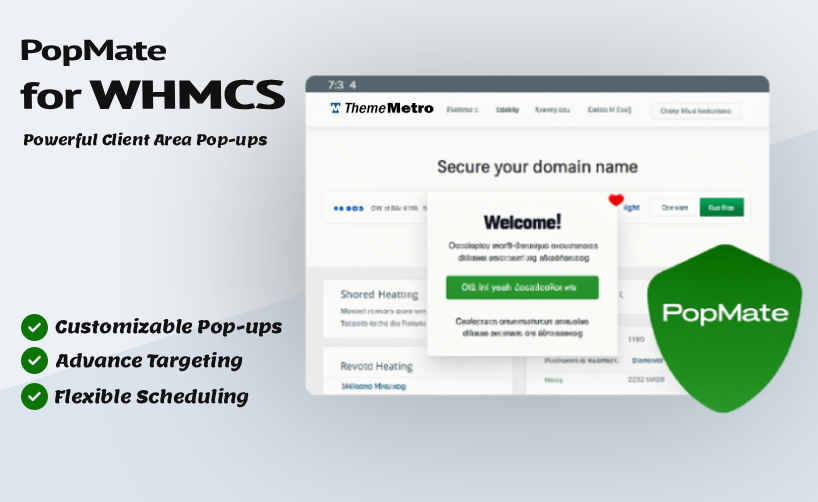
We’re thrilled to introduce PopMate – the ultimate popup addon for WHMCS, crafted by the team at ThemeMetro to supercharge your client engagement and boost conversions. What is PopMate? A smart and fully customizable popup solution built exclusively for WHMCS, Effortlessly deliver personalized messages, promotions, alerts, or announcements within the client area, precisely targeted by user status, specific pages, products, or addons, with elegant designs and complete control over when and how they appear. Key Features: Advanced Targeting System URL Contains - Simple phrase matching for basic targeting Pages (Wildcards) - Advanced wildcard patterns for precise targeting User Groups - Target specific client groups Product/Service Targeting - Show popups to users with specific products or services Multilingual Support & Language Targeting – Display different popup content based on the client’s selected language Guest vs Logged-in Users - Different targeting for visitors and clients Content Types & Design Text/HTML Content - Rich text editor with HTML support Image Popups - Upload and display custom images Custom Styles - Create unlimited popup designs Animation Library - 25+ animation types (fade, slide, zoom, bounce, etc.) Custom Dimensions - Set specific width/height or auto-sizing Responsive Design - Works perfectly on all devices Scheduling & Display Start/End Dates - Schedule popups for specific time periods Display Limits - Control how many times a popup can be shown (total or per user) Delay Timing - Set custom delays before popup appears Permanent Close - Allow users to permanently dismiss popups Due Date Targeting - Show popups based on service due dates Smart Restrictions Product Restrictions - Show only to users with specific products Addon Restrictions - Target users with specific addons TLD Restrictions - Target users with specific domain extensions Invoice Status - Show to users with unpaid invoices Days of Week - Schedule popups for specific days Negative Targeting - Hide from users with specific products/addons Explore Full Features & Screenshots What is Cost? $99.95 /Year (Free ( support and updates) If you may have any questions, Please feel free to Contact Us.
-
Introducing the WHMCS Blog Module - ThemeMetro
ThemeMetro replied to ThemeMetro's topic in Commercial Modules and Addons
We’re pleased to bring you a powerful new update to the WHMCS Blog Addon, packed with exciting features, important improvements, and essential fixes to enhance your blog experience and security. New Features: Emoji Reactions on Posts – Add some fun with Disqus-style emoji responses for your blog posts. Auto Closed Comments & Reactions – Automatically disable comments and reactions after a specific number of days. Client-Only Comments – Restrict commenting to logged-in WHMCS clients only. Custom Pagination Types – Choose how pagination is handled for a smoother browsing experience. Advanced Anti-Spam Measures – Additional hidden security layers help block spam comments more effectively. Markdown Support in Comments – A new markdown editor gives users better formatting control. Improvements: Enhanced Post Ordering – Fine-tuned sorting options for better content arrangement. Better 404 & Invalid URL Handling – Smarter error page responses for a cleaner user experience. Fixes: Sitemap Index URL Issue – Resolved problem affecting the blog's index sitemap generation. Compatibility: WHMCS: v8.12.x and Latest v8.13.x. PHP: 8.1, 8.2 and 8.3. Templates: Tested with Croster, Twenty-One and Six only The Addon should work in all themes OR templates which are based on WHMCS bundled themes. Explore all features and live Demo If you may have any questions, Please feel free to Contact Us.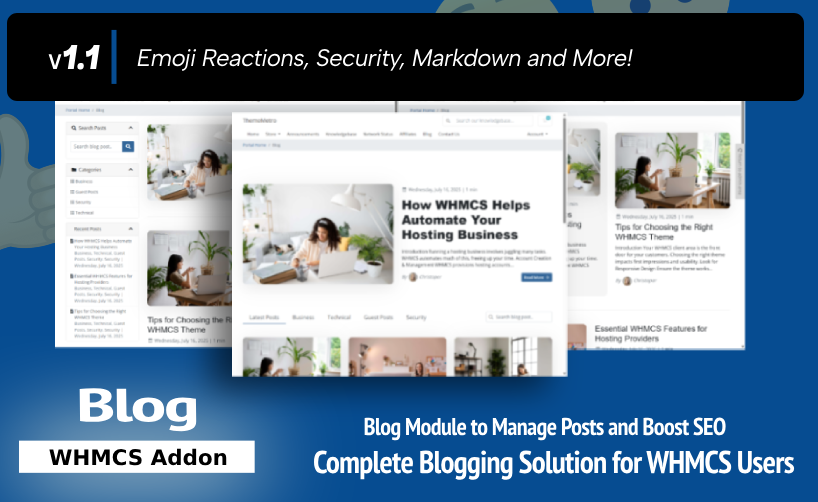
-
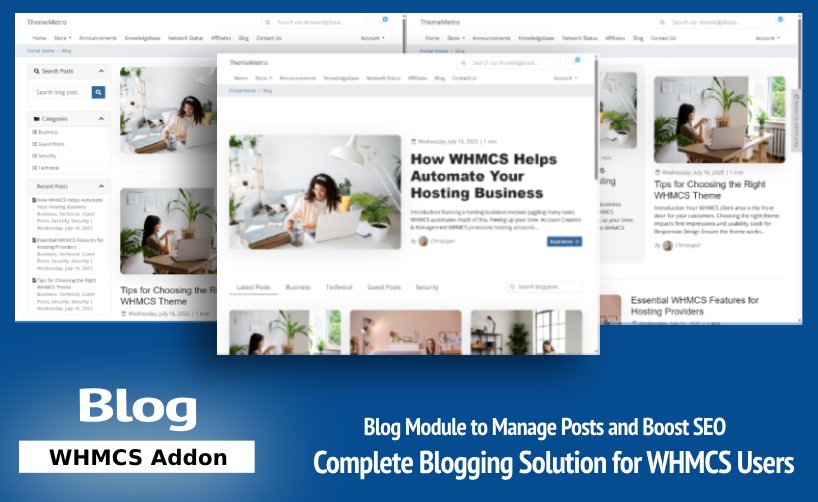
We’re excited to announce the launch of our brand-new WHMCS Blog Module—a complete, SEO-optimized blogging solution built specifically for WHMCS. The addon is Fully compatible with Croster, Twenty-One and Six template. Why This Module? Your hosting or SaaS business needs content to: Build trust Improve SEO rankings Educate customers Share updates But running an external blog means extra management, security concerns, and split branding. With our WHMCS Blog Module, you can now, Blog Directly from WHMCS! Key Highlights: Full Blog Management – Posts, Categories, Authors, and Tags. SEO Features – Meta Tags, Open Graph, Schema, Canonical URLs. Multilingual Support – Use WHMCS language switching natively. Advanced Comments – With CAPTCHA & Spam Control. Post Scheduling & Drafts – Publish when you’re ready. Author Profiles – Show bios, images, and social links. Featured Images – Optimized for sharing. Clean URLs & Sidebars – Seamless integration with your WHMCS theme. Get it now in just $69.95/One time (Owned License). The license is valid for lifetime and single domain only, Includes 1st year of support & updates. Optionally renewed @ $59 per year. Explore all features and live Demo If you may have any questions, Please feel free to Contact Us.
-
Hello, It looks like WHMCS has a missing closing <div> tag in the Home Page Panel, possibly related to the "Register a New Domain" section. Because of this, the panel grid layout isn't functioning correctly. Thanks
-
You may try https://marketplace.whmcs.com/product/1582-email-auto-authorization
-
You may try below: https://marketplace.whmcs.com/product/5905-admin-menu-manager
-
Block payment method based on invoice amount
ThemeMetro replied to banar's topic in Developer Corner
You may try this. https://marketplace.whmcs.com/product/2538-client-manager -
We are delighted to announce the release of Version 2.1.0, which is brimming with an array of exciting new features, enhancements, and bug fixes designed to elevate your experience with the WHMCS platform. We extend our sincere apologies for the delay in these updates, as our dedicated team has been diligently working to refine and optimize the features, ensuring a seamless and bug-free experience...read more. A major update with a lot of new features and sections! Explore the enhanced functionality in our live demo.
-
We are delighted to announce the release of Version 2.1.0, which is brimming with an array of exciting new features, enhancements, and bug fixes designed to elevate your experience with the WHMCS platform. We extend our sincere apologies for the delay in these updates, as our dedicated team has been diligently working to refine and optimize the features, ensuring a seamless and bug-free experience...read more.. A major update with a lot of new features and sections! Explore the enhanced functionality in our live demo.

-
We are pleased to announce the release of Croster v2.0.12 which is fully supported with WHMCS 8.10.1. https://thememetro.com/announcements/62/Croster-v2.0.12-released.html
-
You may try below addon https://marketplace.whmcs.com/product/6911-promotion-banners
-
You may try below addon which is available at marketplace. https://marketplace.whmcs.com/product/4455-uptimerobot-status
-
Did you check below addon at marketplace, I hope it will helpful for you. https://marketplace.whmcs.com/product/3563-new-order-ticket
-

-
How To Set Auto Cancel Pending Order After X Days ?
ThemeMetro replied to HOSKIA INDIA's topic in Using WHMCS
You may try whmcsservices module -
The wait is finally over. We're excited to release Croster v2.0.5. This version contains bug fixes and improvements along with new features. Here is the list of all new features, improvements and bug fixes in this release.
-
You may contact @WHMCSServices
-
We are happy to announce the release of Croster 2.0.4 fully compatible with WHMCS Latest version 8.4.. Here is the list of all new features, improvements and bug fixes in Croster v2.0.4.


