


-
Posts
660 -
Joined
-
Last visited
-
Days Won
31
2 Followers

About Evolve Web Hosting

Evolve Web Hosting's Achievements


-
 Has anyone else had an issue adding pricing for years 2 - 10 under domain pricing? I am unable to do so for any TLD that didn't already have the check boxes checked prior to upgrading to v8.13.1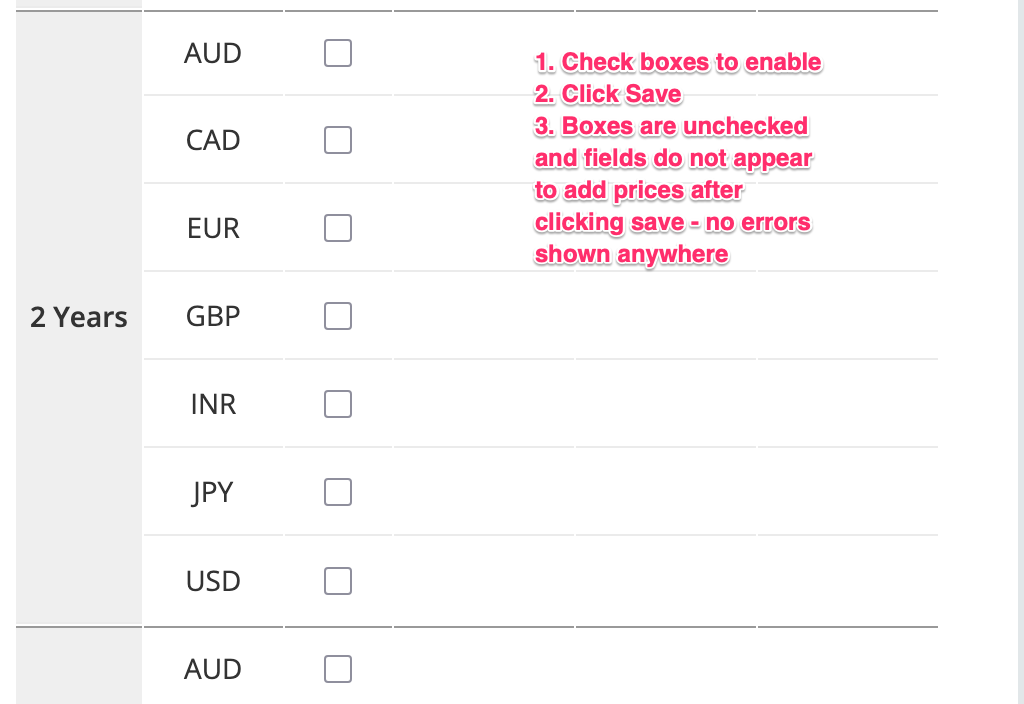
-
I don't think you need a majority of users to request this. It is pretty straightforward that unpaid invoices should be at the top followed by the most recently paid invoices.
-
@WHMCS John That is not intuitive at all for the end user (our customers). For the price increases we all just received, WHMCS should just fix this for all future releases. It will take a developer less than a minute to do so.
-
9.0 Feature and Release Discussion
Evolve Web Hosting replied to BENELUX's topic in WHMCS 9.0 RC Discussion
No Beta for a major version = no upgrade to 9.0 RC for me. I will wait for 9.1 -
External Links to Documentation
Evolve Web Hosting replied to Evolve Web Hosting's topic in Troubleshooting Issues
@WHMCS John I'll have to look further into it. That button and the one to set a directory for automatic upgrades doesn't show up for me. -
XOVI Now email template - wasn't removed
Evolve Web Hosting replied to Evolve Web Hosting's topic in Troubleshooting Issues
@WHMCS John I never use MarketConnect so it's not an 'issue'. I was just pointing it out. -
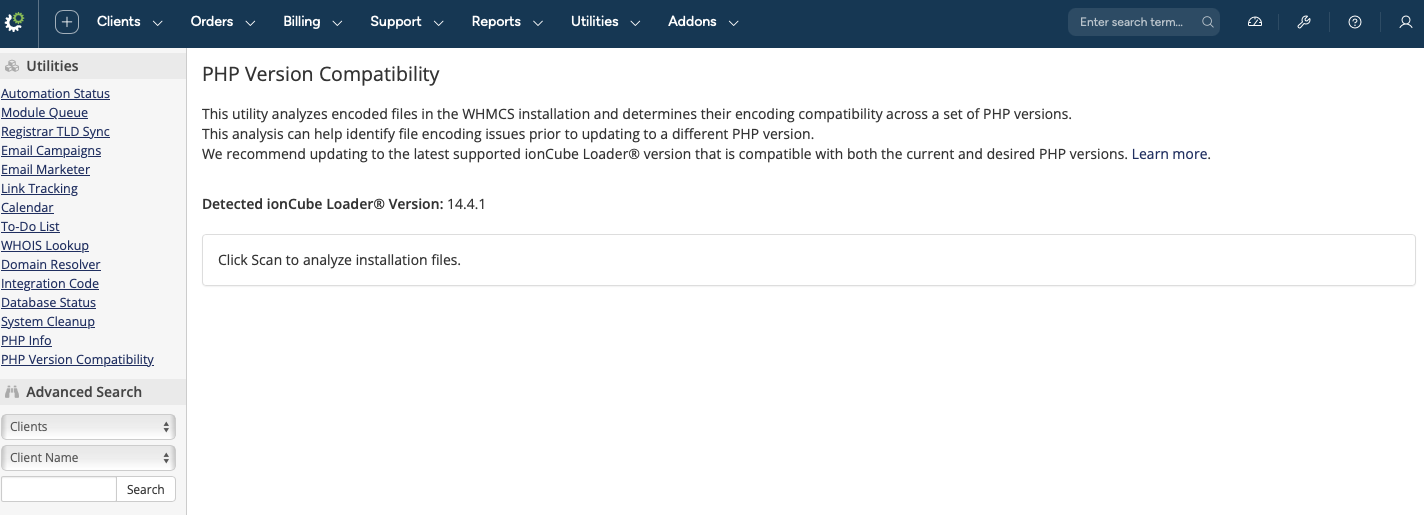
Please update the links in the admin area that point to WHMCS documentation to open in a new tab / window. Some of them already open this way and others don't. Example: on the PHP File Compatibility screen We recommend updating to the latest supported ionCube Loader® version that is compatible with both the current and desired PHP versions. Learn more. Also, where is the 'scan' button? Safari doesn't show it. I'm using the new Blend preview template
-
XOVI Now email template - wasn't removed
Evolve Web Hosting posted a topic in Troubleshooting Issues
Very minor and not an 'issue' The XOVI NOW email template still exists after removing the feature from MarketConnect -
@WHMCS John Is there code injected directly from Mixpanel? For the first time since I started setting up this new version, the pop up is not appearing. I haven't changed anything on my install which makes me wonder if that's coming directly from Mixpanel.
-
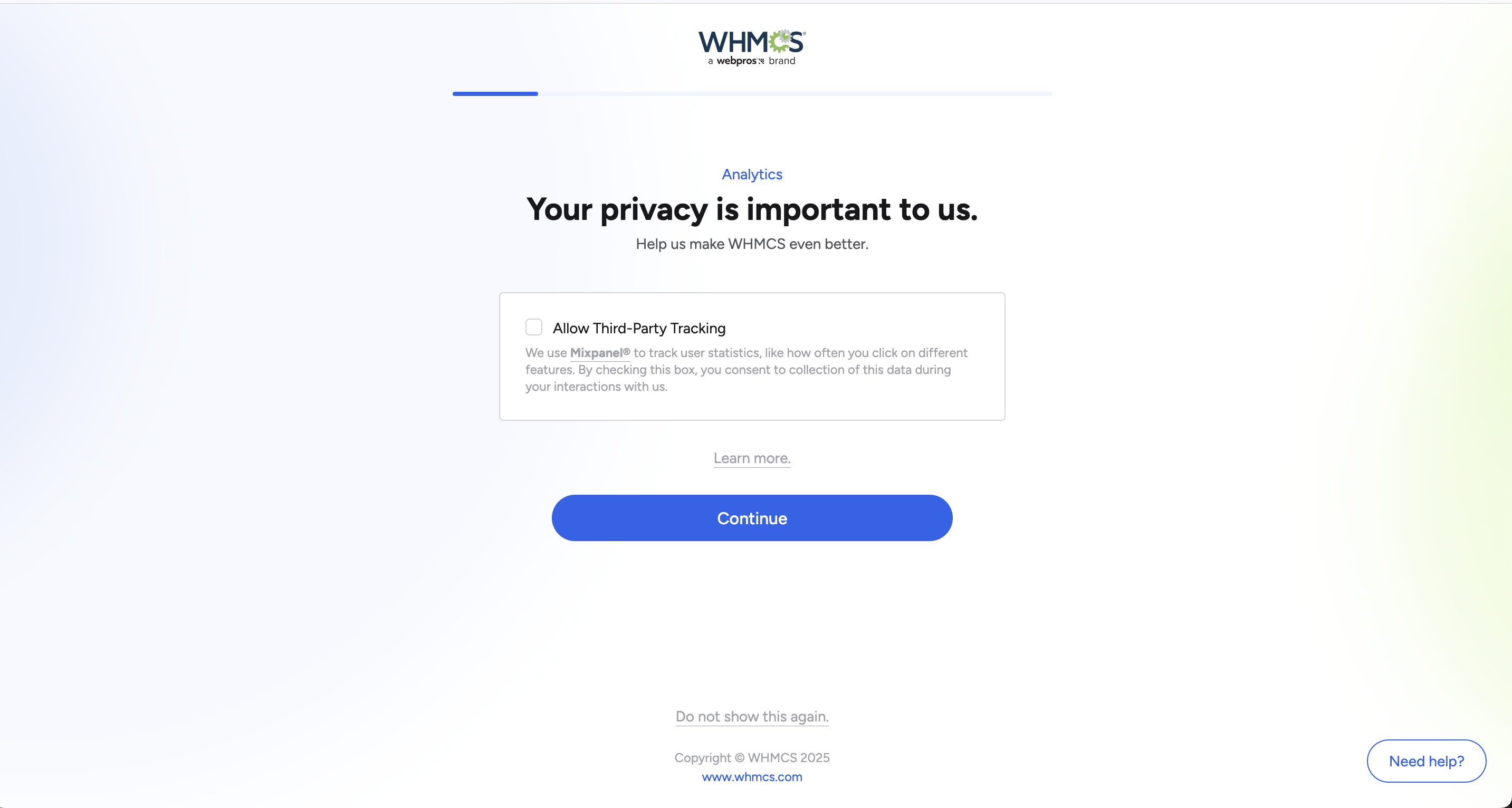
Forgot to mention that even when I click 'do not show this again', it still continues to appear.
-
@WHMCS John now it gets even more annoying because I login and see this screen too, followed by the same pop out on the dashboard. You're not gonna track me any more than I can control and it's super annoying. I won't because it's not an easy move but it makes me want to change software, it's that bothersome. We should be able to say NO once and that's it.
-
@WHMCS John the cookie is set (it is httpOnly false and samesite Lax - if that's of concern) There are 2 errors related to this and it's very very easy to repeat the steps and have the notification continue to re appear on the dashboard. It does it in 6 different browsers that I've checked.


-
This may have been the intended behaviour but it's not reality. No matter what browser I use, the notification never goes away. It's always there every time I visit the dashboard.
-
I thought they went out of business. I was charged in 2024 on automatic renewal but never could get any reply about an issue I was having so I cancelled my license. It's a shame but it is what it is.
-
I just completed a fresh install of 8.13.1 and no mater how many times I click 'deny' about the Analytics tracking, that notification returns every time I revisit the dashboard. How do I make this stop?


