Search the Community
Showing results for tags 'Twitter API'.
Found 1 result
-
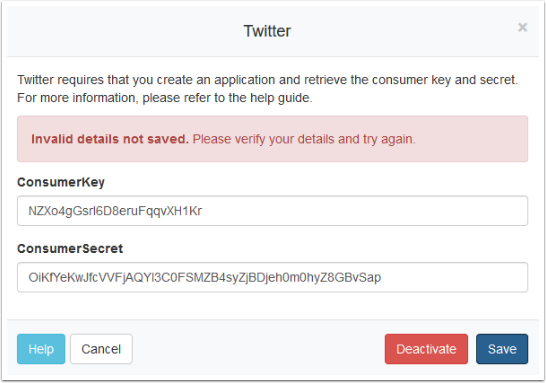
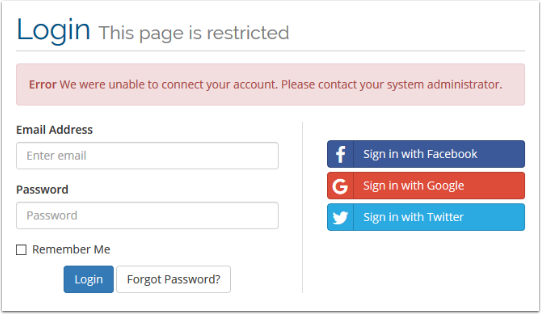
 Summary: Twitter have made some changes to their API this week which impacts our WHMCS Sign-In Integrations. More information on the changes Twitter have made are outlined on their community. In essence, we can no-longer override the Callback URL used by the Twitter App. Instead the Callback URLs settings on the Twitter Developer site now act more like a whitelist. The Callback URL sent by WHMCS must match exactly with the Callback URL specified in the app settings, or the login will fail. Error presents as: In WHMCS this manifests itself as an error when attempting to login with Twitter: Or when activating Twitter sign-in for the first time in the admin area: Resolution: Because the Callback URL can take several forms, depending upon the Friendly URLs setting, we are recommending users configure all three in their Twitter app settings. Visit https://apps.twitter.com/ If not logged in, login to your Twitter account Select your WHMCS sign-in app from the list Click the Settings tab In the Callback URLs section, replace the current single entry with the following three entries: http://demo.whmcs.com/whmcs/index.php?rp=/auth/provider/twitter_oauth/callback http://demo.whmcs.com/whmcs/index.php/auth/provider/twitter_oauth/callback http:///demo.whmcs.com/whmcs/auth/provider/twitter_oauth/callback Remember to replace http://demo.whmcs.com/whmcs/ with the actual URL of your WHMCS installation Click Save Changes More Information can be found at http://help.whmcs.com/m/troubleshooting/l/914546-troubleshooting-an-invalid-details-not-saved-error-when-configuring-twitter-sign-in-integrations