HostCuritiba
-
Posts
14 -
Joined
-
Last visited
Content Type
Profiles
Forums
Events
Hotfixes
Everything posted by HostCuritiba
-
 Fantastic, this now works as it should. My sincere thanks for your advice today!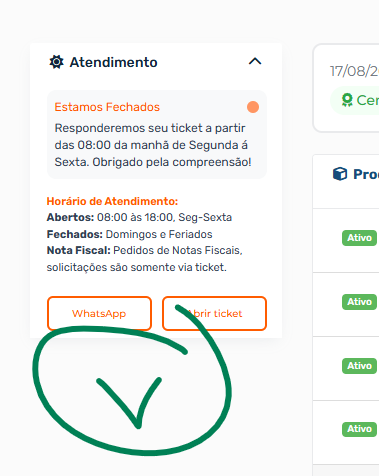
-
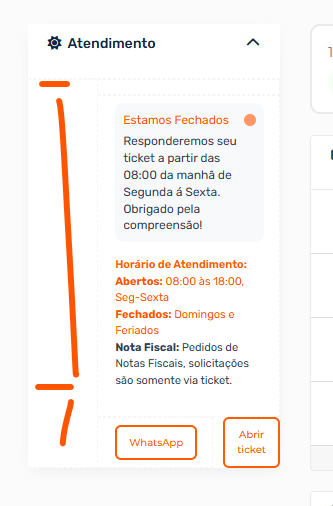
It is working fine, but we have spaces and it is not aligned, I believe some line creates spaces
-
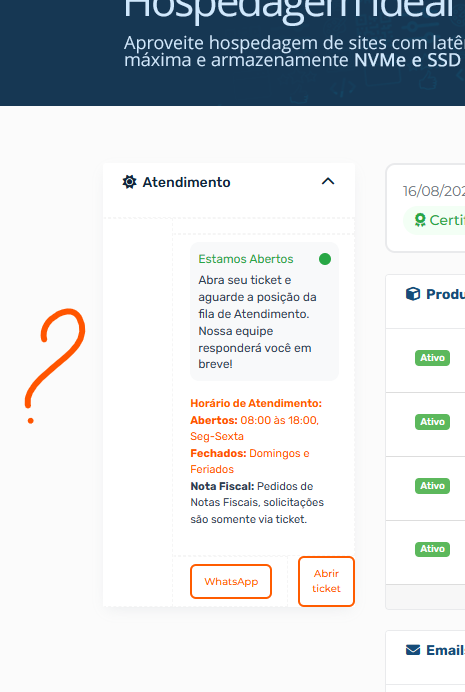
The HTML appears to be broken. Is there any way to add this div to the HTML without any errors?
-
Now working perfectly! Could you tell me how I can add my DIV in HTML now? <div class="sidebar-atendimento"> <div class="status-message" id="statusMessage"> <div class="status-header"> <span class="status-title" id="statusTitle">Carregando status...</span> <div class="status-icon-small" id="statusIcon"></div> </div> <div class="status-description" id="statusDescription"></div> </div> <div class="horario-info"> <div class="horario-title">Horário de Atendimento:</div> <div><strong>Abertos:</strong> 08:00 às 18:00, Seg-Sexta</div> <div><strong>Fechados:</strong> Domingos e Feriados</div> </div> <div class="nota-fiscal"> <strong>Nota Fiscal:</strong> Pedidos de Notas Fiscais, solicitações são somente via ticket. </div> <div class="buttons-container"> <button onclick="openChat()" class="botoes-sidebar">WhatsApp</button> <a href="https://painel.hostcuritiba.net.br/submitticket.php?step=2&deptid=1" class="botoes-sidebar">Abrir ticket</a> </div> </div>
-
I would just need to add this html code: <div class="sidebar-atendimento"> <div class="status-message" id="statusMessage"> <div class="status-header"> <span class="status-title" id="statusTitle">Carregando status...</span> <div class="status-icon-small" id="statusIcon"></div> </div> <div class="status-description" id="statusDescription"></div> </div> <div class="horario-info"> <div class="horario-title">Horário de Atendimento:</div> <div><strong>Abertos:</strong> 08:00 às 18:00, Seg-Sexta</div> <div><strong>Fechados:</strong> Domingos e Feriados</div> </div> <div class="nota-fiscal"> <strong>Nota Fiscal:</strong> Pedidos de Notas Fiscais, solicitações são somente via ticket. </div> <div class="buttons-container"> <button onclick="openChat()" class="botoes-sidebar">WhatsApp</button> <a href="https://painel.hostcuritiba.net.br/submitticket.php?step=2&deptid=1" class="botoes-sidebar">Abrir ticket</a> </div> </div>
-
I formatted as directed, still not working. the sidebar is now gone <?php use WHMCS\View\Menu\Item as MenuItem; add_hook('ClientAreaPrimarySidebar', 1, função (MenuItem $secondarySidebar, matriz $vars) { se ($vars['templatefile'] == 'clientareahome') { // Add a panel to the end of the secondary sidebar for social media links. // Declare it with the name "slider" so we can easily retrieve it // later. $PrimarySidebar->addChild('slider', array( 'label' => 'Atendimento', 'uri' => '#', 'icon' => 'fa fa-sun-o', )); // Retrieve the panel we just created. $sliderPanel = $PrimarySidebar->getChild('slider'); // Move the panel to the end of the sorting order so it's always displayed // as the last panel in the sidebar. $sliderPanel->moveToFront(); // Add a Facebook link to the panel. $sliderPanel->addChild('facebook-link', array( 'label' => '<div class="sidebar-atendimento"> <div class="status-message" id="statusMessage"> <div class="status-header"> <span class="status-title" id="statusTitle">Carregando status...</span> <div class="status-icon-small" id="statusIcon"></div> </div> <div class="status-description" id="statusDescription"></div> </div> <div class="horario-info"> <div class="horario-title">Horário de Atendimento:</div> <div><strong>Abertos:</strong> 08:00 às 18:00, Seg-Sexta</div> <div><strong>Fechados:</strong> Domingos e Feriados</div> </div> <div class="nota-fiscal"> <strong>Nota Fiscal:</strong> Pedidos de Notas Fiscais, solicitações são somente via ticket. </div> <div class="buttons-container"> <button onclick="openChat()" class="botoes-sidebar">WhatsApp</button> <a href="https://painel.hostcuritiba.net.br/submitticket.php?step=2&deptid=1" class="botoes-sidebar">Abrir ticket</a> </div> </div>', } }); I still have no luck that this works well
-
I formatted it as per your advice. Now I don't have the sidebar on the side. Could you confirm if I applied something wrong? <?php use WHMCS\View\Menu\Item as MenuItem; add_hook('ClientAreaPrimarySidebar', 1, function (MenuItem $secondarySidebar) { if ($vars['templatefile'] == 'clientareahome') { // Add a panel to the end of the secondary sidebar for social media links. // Declare it with the name "slider" so we can easily retrieve it // later. $PrimarySidebar->addChild('slider', array( 'label' => 'Atendimento', 'uri' => '#', 'icon' => 'fa fa-sun-o', )); // Retrieve the panel we just created. $sliderPanel = $PrimarySidebar->getChild('slider'); // Move the panel to the end of the sorting order so it's always displayed // as the last panel in the sidebar. $sliderPanel->moveToFront(); // Add a Facebook link to the panel. $sliderPanel->addChild('facebook-link', array( 'label' => '<div class="sidebar-atendimento"> <div class="status-message" id="statusMessage"> <div class="status-header"> <span class="status-title" id="statusTitle">Carregando status...</span> <div class="status-icon-small" id="statusIcon"></div> </div> <div class="status-description" id="statusDescription"></div> </div> <div class="horario-info"> <div class="horario-title">Horário de Atendimento:</div> <div><strong>Abertos:</strong> 08:00 às 18:00, Seg-Sexta</div> <div><strong>Fechados:</strong> Domingos e Feriados</div> </div> <div class="nota-fiscal"> <strong>Nota Fiscal:</strong> Pedidos de Notas Fiscais, solicitações são somente via ticket. </div> <div class="buttons-container"> <button onclick="openChat()" class="botoes-sidebar">WhatsApp</button> <a href="https://painel.hostcuritiba.net.br/submitticket.php?step=2&deptid=1" class="botoes-sidebar">Abrir ticket</a> </div> </div>', )); }); } }
-
@DristiTechnologies could you help me with this?
-
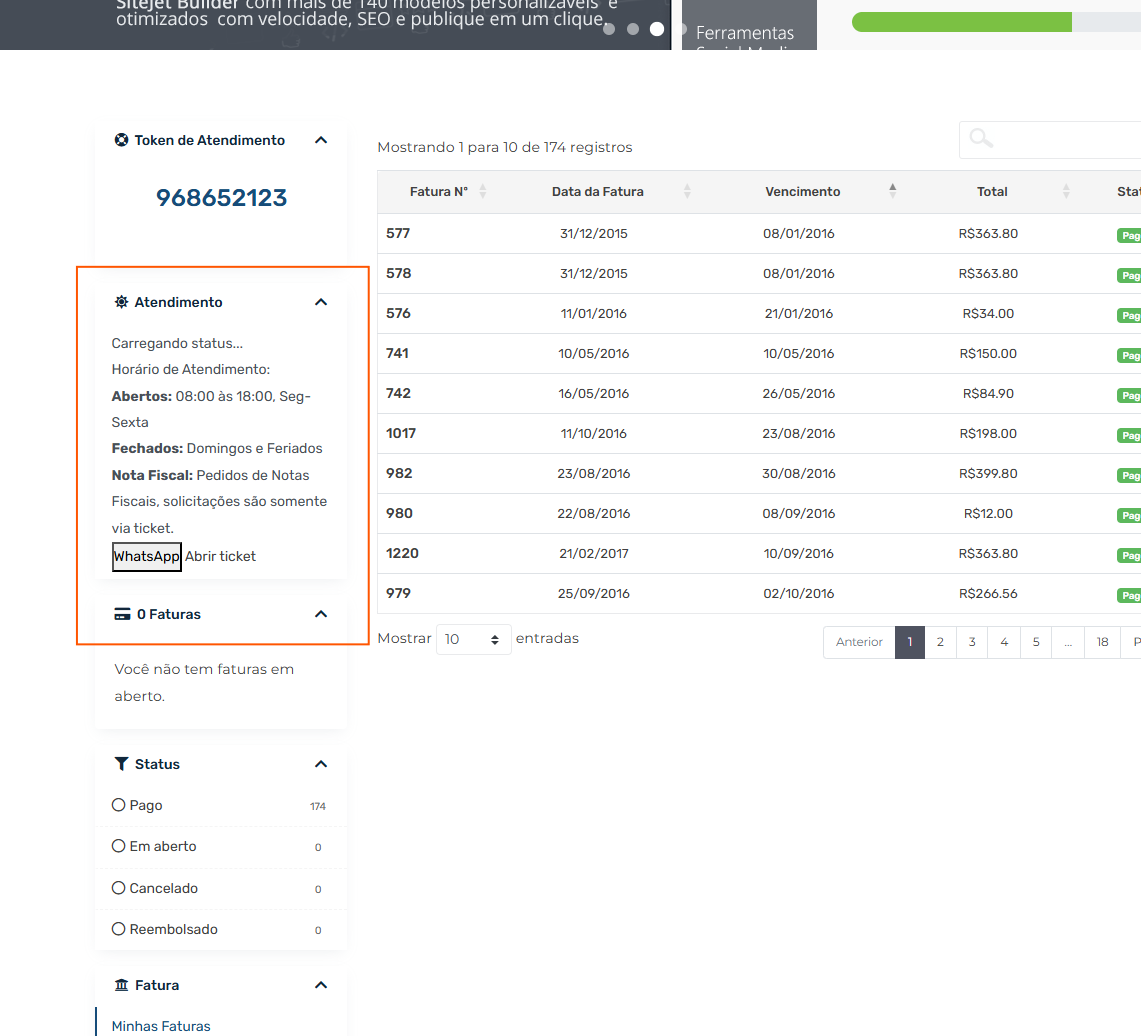
It doesn't actually work properly as it should. WHMCS didn't program its individual page structure like: /supporttickets.php /announcements /submitticket.php The invoices page isn't individual and isn't part of /invoices.php it uses: /clientarea.php?action=invoices meaning the sidebar will display in: clientarea.php This is reflected in others like: /clientarea.php?action=services /clientarea.php?action=products&module=licensing I really don't know what the behavior is in creating a sidebar just for: clientarea.php and not repeating it in other internal pages.
-
I added: $scriptName = basename($_SERVER['SCRIPT_NAME']); if ($scriptName !== 'clientarea.php') { return; } It worked correctly! Thanks!
-
Thank you for your reply, please let me know if I would add this line below or what the complete code would look like? I apologize, I really don't know how to program at all. <?php use WHMCS\View\Menu\Item as MenuItem; // Add social media links to the end of all secondary sidebars. add_hook('ClientAreaPrimarySidebar', 1, function (MenuItem $secondarySidebar) { if ($scriptName !== 'index.php') { return; } <<=====Would this be to add the page on any line?
-
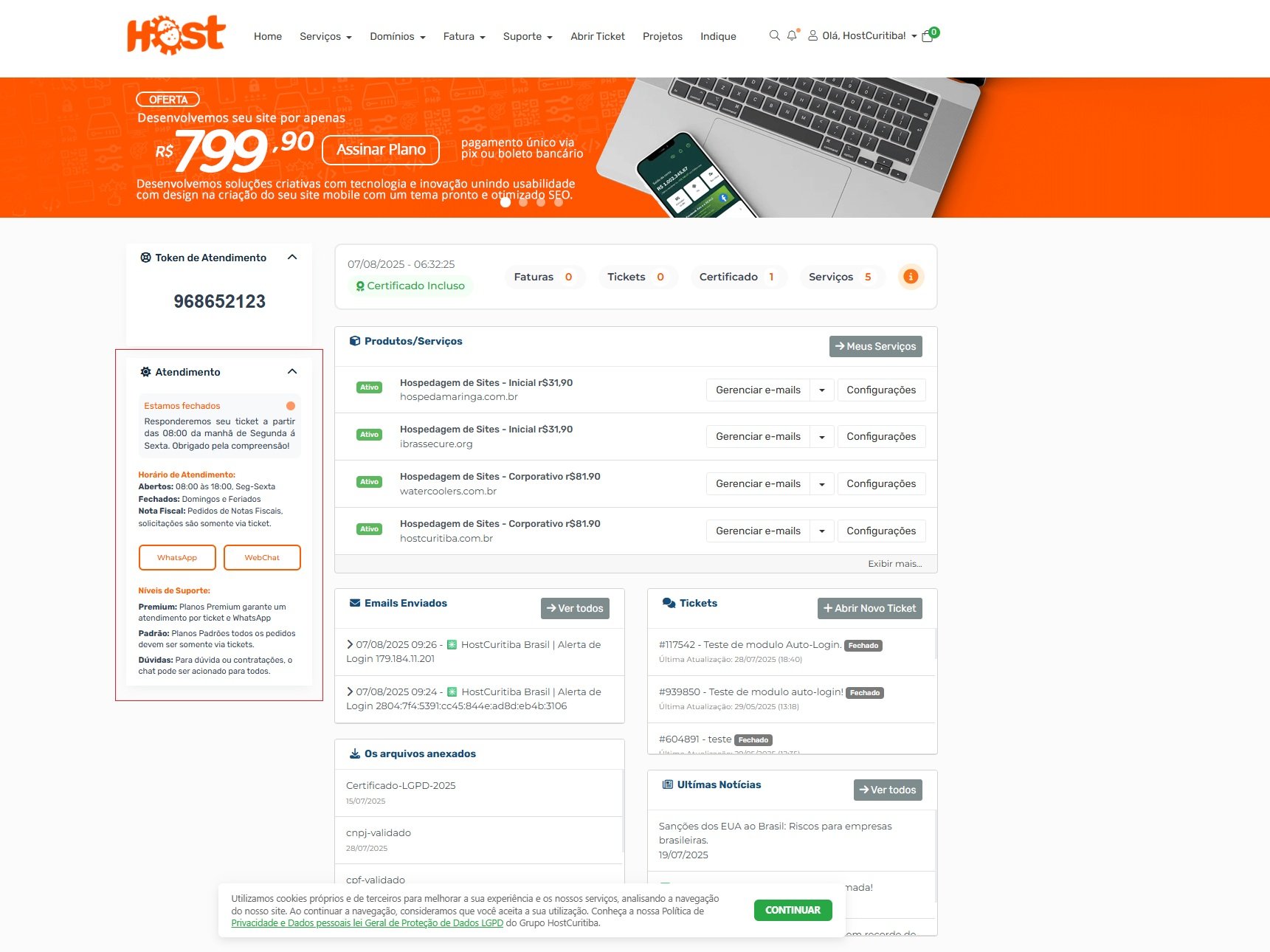
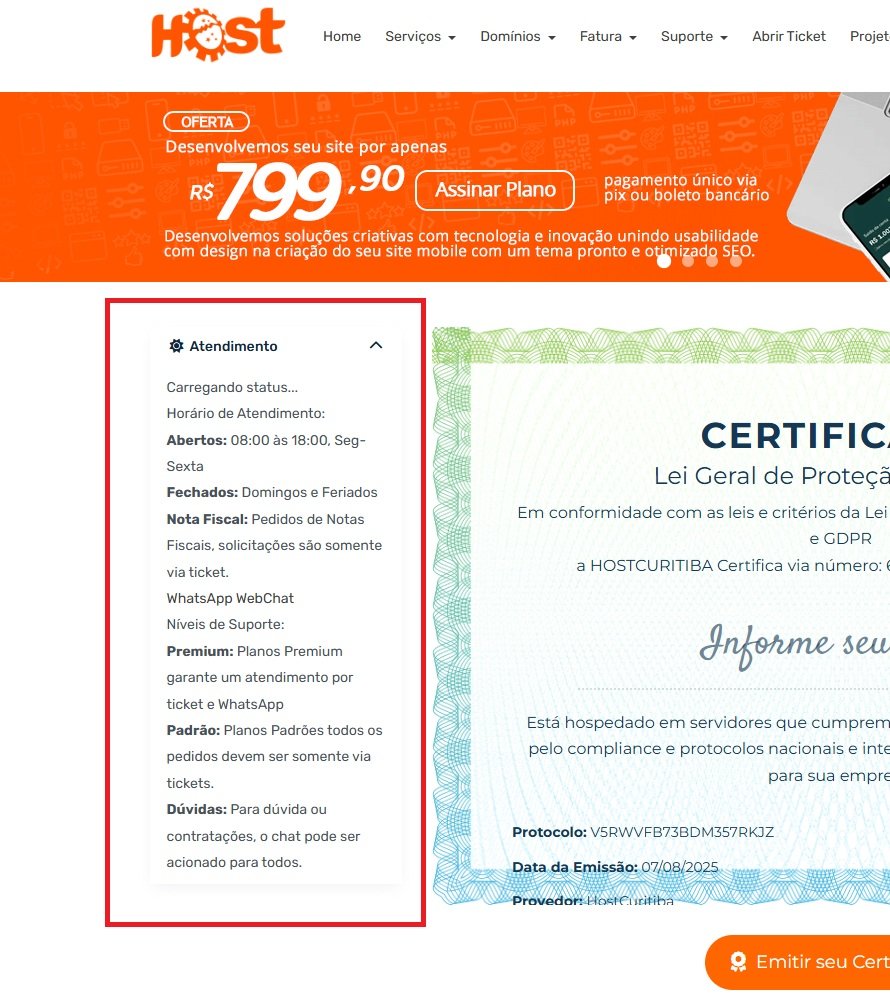
Create a ClientAreaPrimarySidebar Hook for the Home Page Only Hello? I'm new to WHMC production and tried to create my first hook. The problem is that it works fine, but on all internal pages. I need the hook only for the home page. Is it possible to avoid repeating this on all internal pages? If anyone can help me, I'd be grateful. ~~~~ <?php use WHMCS\View\Menu\Item as MenuItem; // Add social media links to the end of all secondary sidebars. add_hook('ClientAreaPrimarySidebar', 1, function (MenuItem $secondarySidebar) { // Add a panel to the end of the secondary sidebar for social media links. // Declare it with the name "slider" so we can easily retrieve it // later. $secondarySidebar->addChild('slider', array( 'label' => 'Atendimento', 'uri' => '#', 'icon' => 'fa fa-sun-o', )); // Retrieve the panel we just created. $sliderPanel = $secondarySidebar->getChild('slider'); // Move the panel to the end of the sorting order so it's always displayed // as the last panel in the sidebar. $sliderPanel->moveToFront(); // Add a Facebook link to the panel. $sliderPanel->addChild('facebook-link', array( 'label' => '<div class="sidebar-atendimento"> <div class="status-message" id="statusMessage"> <div class="status-header"> <span class="status-title" id="statusTitle">Carregando status...</span> <div class="status-icon-small" id="statusIcon"></div> </div> <div class="status-description" id="statusDescription"></div> </div> <div class="horario-info"> <div class="horario-title">Horário de Atendimento:</div> <div><strong>Abertos:</strong> 08:00 às 18:00, Seg-Sexta</div> <div><strong>Fechados:</strong> Domingos e Feriados</div> </div> <div class="nota-fiscal"> <strong>Nota Fiscal:</strong> Pedidos de Notas Fiscais, solicitações são somente via ticket. </div> <div class="buttons-container"> <a href="https://wa.me/5541995558123?text=Tenho dúvidas, Gostaria de mais informações... " target="_blank" class="botoes-sidebar"> WhatsApp </a> <a href="javascript:void(Tawk_API.toggle())" class="botoes-sidebar"> WebChat </a> </div> <div class="niveis-suporte"> <div class="niveis-title">Níveis de Suporte:</div> <div class="nivel-item"><strong>Premium:</strong> Planos Premium garante um atendimento por ticket e WhatsApp</div> <div class="nivel-item"><strong>Padrão:</strong> Planos Padrões todos os pedidos devem ser somente via tickets.</div> <div class="nivel-item"><strong>Dúvidas:</strong> Para dúvida ou contratações, o chat pode ser acionado para todos.</div> </div> </div>', )); }); ~~~~ I have some catches. The hook should only be displayed in the client area on the home screen.
-
Make a Customer Activity Logs page the default.
HostCuritiba replied to HostCuritiba's topic in Developer Corner
I need help creating this -
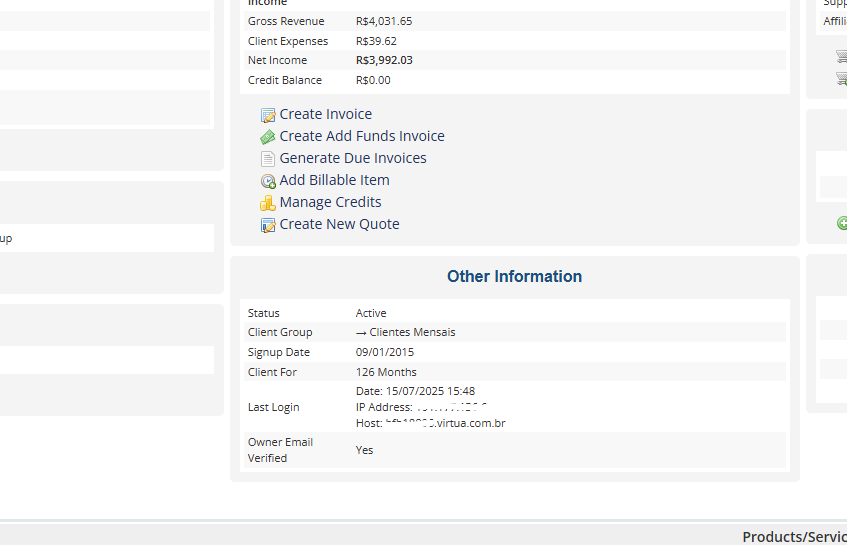
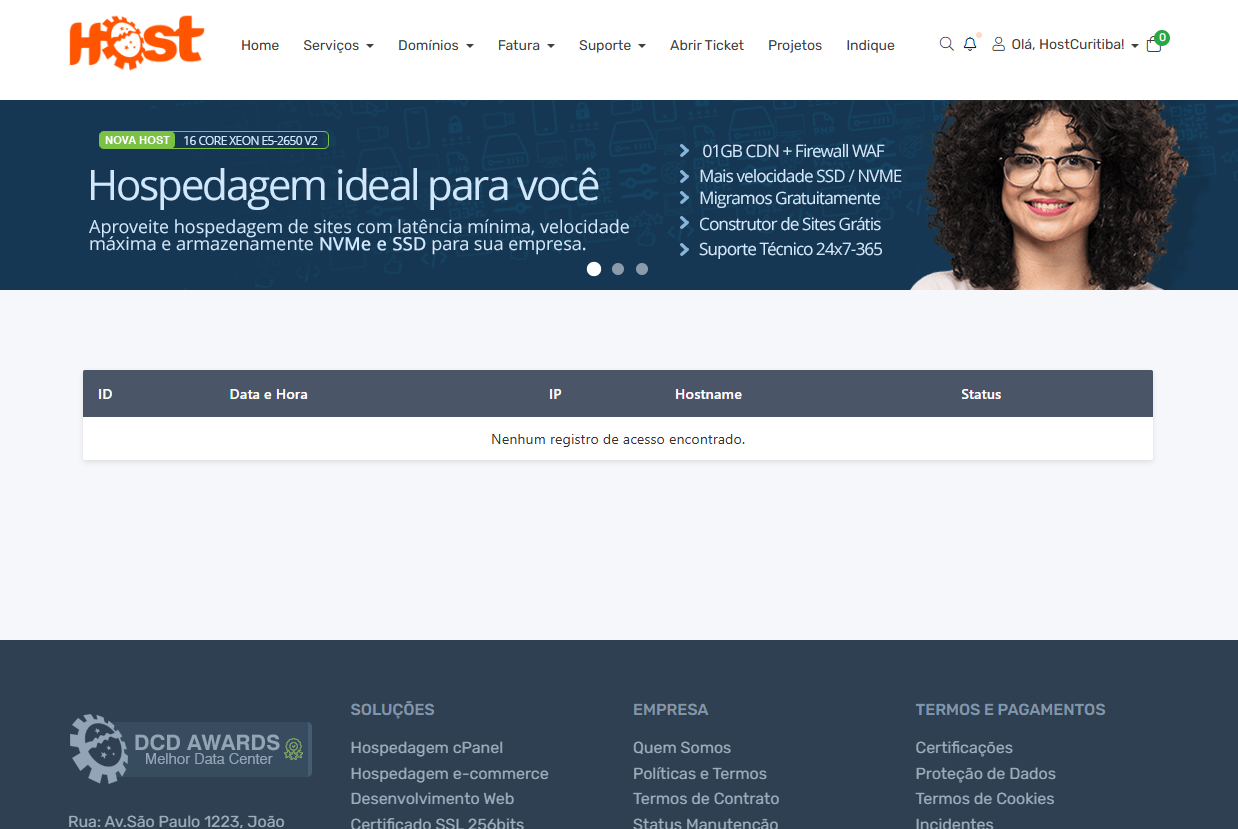
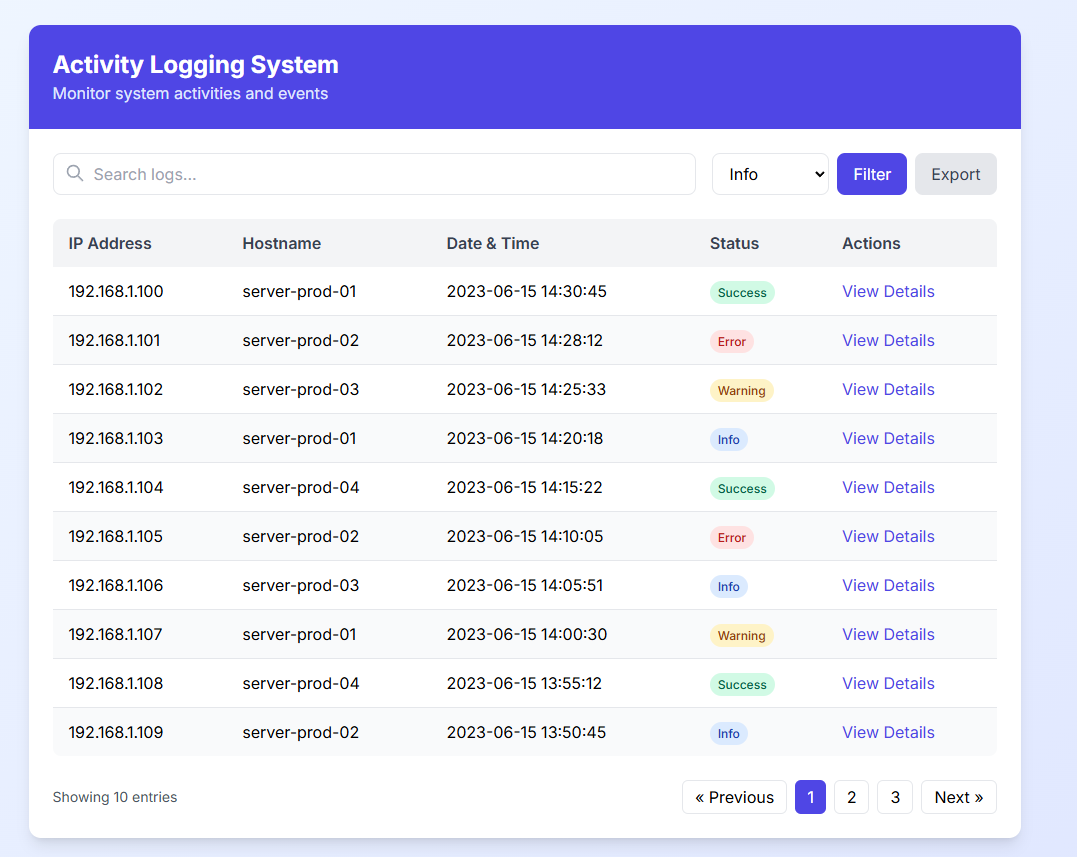
Data Protection Laws (LGPD) require web providers in our country to record user activity logs on their pages. I understand that the official WHMCS already collects this data, but only in the admin area: Other Information: Status: Active Customer Group: → Monthly Customers Registration Date: 07/17/2025 Customer for: 3 Days Last Login Date: 07/18/2025 5:42 PM IP Address: 191.177.136.50 Host: bfb18832.virtua.com.br Owner Email Verified: Yes It would be an internal page like: User Activities containing a table only reporting and collecting the same data as the admin. It would be an internal page like: User Activities containing a table only reporting and collecting the same data as the admin. ~~~~ ID: Time/Day: Hostname: IP: Status: ~~~~ Would keep the data for 30/90 or permanently log the data. Or if anyone can help me build this through simple steps, I have a manual that doesn't work, but I'd like help getting this to work without a module or with an open and simple module. Documentation in this file: https://painel.hostcuritiba.net.br/atividades.html Step 1: Create the Database Table First, you need to create the activity_logs table in your WHMCS database. You can do this through phpMyAdmin or by running this SQL query: -- Save this as activity_logs.sql and import it into your database CREATE TABLE `activity_logs` ( `id` int(11) NOT NULL AUTO_INCREMENT, `user_id` int(11) DEFAULT NULL, `date_time` datetime NOT NULL, `ip_address` varchar(45) NOT NULL, `hostname` varchar(255) DEFAULT NULL, `login_type` varchar(50) NOT NULL, `description` text, `status` varchar(20) NOT NULL DEFAULT 'success', PRIMARY KEY (`id`), KEY `user_id` (`user_id`), KEY `date_time` (`date_time`), KEY `login_type` (`login_type`) ) ENGINE=InnoDB DEFAULT CHARSET=utf8mb4; Step 2: Create the PHP File Create a file named activitylog.php in your WHMCS custom client area templates directory: <?php /** * Activity Log System * * @package WHMCS * @author Custom Developer * @version 1.0 */ use WHMCS\Database\Capsule; // Require login to access this page $ca->requireLogin(); // Check login status if ($ca->isLoggedIn()) { // User is logged in $clientName = Capsule::table('tblclients') ->where('id', '=', $ca->getUserID())->pluck('firstname'); $ca->assign('clientname', $clientName); // Log this activity logActivity($ca->getUserID()); } else { // User is not logged in $ca->assign('clientname', 'Random User'); } /** * Log user activity * * @param int $userId User ID * @return void */ function logActivity($userId) { // Get current date and time $dateTime = date('Y-m-d H:i:s'); // Get IP address $ipAddress = $_SERVER['REMOTE_ADDR']; // Get hostname $hostname = gethostbyaddr($ipAddress); // Determine login type $loginType = isset($_SERVER['HTTP_X_FORWARDED_FOR']) ? 'proxy' : 'direct'; // Insert activity log Capsule::table('activity_logs')->insert([ 'user_id' => $userId, 'date_time' => $dateTime, 'ip_address' => $ipAddress, 'hostname' => $hostname, 'login_type' => $loginType, 'description' => 'User accessed activity log page', 'status' => 'success' ]); } // Get activity logs for current user $activityLogs = Capsule::table('activity_logs') ->where('user_id', '=', $ca->getUserID()) ->orderBy('date_time', 'desc') ->limit(50) ->get(); $ca->assign('activityLogs', $activityLogs); // Output template $ca->setTemplate('activitylog.tpl'); ?> Step 3: Create the Template File Create a file named activitylog.tpl in your WHMCS template directory: <div class="container"> <h2>Activity Logs for {$clientname}</h2> <div class="table-responsive"> <table class="table table-bordered"> <thead> <tr> <th>ID</th> <th>Date & Time</th> <th>IP Address</th> <th>Hostname</th> <th>Login Type</th> <th>Status</th> </tr> </thead> <tbody> {foreach from=$activityLogs item=log} <tr> <td>{$log->id}</td> <td>{$log->date_time}</td> <td>{$log->ip_address}</td> <td>{$log->hostname}</td> <td>{$log->login_type}</td> <td> {if $log->status == 'success'} <span class="label label-success">success</span> {else} <span class="label label-danger">failed</span> {/if} </td> </tr> {foreachelse} <tr> <td colspan="6">No activity logs found</td> </tr> {/foreach} </tbody> </table> </div> </div> Step 4: Register the Custom Client Area Page Create or edit the hooks.php file in your WHMCS root directory to register your custom page: <?php /** * WHMCS Custom Hooks File */ // Register custom client area page add_hook('ClientAreaPrimaryNavbar', 1, function($primaryNavbar) { // Check if user is logged in if (is_null($primaryNavbar->getChild('Account'))) { return; } // Add Activity Log menu item under Account $primaryNavbar->getChild('Account') ->addChild('Activity Log', array( 'uri' => 'index.php?m=custom&action=activitylog', 'order' => 50, )); }); // Register custom client area page add_hook('ClientAreaPageCustomAction', 1, function($vars) { // Check if our custom action is requested if ($vars['action'] == 'activitylog') { require_once __DIR__ . '/modules/custom/activitylog.php'; return true; } }); ?> tep 5: Create Directory Structure Make sure your files are in the correct locations: WHMCS_ROOT/ hooks.php modules/ custom/ activitylog.php templates/ YOUR_TEMPLATE/ activitylog.tpl None of the actions worked for me. If anyone can develop something that works, I'd appreciate it!